

Your teen just got a license, and now your phone buzzes every time Life360 posts a "left school" alert. Useful, sure, until you start wondering exactly where that location history ends up. If you're searching for an alternative to Life360, odds are you're not against family safety. You're against handing your family members' location data to a company that has faced criticism, a class-action lawsuit, and a data breach over how it handles that information.
The good news is that family location tracking has more solid choices in 2026 than ever. Some are free apps already sitting on the phones in your house. Others are built specifically around parental controls, screen time, or driving safety. A few even track the car itself instead of whichever phone happens to be riding in it that day.
This guide walks through the best Life360 alternatives for every kind of family, compares real pricing and features side by side, and answers the specific questions people ask most before switching, including whether GeoZilla, iSharing, or Glympse actually beat Life360 outright. Life360 isn't the only option anymore, and for many households, one of these alternatives is a more reliable fit.
Google Maps location sharing is the best free alternative to Life360 for most families, since it's already built into a phone almost everyone owns and offers simple location sharing with no subscription. For parental controls and screen time limits on younger kids, Google Family Link and Qustodio are stronger picks. For teen drivers, OtoZen and FamiSafe add speed alerts and crash detection with tighter data handling practices than Life360. And if what you actually want is to track the car itself rather than a phone that can be left behind or run out of battery, ShadowGPS's ShadowAuto and ShadowTrack are built for exactly that job. Below are our top picks for the best Life360 alternative in every category, from free apps to reliable hardware trackers.
Why Families Are Looking for a Life360 Alternative
Life360 built its name on real time location sharing for families, and for a lot of people it still works fine. But over the last few years, the app has faced criticism that goes beyond a clunky interface. Three issues keep pushing people toward an alternative apps search: data brokers, a data breach, and a privacy policy that gives the company wide latitude over your location data.
Data brokers and the location data controversy
A 2021 investigation by The Markup found that Life360 was selling precise location data on millions of users, many of them kids, to about a dozen data brokers. Life360 later said it would stop selling raw location data to most of those brokers, but it kept a relationship with Arity and began selling "aggregated" data through the Placer.ai and LiveRamp marketplaces instead. A proposed class-action lawsuit followed, alleging the company never got clear consent to sell family members' whereabouts in the first place.
The 2024 data breach
In 2024, a threat actor exploited an unsecured login API and leaked the names, emails, and phone numbers of more than 400,000 Life360 users, according to BleepingComputer. A second breach hit Tile, the Bluetooth tracker company Life360 owns. Neither incident exposed real-time location history directly, but both raised fair questions about how carefully a "family safety" app is guarding the data it collects.
What this means for many families
Life360's privacy policy allows for indefinite storage of location data, and the app has been criticized for requesting excessive permissions like camera access it doesn't clearly need for location sharing. One survey found 59% of parents would drop an app entirely over data sharing concerns like these. None of this means Life360 is unsafe to use. It means many families are deciding the trade-off isn't worth it anymore, and are looking for a free alternative or a more privacy-respecting option that still keeps everyone connected.
What to Look for in a Life360 Alternative
Not every alternative does the same job, and not every one of these life360 alternatives is equally reliable. Before you pick one, decide which of these actually matters for your family. Most let you create custom alerts and push notifications for arrivals, departures, and low battery, but fewer pair that with genuine emergency response features like crash detection or roadside assistance:
- Price: is there a genuinely free alternative, or does real functionality sit behind a paywall?
- Location accuracy: how often does live location actually refresh, and does it work well on both Android devices and Apple devices?
- Driving safety: does it include crash detection, speed alerts, or driving reports for new drivers?
- Parental controls: screen time controls, app blocking, and content filtering matter more if you're managing younger kids, not just tracking family members' whereabouts.
- Data handling practices: does the company sell location data, and can you see or delete your location history?
- One app for everyone: will every family member actually install and use it, including grandparents on older phones?
The 14 Best Life360 Alternatives for Family Location Tracking
Here are the strongest alternatives on the market right now, our top picks ranked by who they're actually best for. These are some of the best apps for helping family members and friends stay connected, whether that's tens of thousands of Android users or an all-iPhone household. Aura, often mentioned alongside these Life360 alternatives, is left off this list on purpose: it lacks location tracking features entirely and solves a different problem (identity protection).
1. Google Maps Location Sharing
If you and your family members already carry a phone, Google Maps location sharing is the simplest place to start. It offers real time location, works across Android and iOS, and requires no separate account or install.
Pros
- Free and accurate
- Works on Android and iPhone
Cons
- No parental controls or alerts
- No crash detection
Best for: families who just want simple location sharing between phones, no subscription attached.
2. Google Family Link
Family Link manages a child's device from the parent's phone, adding screen time controls, app blocking, and content filtering on top of location tracking. It's built for younger kids on Android devices, and it's free.
Pros
- Free, strong screen time tools
- App blocking and content filtering
Cons
- Not built for teens who resist supervision
- No driving or crash detection features
Best for: parents managing a younger child's first phone.
3. Apple Find My
Built directly into every iPhone, Find My uses end-to-end encryption for location sharing and requires nothing extra to set up between Apple devices. It's the most private option on this list by design.
Pros
- Free and already installed
- End-to-end encrypted
Cons
- Weak for mixed Android/iOS families
- No driving reports or alerts
Best for: families where everyone carries an iPhone.
4. GeoZilla
GeoZilla is the app most people mean when they ask, "is GeoZilla better than Life360?" It matches Life360 almost feature for feature, with live location, place alerts, and location history, at a starting price around $79 per year.
Pros
- Familiar Life360-style interface
- Unlimited place alerts on paid plans
Cons
- Similar business model concerns as Life360
- $79/year entry plan isn't cheap
Best for: families who like Life360's layout but want a different app, not a different privacy stance.
5. iSharing
iSharing answers the "is iSharing or Life360 better" question with a stronger focus on driving. It features real-time GPS tracking, automated place alerts, and driving behavior reports that flag hard braking and speeding.
Pros
- Detailed driving reports
- Automated place alerts
Cons
- Smaller user base than Life360
Best for: families with a new driver who want driving reports without a full parental-control suite.
6. Glympse
Glympse takes a different approach entirely: temporary location sharing that expires automatically, no permanent tracking relationship required. It answers "is Glympse better than Life360" honestly, it's better for a single trip, not for ongoing family safety.
Pros
- No permanent location history stored
- Great for sharing with friends, not just family
Cons
- Not built for continuous family safety
Best for: a single road trip or "meet me here" moment, not everyday tracking family members.
7. Bark
Bark leans into digital safety monitoring, texts, social media, and search activity, and pairs it with location tracking through check-ins and real-time alerts, rather than a constantly updating live map.
Pros
- Strong content and social media monitoring
- Location check-ins and alerts
Cons
- Not a live map, more of a check-in tool
Best for: families more worried about online safety than live location.
8. FamiSafe
FamiSafe offers real-time GPS tracking and geofencing alongside screen time and app controls, starting at $4.99/month for its paid plan. It's one of the more complete parental-control-plus-location packages on the market.
Pros
- Real-time GPS tracking and geofencing
- Low starting price at $4.99/mo
Cons
- Feature set can feel like a lot for basic location sharing
Best for: parents who want screen time controls and location tracking in a single app.
9. Qustodio
Qustodio merges device rules and app limits with some location features, at $54.95/year for its Basic plan. It leans more toward parental control than pure family location sharing.
Pros
- Strong app limits and device rules
- Predictable annual pricing
Cons
- Location tracking is a secondary feature, not the focus
Best for: families who need screen time enforcement more than a live map.
10. HeyPolo
HeyPolo prioritizes user privacy and does not sell location data, with customizable alerts for arrivals and departures and unlimited groups for location sharing, starting at $3.99/month billed annually.
Pros
- Doesn't sell location data
- Unlimited groups, low starting price
Cons
- Smaller name recognition than Life360 or GeoZilla
Best for: privacy-conscious families who still want full location sharing features.
11. Norton Family
Backed by a well-known security name, Norton Family includes location tracking and instant alerts for kids, plus the content and screen time controls you'd expect from a Norton product.
Pros
- Trusted security brand
- Instant location alerts for kids
Cons
- Often bundled, less useful standalone
Best for: families already using Norton's other security tools.
12. Findmykids
Findmykids is designed specifically for younger kids, combining real-time GPS tracking with app usage monitoring in an interface built around simplicity rather than a full parental-control dashboard.
Pros
- Built specifically for young kids
- Simple app usage monitoring included
Cons
- Outgrows its usefulness once kids become teens
Best for: parents of elementary and middle-school-age kids.
13. OtoZen
OtoZen provides live location, speed alerts, and crash detection aimed squarely at new drivers, giving parents visibility into how a teen is actually driving, not just where they ended up.
Pros
- Crash detection and speed alerts
- Focused on safer driving habits, not general parental control
Cons
- Depends on the phone being in the car and charged
Best for: parents of new drivers who want driving-specific alerts, not a full family suite.
14. ShadowGPS: ShadowAuto and ShadowTrack
Every app above has the same blind spot: it tracks a phone. If a teen driver forgets their phone, hands it to a friend, or the battery dies, every one of these alternatives goes dark, right when you need location tracking most. A GPS tracker plugged into or hidden on the car itself doesn't have that problem.
ShadowAuto plugs into your car or truck's OBD-II port in under two minutes and updates every 5 seconds while moving. ShadowTrack is a rechargeable, magnet-mount tracker for trailers, equipment, or a second vehicle without an OBD port. Both give you live location, trip history, and a car alarm feature, independent of any phone in the car.
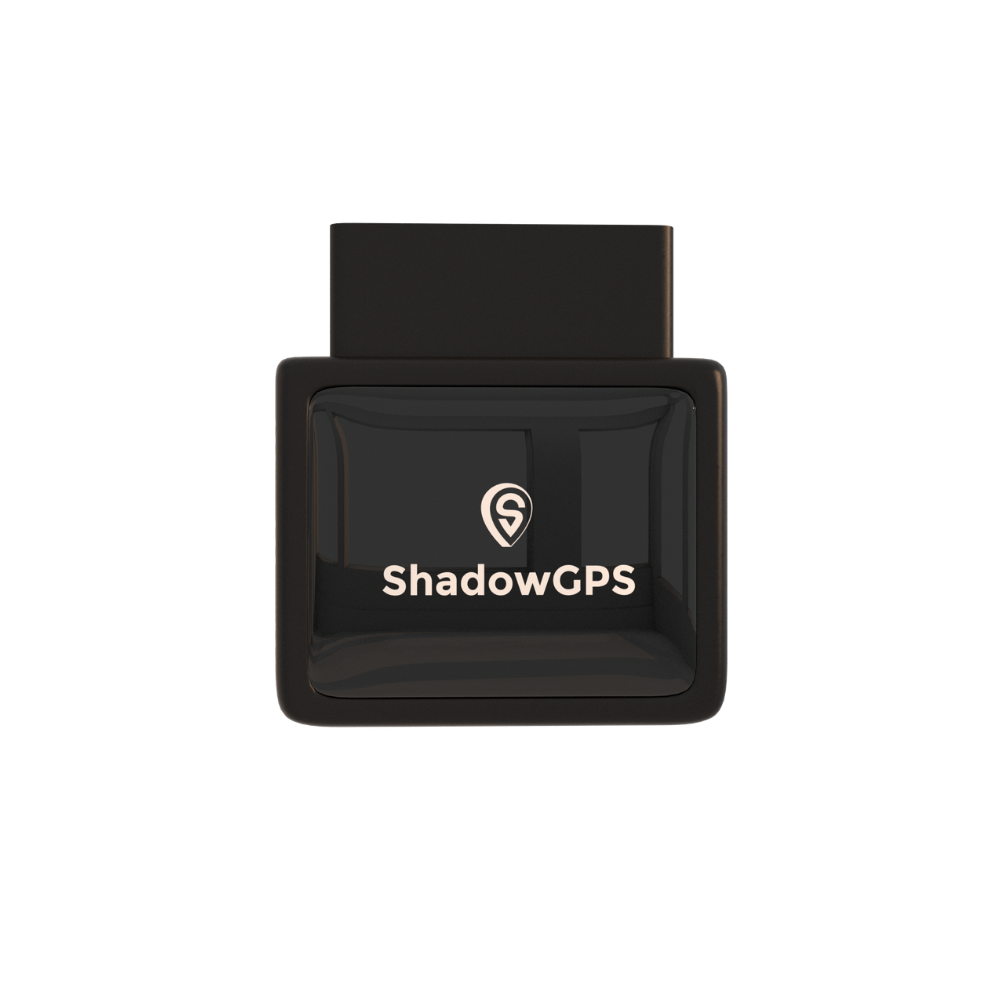
ShadowAuto
- Plugs in, no tools, under 2 minutes
- Works whether or not a phone is in the car


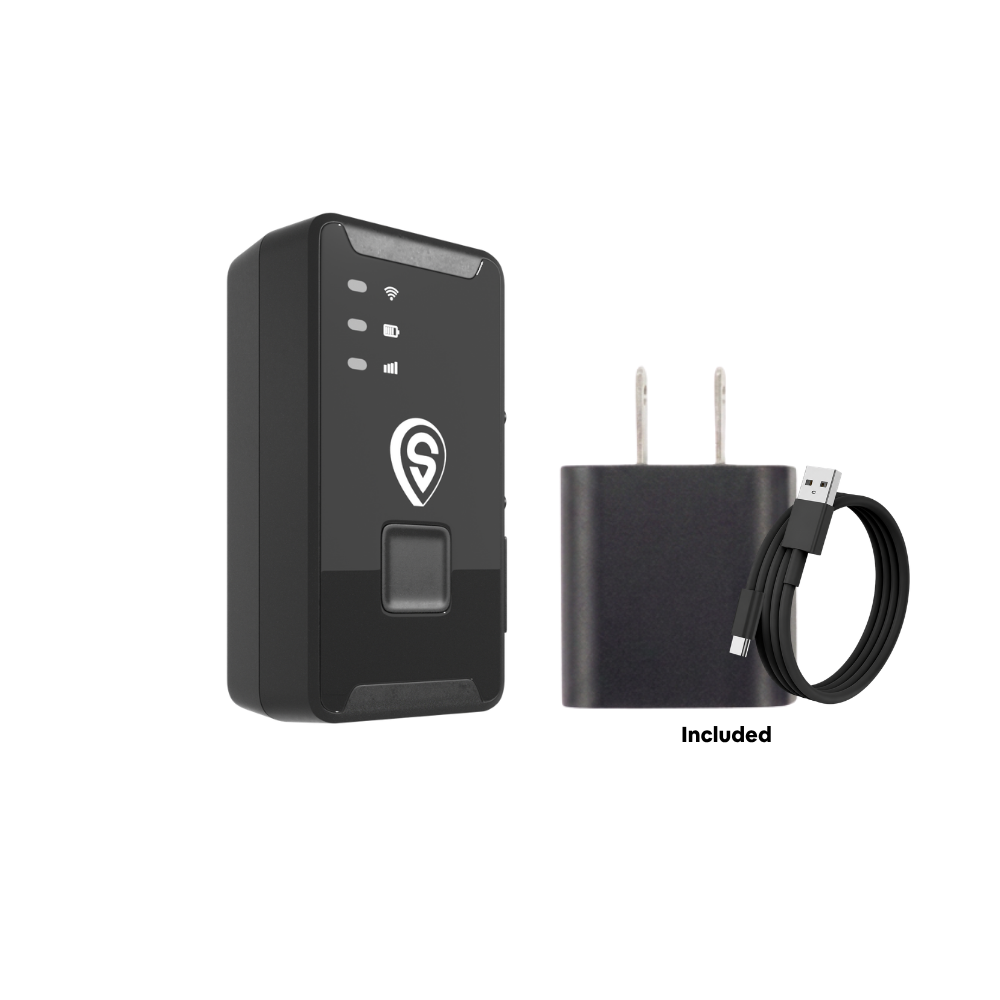
ShadowTrack
- Weatherproof magnetic case, hide or mount anywhere
- No OBD port needed, works on trailers and equipment
Best for: parents of teen drivers, Turo hosts, and anyone who wants to know a specific vehicle's location, not just a phone's. See our guide on GPS trackers for teen drivers for a deeper look at this use case.
Life360 Alternatives Compared
| App / device | Starting price | Location refresh | Best known for |
|---|---|---|---|
| Google Maps | Free | Real-time | Simple location sharing |
| Google Family Link | Free | Real-time | Screen time & app blocking |
| Apple Find My | Free | Real-time | Built-in iPhone privacy |
| GeoZilla | $79/year | Live | Life360-style features |
| iSharing | Free / paid tiers | Real-time | Driving reports, place alerts |
| Glympse | Free | Temporary, expires | One-time location sharing |
| Bark | Paid | Check-in based | Digital + location safety |
| FamiSafe | $4.99/mo | Real-time | Parental control + GPS |
| Qustodio | $54.95/year | Periodic | Device rules & app limits |
| HeyPolo | $3.99/mo | Real-time | Privacy, no data sales |
| Life360 | Free (limited) | Every 3 seconds | Full family safety suite |
| ShadowAuto / ShadowTrack | $69.90 + $10–$15/mo | Every 5 seconds | Tracks the vehicle, not the phone |
Featured snippet summary: best alternative to Life360
For most families, Google Maps location sharing is the best free alternative to Life360. For stronger parental controls, choose Google Family Link or Qustodio. For teen driver safety with crash detection and speed alerts, choose OtoZen or FamiSafe. For privacy-first location sharing, choose HeyPolo. And to track a specific car or truck independent of any phone, choose ShadowGPS's ShadowAuto or ShadowTrack.
Matching an Alternative to Your Family
Young kids at school
Google Family Link or Findmykids pair location tracking with screen time controls built for younger kids.
A teen with a new license
OtoZen, FamiSafe, or a vehicle tracker like ShadowAuto add speed alerts and crash detection Life360 also offers, with more driving detail.
Extended family staying connected
Google Maps or Glympse keep grandparents, siblings, and trusted contacts in the loop without a subscription, sending simple push notifications instead of a full app download.
Whichever of these alternatives you choose, the goal is the same one Life360 set out to solve: helping everyone stay connected through timely notifications, without handing over more location data than you're comfortable with. Test a couple of alternatives with your family members before committing to a paid plan, since the "best" app is really the one every person in your household will actually keep turned on.
Frequently Asked Questions
Is GeoZilla better than Life360?
GeoZilla matches Life360 closely on features like live location and place alerts, and some families prefer its interface. It isn't clearly better on privacy, since it uses a similar business model, so it's more of a lateral alternative than a true upgrade.
Is iSharing or Life360 better?
iSharing edges ahead for families focused on driving behavior, since its driving reports and place alerts are more detailed than Life360's. Life360 still has the larger overall feature set and user base.
What is the best family tracking app for free?
Google Maps location sharing is the best free alternative for most families, since it's already installed on nearly every phone. Apple Find My is the best free option for households where everyone uses an iPhone.
Is Glympse better than Life360?
Glympse is better for short-term, one-time location sharing, like sharing your arrival time for a single trip. Life360 is better for ongoing, everyday tracking of family members, since Glympse's shares expire automatically.
Is there a better tracker than Life360?
It depends on what you need. For privacy, HeyPolo is a stronger choice. For teen driver safety, OtoZen or a plug-in GPS tracker like ShadowAuto goes further than Life360's phone-based tracking. There's no single app that's better for every family, only a better fit.
What is the best family tracker app overall?
For most families, Google Maps location sharing covers the basics for free, Google Family Link adds parental controls for younger kids, and FamiSafe or OtoZen add driving safety for teen drivers. Together, that combination replaces most of what Life360 does, with more control over your data along the way.
Want to track the car itself, not just a phone?
Plug it in, see your vehicle update every 5 seconds, and cancel any time. No contract, ever.
Pricing and features are subject to change by each provider; verify current details before purchasing. Last updated August 2026.

