

A good gps tracking app should answer one question fast: where is the person, phone, or vehicle you care about, right now. We tested the tracking app options people actually search for, from free family locator tools to paid outdoor tracking software, and scored them on accuracy, battery use, and how honestly they handle privacy.
If you're trying to track a person or a phone, several free apps below will do the job well. If you're trying to track a car or truck, stick around for the section on why a phone-based location tracking app is the wrong tool for that job, and what to use instead.
Quick answer: the best gps tracking app overall is Google Maps for free real time location sharing, Life360 for a full family locator with geofence alerts, and Find My if your whole family uses iPhone. For outdoor tracking with offline GPX/KMZ export, Geo Tracker is the strongest free android gps tracker. None of these apps can reliably track a car or truck on their own, because they depend on a phone staying inside the vehicle, powered on, and connected.
How GPS Tracking Apps Actually Work
Every gps tracking app leans on the same basic system underneath. Your phone listens for signals from GPS satellites orbiting the earth, and uses a process called trilateration, measuring the distance to at least four satellites at once, to calculate an exact location. That's why a GPS tracker app needs a relatively open view of the sky: walls, tunnels, and parking garages weaken the gps signal and reduce accuracy.
Indoors or in dense cities, most apps quietly fall back on Wi-Fi positioning and nearby mobile networks to fill in the gap. It's less precise than a clean satellite fix, but it keeps the app roughly on track when a detailed map view isn't otherwise possible. This blended approach, GPS plus Wi-Fi plus cell towers, is what almost every modern location tracking app, tracking app, or android app in this space actually runs on.
What people actually use a tracking app for
- Family location sharing and real time location check-ins
- Recovering a lost or stolen phone through built-in location services
- Recording a detailed map of a hike, run, or drive for later review
- Automated alerts when someone leaves or arrives at a set boundary
The Best GPS Tracking Apps of 2026, Ranked
We ranked these on real world tracking accuracy, battery drain during background tracking, and whether the free tier is actually usable. Every app below is a phone-based tracking app, meaning it tracks the phone, not a specific object, vehicle, or person independent of their device.
1. Google Maps Location Sharing
Google Maps is the best free app for straightforward location sharing because almost everyone already has it installed. There's no separate account to create: you pick a contact, choose how long to share for, and your live location shows up on their map immediately.
It's not built as a dedicated family tracking app, so it lacks geofence alerts or a stored location history dashboard, but for a quick "here's exactly where I am" it remains the fastest gps app to set up on both android and iphone.
Pros
- Completely free, no extra account needed
- Works across android and ios instantly
Cons
- No geofencing or arrival/departure alerts
- Sharing stops the moment the phone loses battery or signal
Best for: quick, no-setup location sharing between two people who both already trust each other.
2. Life360
Life360 is the most widely used family tracking app for a reason: it pairs real time location with Place alerts that notify you the moment someone arrives at or leaves school, home, or work. The free plan includes a two-day location history, which covers most everyday use.
Paid Silver and Gold tiers unlock driving reports, crash detection, and longer location history, which matters more once you're tracking a teen driver than a phone by itself.
Pros
- Strong geofence and arrival/departure alerts
- Driving reports on paid plans (speed, hard braking)
Cons
- Known for noticeable battery drain running in the background
- Driving data only exists while a phone is in the car
Best for: families who want alerts, not just a map dot, and don't mind a monthly fee for the full feature set.
3. Find My
Find My comes built into every iPhone, which makes it the easiest gps app for an all-Apple household. Setup takes seconds since there's no separate download, and it works seamlessly across iPhone, iPad, and Apple Watch.
The tradeoff is that it's Apple-only. Add a single android phone to the family and Find My can't see it, which is the single biggest limitation for mixed-device households.
Pros
- Already installed, zero extra setup
- Can locate a device even offline via Apple's Find My network
Cons
- iOS only, no android support at all
- No driving reports or geofence-triggered push alerts
Best for: households where every phone is an iPhone.
4. GeoZilla
GeoZilla is built around one specific complaint people have with other family tracking apps: battery drain. Its background tracking is noticeably more energy-efficient, which matters if the person you're tracking already has a phone that struggles to make it through the day.
The free plan is more limited than Life360's, but for a lightweight family locator that won't quietly kill someone's battery, GeoZilla is one of the better android gps tracker options available.
Pros
- Low battery use compared to competing apps
- Clean, simple interface for real time location sharing
Cons
- Fewer advanced features on the free tier
Best for: anyone whose top priority is background tracking that doesn't wreck battery life.
5. Geo Tracker
Geo Tracker is a different category of gps tracker app entirely: it's built for hiking, cycling, and outdoor tracking rather than tracking another person. It works fully offline, so it keeps recording a track even with only a gps signal and no mobile networks available.
Recorded tracks export in GPX and KMZ formats for use in other mapping software, and it logs elevation changes, speed, and full track statistics, which most family-focused location tracking apps simply don't offer.
Pros
- True offline tracking, no internet required
- GPX/KMZ export and detailed track statistics
Cons
- In-app purchases needed for advanced features
- Not designed for tracking another person, only recording your own route
Best for: outdoor activities where you need offline use and a real recorded track, not live sharing.
6. Prey Anti-Theft
Prey Anti-Theft focuses on a narrower job: helping you locate, lock, or wipe a lost or stolen device across phones, tablets, and laptops from one dashboard. It's less a family locator and more a security tool, starting at $2.99 per month.
Pros
- Works across phones, tablets, and laptops in one account
- Remote lock and wipe for theft situations
Cons
- Not built for everyday family location sharing
Best for: people prioritizing lost-device recovery over ongoing location tracking.
7. Gaia GPS Premium
Gaia GPS Premium is aimed at serious outdoor use: detailed topographic maps, offline downloads, and route planning for backcountry trips where a standard gps app falls short. At $4.99 per month, it's positioned for hikers and off-road drivers who need a real navigation tool, not just a location tracking app.
Pros
- Detailed map layers built for backcountry navigation
- Full offline map downloads for zero-signal areas
Cons
- Overkill for simple family location sharing
Best for: hikers, hunters, and off-roaders who need serious navigation, not just a live dot on a map.
GPS Tracking App Comparison Table
| App | Best for | Platform | Offline use | Price |
|---|---|---|---|---|
| Google Maps | Free, no-setup sharing | Android & iOS | No | Free |
| Life360 | Family locator + alerts | Android & iOS | No | Free, Silver/Gold paid |
| Find My | All-iPhone households | iOS only | Partial (offline network) | Free |
| GeoZilla | Battery-efficient tracking | Android & iOS | No | Free, paid tiers |
| Geo Tracker | Offline outdoor GPS logging | Android & iOS | Yes | Free + in-app purchases |
| Prey Anti-Theft | Lost/stolen device security | Android, iOS, laptop | No | From $2.99/mo |
| Gaia GPS Premium | Backcountry navigation | Android & iOS | Yes | $4.99/mo |
| ShadowGPS (ShadowAuto/ShadowTrack) | Tracking a specific car or truck | Web + App, any phone | N/A (tracker-powered, not phone-powered) | $69.90 tracker, plans $10–$15/mo |
The Blind Spot: What a Phone-Based GPS Tracking App Can't Do for a Vehicle
Every app above tracks a phone. That's a meaningful difference once the thing you actually care about is a car or truck, not a person. A gps tracking app only works while the phone is powered on, has a signal, and is physically inside the vehicle, which breaks down in exactly the situations that matter most.
- A teen driver can turn location sharing off, or simply leave their phone at home
- A stolen vehicle usually loses tracking the moment the thief finds and disables the phone
- A Turo host has no way to track the car between rentals when the renter's phone leaves with them
- Background tracking drains the driver's battery, so it's often the first thing turned off
None of this is a flaw in the apps. Life360, Google Maps, and GeoZilla are good at what they're built for: tracking a person who's carrying their phone and wants to be found. They were never built to answer "where is my car right now," independent of who's driving it or whether they have a phone with them at all.
When You Need Dedicated Vehicle GPS Tracking Instead
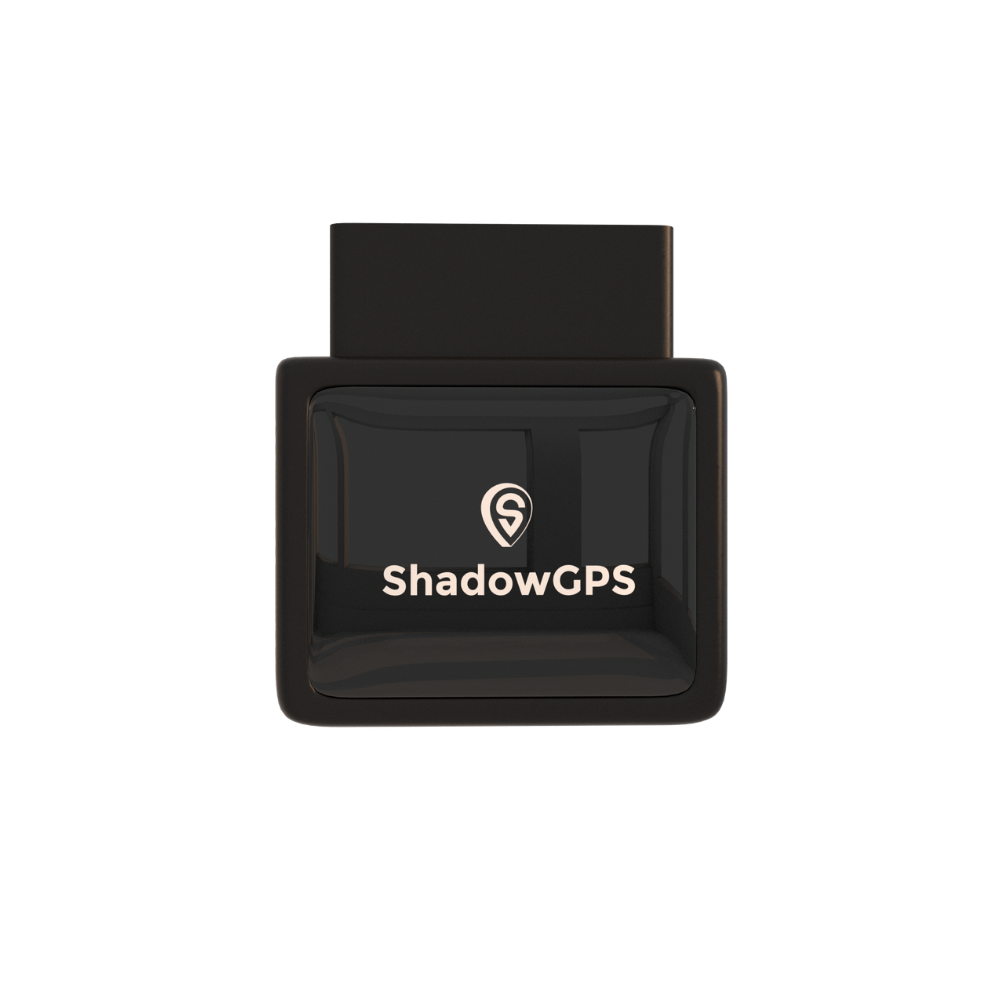
If the thing you're protecting is a specific vehicle, a plug-in gps tracker solves the exact problem a location tracking app can't. ShadowGPS updates every 5 seconds while the vehicle is moving, works whether or not anyone's phone is inside, and keeps a full trip timeline you can replay later, all through a simple web and app dashboard.
ShadowAuto (OBD-II)
ShadowAuto
- 5-second refresh while your car or truck is moving
- Plugs in under 2 minutes, no tools
- Car Alarm flags movement or a disconnect attempt


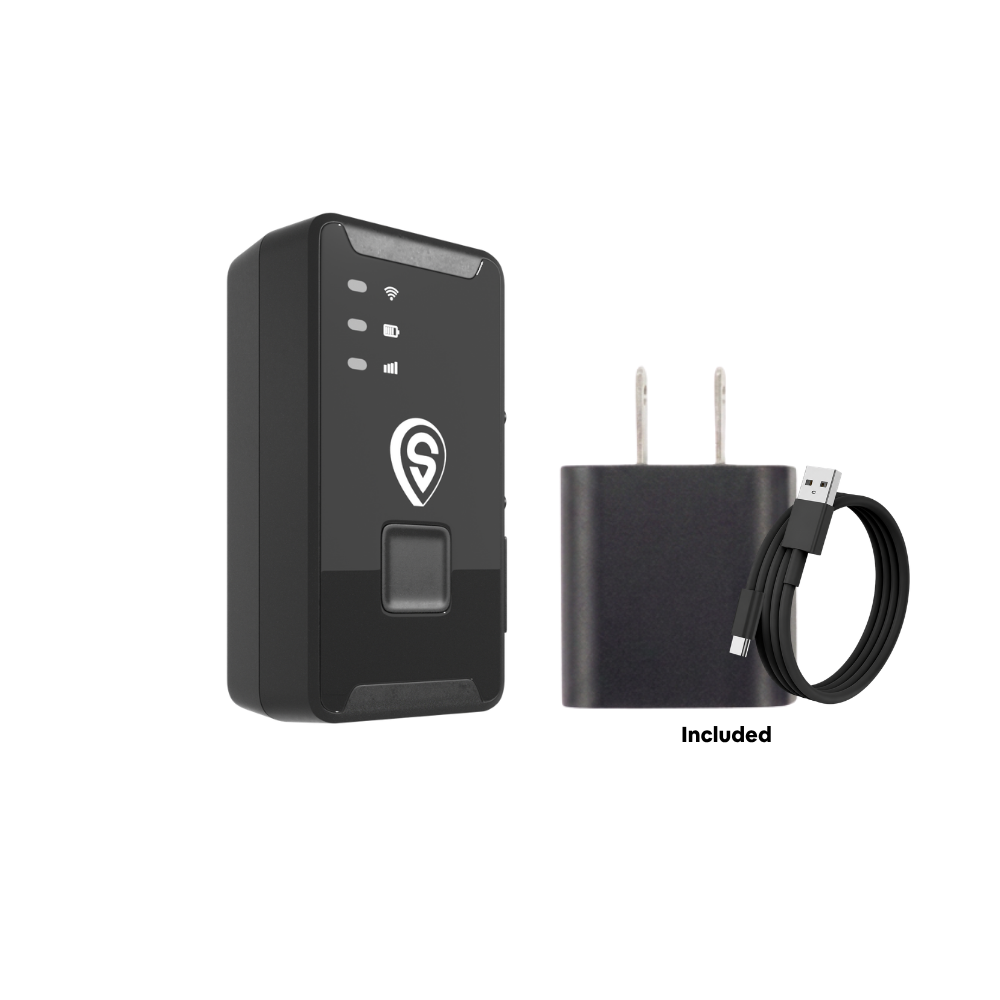
ShadowTrack (Battery)
ShadowTrack
- Weatherproof magnetic case, no OBD port needed
- Same 5-second refresh while moving
- Good for trailers, equipment, and rentals between drivers
Who actually needs a dedicated tracker instead of an app
Parents of a teen driver
Know where the car is even if location sharing gets turned off or the phone stays home.
Turo hosts
Track the vehicle itself between renters, not whichever phone happens to be inside it.
Small fleet owners (2–5+ vehicles)
See every truck or van on one dashboard without relying on drivers' personal phones.
How to Choose the Best GPS Tracking App for Your Situation
Match the tool to what you're actually trying to track, not the other way around.
Tracking a person or phone
Start free. Google Maps or Find My cover basic real time location needs with zero cost. Move to Life360 or GeoZilla only if you need geofence alerts or driving reports.
Tracking outdoor activities
Choose Geo Tracker for free offline logging, or Gaia GPS Premium if you need real topographic maps for backcountry navigation.
Tracking a car, truck, or trailer
Skip phone-based apps entirely. A vehicle-powered gps tracker like ShadowAuto keeps working regardless of whose phone is in the car, which is the whole point when the vehicle itself is what you're protecting. See our guide on setting up geofence alerts for vehicles for the alert side of this.
Frequently Asked Questions
What is the best GPS location tracking app?
For most people, Google Maps is the best free gps tracking app for simple location sharing, while Life360 is the best full-featured family locator if you want geofence alerts and driving reports.
What is the best free app to track someone's location?
Google Maps location sharing is free with no account limits and works across android and iphone. Find My is the free option if everyone involved uses an iPhone.
What is the best GPS tracker without a subscription?
Google Maps and Find My both require no subscription at all. For vehicle tracking specifically, no dedicated tracker works entirely without a small monthly fee, since real time cellular data has an ongoing cost. ShadowGPS keeps this month-to-month with no contract, ever.
Can someone track my phone's location without me knowing?
Legitimate tracking apps require you to approve location sharing at the operating system level, so ongoing background tracking without any consent isn't something Google Maps, Life360, or Find My are designed to allow.
What is the best free GPS tracking software?
Geo Tracker is the strongest free option for offline GPS logging with GPX/KMZ export, while Google Maps remains the best free option for live location sharing between people.
Which app is best for live location tracking?
Life360 and Google Maps both handle real time location well; Life360 adds geofence alerts on top, while Google Maps keeps it simpler and completely free.
Is there a free GPS tracker available?
Yes, for tracking a person or phone: Google Maps, Find My, and the free tiers of Life360 and GeoZilla all cost nothing. Dedicated vehicle trackers are hardware plus a small monthly plan, since they don't rely on a phone at all.
The bottom line
Phone-based gps tracking apps are the right call when you're tracking a person: Google Maps and Find My for free, Life360 or GeoZilla if you want alerts. But no app can reliably track a car or truck, because it depends on a phone that can be turned off, left behind, or removed. If the vehicle itself is what you need to know about, a plug-in tracker that updates every 5 seconds and works with or without a phone inside is the more certain option.
Know where your vehicle is, not just where a phone is.
Plug it in, see it update every 5 seconds, cancel any time.
Last updated 2026. App features and pricing change frequently; verify current plans on each app's official store listing before publishing.

