

5 Best Free Family Tracking Apps for iPhone & Android in 2026
If you just typed "best family tracking app free" into Google, you probably don't want a sales pitch. You want to know where your kid, your parent, or your partner is right now, without paying for another subscription.
The good news: several family locator apps do this well for $0. The catch is that every free family tracking app on this list depends on one thing staying true: the phone has to be on, charged, and running the app. That works for people. It quietly falls apart the moment what you actually care about is a car, a truck, or a Turo rental sitting in a driveway somewhere.
Below are the five best free family tracking apps for iPhone and Android in 2026, an honest look at where free plans hit their limits, and what to use instead when it's a vehicle, not a person, that you need to keep an eye on.
Quick answer: Life360's free plan is the best overall free family tracking app for most households, since it combines real-time location sharing, driving reports, and place alerts for family members in one app. Apple Find My and Google Family Link are the best free family locator app options if you want something built into your phone with zero setup, and Glympse or iSharing work well for quick, one-time location sharing outside your immediate family circle. If it's a car or truck you're tracking rather than just a person, the free ShadowGPS app pairs with a ShadowAuto or ShadowTrack tracker for real-time vehicle location that doesn't depend on anyone's phone being on.
Quick Comparison: The Best Free Family Tracking Apps
Here's how the top free family locator apps stack up on the features that actually matter: how often the location updates, how far back the location history goes, and what's locked behind a paid plan.
| App | Free plan includes | Update frequency | Location history | Best for |
|---|---|---|---|---|
| Life360 | Live map, place alerts, driving reports | Real time while moving | Limited on free plan | Whole-family location sharing |
| Apple Find My | Live map, notifications, lost-device mode | Real time | Not shown | iPhone-only families |
| Google Family Link | Live map, app controls, screen time | Real time | Not shown | Android-only families |
| iSharing | Live map, one place alert, driving reports | Real time | Basic history | Simple cross-platform sharing |
| Glympse | Time-limited live location, no account needed | Real time | None (by design) | One-off location sharing |
The Best Free Family Tracking Apps for iPhone & Android
Every family locator app below runs entirely on the phone's own GPS chip and an internet connection, so none of them cost anything to try. The one exception, and our top pick, tracks the vehicle itself instead of relying on a phone.
1. Life360 (Free Plan)
Life360 is the app most families already have on their phones, and the free plan covers the basics well: a shared, private map, place alerts when someone arrives at school or home, and driving reports that flag hard braking or a phone used while driving.
Setting up a "Circle" takes a few minutes, and everyone in it can see everyone else's location on a single shared map, not just check in one at a time.

Pros
- Works on both iPhone and Android in the same Circle
- Place alerts and driving reports included free
- Large, well-established user base and support docs
Cons
- Full location history and crash detection sit behind a paid tier
- Constant GPS use can noticeably drain battery on older phones
- Only works if the phone is on and the app is running
Best for: families who want one shared map for everyone, including kids on Android and parents on iPhone.
2. Apple Find My
Find My comes preinstalled on every iPhone, which makes it the fastest free family locator app to set up if your whole family already uses iPhones. There's no separate app to download and no account beyond the Apple ID you already have.
You can see a family member's exact location on the map, get a notification when they arrive somewhere, and even locate their iPhone or Apple Watch if it's lost.

Best for: iPhone-only families who want zero extra apps and tight integration with Apple devices.
3. Google Family Link
Family Link is Google's answer to Find My, and it goes a step further for parents by pairing real-time location with basic parental controls: app approval, screen time limits, and content filters, all for free.
It's built for a parent-and-child setup rather than a peer group of adults, so it fits best for tracking a younger child's phone rather than sharing location between spouses.

Best for: parents managing a younger child's Android phone who also want screen time and app controls.
4. iSharing
iSharing keeps things simple: a shared map, driving reports, and one free place alert. The interface is straightforward enough that family members who aren't especially tech-savvy tend to stick with it.
The free tier does show ads and caps you at a single place alert, but for a household that mainly wants to glance at a map and confirm everyone got where they were going, it covers the basics without a subscription.

Best for: families who want a no-frills, easy-to-explain location app for less tech-savvy relatives.
5. Glympse
Glympse skips the family-circle model entirely. Instead, you send a time-limited link to your live location, and the person on the other end doesn't even need the app installed to view it in a browser.
That makes it useful for the situations a full family tracker overcomplicates: "I'm on my way, here's my ETA," picking up a grandparent from the airport, or letting a babysitter share where they are with the kids for the evening. Sharing switches off automatically when the timer runs out.

Best for: short-term location sharing with people outside your regular family circle, like sitters or visiting relatives.
Free vs. Paid Family Tracking Apps: What You're Actually Trading Off
Every free family tracking app above shares one pattern: real-time location is free, but location history, tighter geofencing, and deeper alerts are usually the paid upgrade. Paid family locator apps like Qustodio, Norton Family, FamiSafe, and Bark go further on parental controls, and it helps to know what that extra cost actually buys.
| App | Update frequency | Geofence radius | Location history |
|---|---|---|---|
| Qustodio | Every 5–10 minutes | Up to 200 meters | 30 days |
| Norton Family | Every 20–30 minutes | Up to 2 miles | Full visit timeline |
| FamiSafe | Every 2–3 minutes | 100–1,000 meters | Detailed with timestamps |
| Mobicip | Every few minutes | Up to 1,000 meters | Available |
Notice the trade-off: the slower an app's update interval, the more it usually offers in parental controls elsewhere. None of them, free or paid, change the core limitation below.
Why Family Tracking Apps Fall Short When It's a Vehicle or Truck You're Watching
Every app on this page tracks a phone. That's exactly what you want when the "family member" in question is a person carrying that phone. It's a different problem the moment what actually needs watching is a vehicle.
- A teen driver can turn location sharing off, or simply leave the phone at home.
- A dead phone battery means a dead location dot, right when you need it most.
- None of these apps know if the vehicle itself moves, gets towed, or starts up when it shouldn't.
- A Turo host or someone lending a car has no way to track the car itself, only whoever happens to be carrying a phone in it.
This is where a plug-in GPS tracker like ShadowAuto or ShadowTrack picks up where a family tracking app stops. The tracker lives in the car, not in someone's pocket, so it keeps reporting even if a phone is off, dead, or left behind. Pair it with any family tracking app on this list and you get the full picture: where your people are, and separately, where your vehicle is.
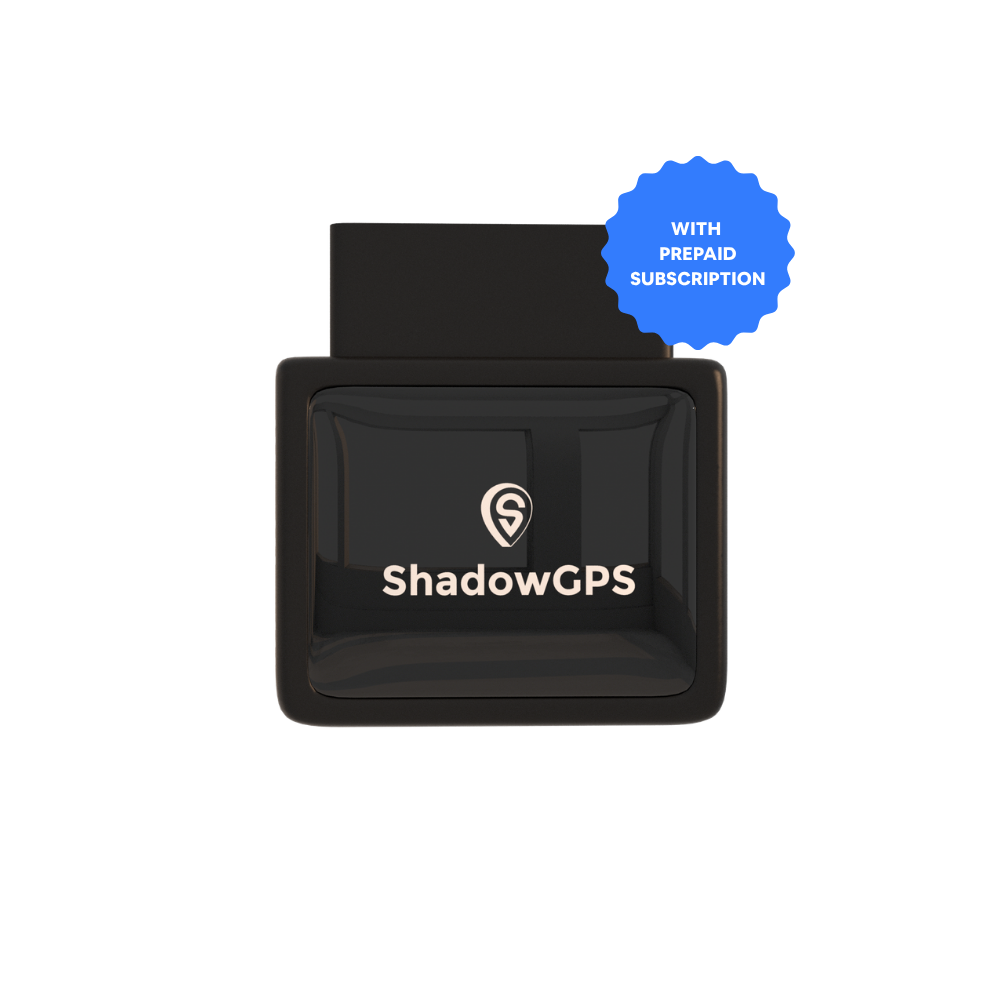
ShadowAuto
- Plugs into the OBD-II port in under 2 minutes, no tools
- Car Alarm sends an alert the moment your car moves unexpectedly
- Trip history and trip replay for every drive


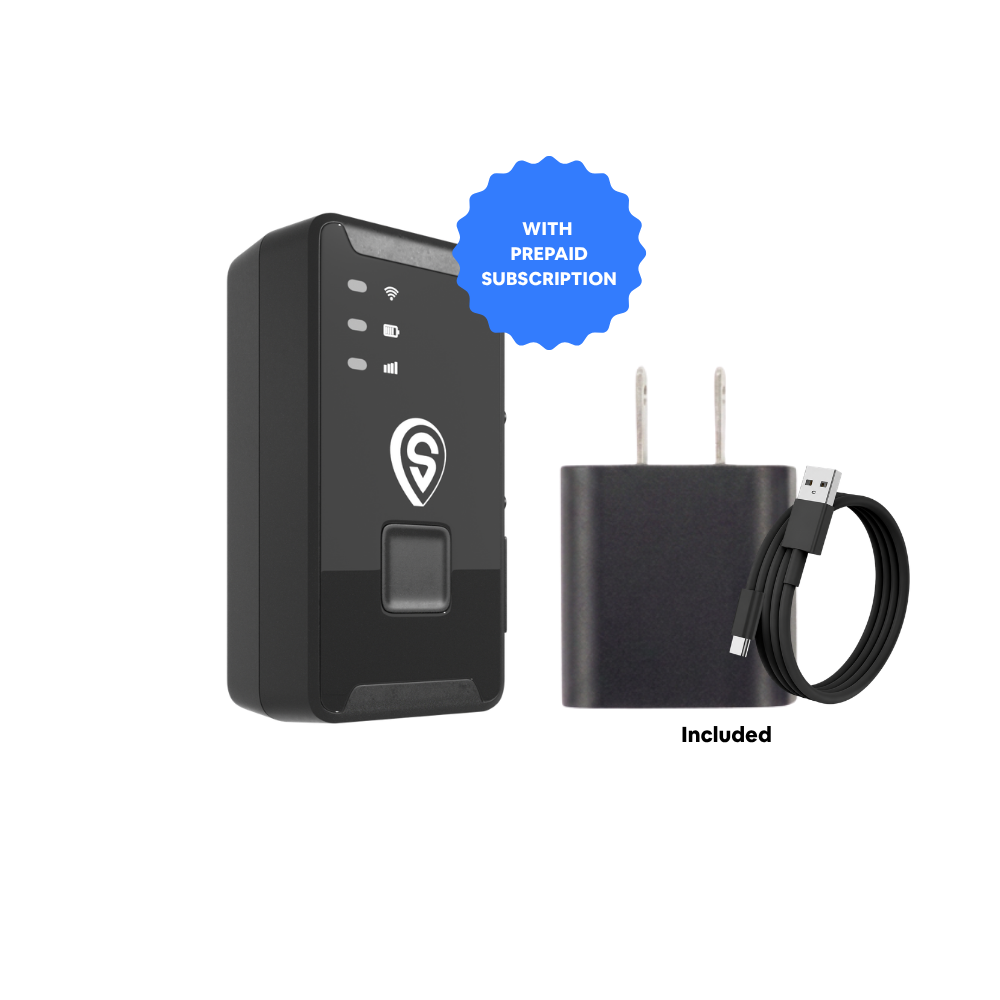
ShadowTrack
- No OBD port needed, mounts anywhere with the magnetic case
- Same 5-second refresh while moving as ShadowAuto
- Good fit for trailers, older cars, and hidden placement
How to Choose the Right Free Family Tracking App for Your Household
The "best" family tracking app depends on who you're tracking and why, more than which app has the longest feature list.
Tracking a teen driver
Life360's free driving reports flag hard braking and phone use. Pair it with ShadowAuto in the car itself so tracking survives a dead phone or the app being closed.
Checking on aging parents
Find My or Family Link work well if a parent is comfortable keeping location sharing on. Set expectations together first so it reads as care, not surveillance.
Coordinating a busy family
Life360 or iSharing's shared map cuts down on "where are you" texts during school runs, practices, and pickups without anyone needing to check in manually.
Family Tracking Apps and Trust: A Quick Note
Consent makes or breaks a family tracking app
Every app on this list works best when everyone being tracked knows about it and agreed to it. Talk to your family about why you're using a family locator app before you turn it on, whether it's a teen driver, a partner, or a parent. Framed as a safety tool, most people appreciate that someone can find them quickly in an emergency. Framed as secret surveillance, the same app erodes trust fast, and several states have laws restricting location tracking without consent.
Frequently Asked Questions
Is there a free version of Life360?
Yes. Life360's free plan includes real-time location sharing, place alerts, and basic driving reports for everyone in your Circle. Features like extended location history and crash detection are part of the paid plans.
What is the best free app for tracking my child's location?
Google Family Link is the strongest free option if your child is on Android, since it pairs location with app and screen time controls built for a parent-child setup. On iPhone, Apple Find My does the same job without needing a separate download.
Is there a free app like Life360?
iSharing is the closest free alternative, offering a shared map and driving reports in a simpler interface, though its free plan is limited to one place alert and shows ads.
What is a free app that can track my spouse's location?
Life360, Apple Find My, and Google Family Link all support two adults sharing location with each other for free, as long as both people agree to it and keep sharing turned on. Glympse works well for a one-time "here's my ETA" link instead of ongoing sharing.
Which family locator app is most accurate?
Accuracy across Life360, Find My, and Family Link is similar since all three rely on the same phone GPS chips and cellular/Wi-Fi data. Accuracy drops for all of them the moment the phone loses signal, runs low on battery, or is turned off, which is a phone limitation, not an app one.
Can someone track your location without you knowing?
Most mainstream family tracking apps require the person being tracked to accept an invite and grant location permission, and both iPhone and Android now surface safety alerts if an unfamiliar tracker or app appears to be following someone. Any tracking within a family should be discussed openly rather than set up in secret.
Is Life360 free anymore?
Yes, Life360 still offers a genuinely usable free plan in 2026. It's simply limited compared to the paid Silver and Gold tiers, which add longer location history, crash detection, and roadside assistance.
Which is better, Life360 or Family1st?
Life360 is built around a shared family circle everyone can see, while Family1st leans more toward one-directional child monitoring with stealth-style features. For most families who want everyone visible on one map with mutual consent, Life360's free plan is the simpler fit.
Is the ShadowGPS app free?
Yes, the ShadowGPS app is free to download on iPhone and Android. It works by pairing with a ShadowAuto or ShadowTrack device, which runs on a plan starting at $12/mo with no contract, so it's built for tracking a vehicle rather than replacing a phone-based family locator app.
The Bottom Line
For most households, Life360's free plan is the best free family tracking app for iPhone and Android, with Apple Find My and Google Family Link as the fastest zero-setup options built into your phone. None of them, though, can see a vehicle that isn't carrying a charged phone.
If a car, truck, or rental is part of what you're protecting, download the free ShadowGPS app and pair it with a ShadowAuto or ShadowTrack tracker: no phone required, no dead-battery blind spot, and the same 5-second refresh whether you're watching a teen driver, a family truck, or a car you've handed to someone else.
Your phone tracks your family. ShadowGPS tracks your car.
Plug it in, see it move, cancel any time.
App names, features, and pricing reflect publicly available information as of 2026 and are subject to change by each app's developer. ShadowAuto and ShadowTrack pricing shown is device price plus a $12–$15/mo plan with no contract.

