

Your teenager says they're at practice, your phone says otherwise, and you're refreshing three different apps trying to figure out who's telling the truth. A good location sharing app is supposed to end that guessing game, but with dozens of family locator apps promising real-time GPS tracking, it's hard to know which one actually delivers.
We tested and compared the most popular apps for location sharing against the criteria that matter to real families: accuracy, battery drain, cross-platform support, privacy controls, and price. Below is the honest breakdown, plus what to do when the thing you actually want to track is a car, not a phone.
Quick answer: Life360 is the best overall location sharing app for families in 2026, thanks to real-time GPS tracking, geofencing alerts, driving reports, and crash detection across iOS and Android. Google Maps is the best free location sharing app for households that just need simple, temporary location sharing with no extra app to install. Apple Find My is the strongest choice for Apple-only families, and iSharing is the best free location sharing app for families that want a dedicated family locator without a subscription.
What Is a Location Sharing App?
A location sharing app is a mobile app that lets you share your real-time geographic coordinates with chosen contacts, usually family members or close friends, so they can see where you are on a live map. Most location sharing apps use GPS satellites, cell towers, and nearby Wi-Fi networks together to pinpoint your location, which is why your dot on the map usually lands within a few feet of where you're actually standing.
Under the hood, a location sharing app transmits positional metadata to a centralized server in real time, and that server pushes the update out to everyone in your circle or group. Some apps only show a live location while the app is open. Others run a background service that keeps updating your position even when your phone is locked in your pocket, which is what makes real-time GPS tracking possible for busy families juggling school pickups, sports practice, and long commutes.
Most location sharing apps also add safety layers on top of the basic map view: geofencing alerts when someone enters or leaves a saved place, SOS emergency buttons, location history for reviewing past movements, and low-battery notifications so you know when a family member's phone is about to go dark.
The 8 Best Location Sharing Apps for Families in 2026
We ranked these based on real-time accuracy, safety features, battery efficiency, cross-platform support, and how much you actually get on the free plan versus what's locked behind a paywall.
1. Life360
Life360 is the most recognized name in family location sharing, with more than 90 million users worldwide. It combines real-time location tracking with geofencing alerts, driving safety reports, crash detection, and SOS alerts, all built around private groups called "Circles."
The free plan covers the basics: two saved Places with arrival alerts and two days of location history, which is genuinely enough for the classic "did the kids get home from school" use case. Paid tiers start at Silver ($7.99/mo) and move up through Gold ($14.99/mo) and Platinum ($24.99/mo), each unlocking more Places, up to 30 days of location history, driving reports, roadside assistance, and identity protection. Every tier prices the whole Circle, not each family member, so a bigger household doesn't cost more.

Pros
- Deep feature set: driving reports, crash detection, SOS
- Cross-platform for mixed iPhone/Android families
- One price covers the whole Circle
Cons
- Free plan caps location history at 2 days
- Continuous location tracking can reduce battery life by roughly 20%
Best for: families who want one app that handles location sharing, driving safety, and emergency alerts together.
2. Google Maps
Google Maps location sharing is the simplest free location sharing app most people already have installed. From the app, you can choose to share your location with a specific person for a set duration, up to 72 hours, or leave it on until you turn it off.
It's not a dedicated family locator, and it doesn't offer geofencing alerts, driving reports, or an SOS button, but for families who just want a simple, no-frills way to share your location or check an ETA, Google Maps location sharing is hard to beat. It works equally well across iPhone users and Android devices, which makes it one of the best free location sharing apps for mixed households.

Pros
- Completely free, no account limits
- Already installed on most phones
- Simple temporary location sharing with a timer
Cons
- No geofencing, place alerts, or SOS button
- No dedicated location history for past days
Best for: anyone who wants free location sharing without installing another app.
3. Find My (Apple)
Find My is built into every iPhone, iPad, and Mac, which makes it the most seamless option for Apple devices. Sharing your location with a family member takes a few taps in the Find My app, and Apple's Precision Finding feature can point you toward a specific person once you're within about 50 feet of them.
Because it's baked into iOS rather than running as a separate background app, Find My also tends to use less battery than most third-party location tracking apps. The catch: it works best when everyone in the family uses an Apple device, so mixed households usually need a second app for the Android side of the family.

Pros
- Free and pre-installed on every Apple device
- Better battery efficiency than most third-party apps
- Stop sharing your location instantly, anytime
Cons
- Limited value for mixed iPhone and Android families
- No driving reports or crash detection
Best for: families where everyone already carries an iPhone.
4. iSharing
iSharing has over 60 million users globally and is built specifically as a family locator rather than a general-purpose map. On the free plan you get real-time location sharing, place alerts, and a private family map, and it works across both iPhone and Android in one shared group.
iSharing requires mutual consent before anyone can see another person's location, and it includes a panic alert feature that sends an audio recording of the surroundings to your emergency contacts, which is a step beyond the simple push notification most competitors offer.

Pros
- Real, usable free plan with no per-day cap
- Consent-based sharing between family members
- Panic alert with audio recording
Cons
- Longer history and extra alerts sit behind a subscription
- Uses roughly 10-15% more battery during a full day of use
Best for: families that want a dedicated family locator app without paying for one right away.
5. GeoZilla
GeoZilla is a family location sharing app built around one standout number: up to 336 hours (14 days) of location history on its plans, which is well beyond what most free-tier competitors offer. It also sends low-battery notifications when a family member's phone is running low, so you're not left wondering why the dot on the map stopped moving.
GeoZilla is generally lighter on battery consumption than some competitors, which matters if you're planning to leave location tracking running all day for multiple kids.
Pros
- Up to 336 hours of location history
- Low-battery notifications for family members
- Better battery efficiency than some rivals
Cons
- Smaller user base than Life360 or iSharing
- Fewer driving-specific safety features
Best for: families who want to look back at where someone has been over the past two weeks, not just today.
6. Glympse
Glympse takes a different approach than the rest of this list. Instead of an always-on family circle, it sends a time-limited link showing your live location, and the recipient doesn't even need the app to view it in a browser. Once the timer runs out, the link expires and your temporary location sharing stops automatically.
It has no geofencing, no location history, and no safety features to speak of, so it was never designed for ongoing family tracking. It's the right tool for a single meetup, not a replacement for a full family locator.
Pros
- Recipient needs no account or app install
- Sharing stops automatically when the timer ends
Cons
- No geofencing, history, or safety features
- Not built for ongoing family location sharing
Best for: sending someone your live location for a single meetup, delivery, or errand.
7. HeyPolo
HeyPolo is one of the newer location sharing apps for families, built around consent rather than constant tracking. Instead of always-on monitoring, each person chooses when to share, how precise the shared location is, and how long the share lasts, with the option to fall back to a general area instead of an exact location.
One subscription covers the whole family with no per-person fees, and the company states it never sells or monetizes location data. It's a strong pick for parents of older teens who want reassurance without the app feeling like constant monitoring.
Pros
- Consent-first controls, exact vs. general area
- One family subscription, no per-person fees
Cons
- Newer app with a smaller track record than Life360
- Not designed for continuous, always-on tracking
Best for: families who want reassurance without turning location sharing into constant tracking.
8. Qustodio
Qustodio is primarily a parental control app, but it bundles location tracking in with screen time limits, app blocking, and content filtering. It updates a child's location roughly every 5-10 minutes, which is less frequent than a dedicated location sharing app but reasonable for checking on a younger child throughout the day.
If you already need a parental control app for screen time and content filtering, getting location tracking in the same subscription can be more efficient than running two separate apps.
Pros
- Combines location, screen time, and content controls
- One dashboard for multiple children
Cons
- Location updates every 5-10 minutes, not instant
- Aimed at younger kids, not spouses or older teens
Best for: parents who want location tracking bundled with broader parental controls.
Location Sharing App Comparison Table
| App | Best For | Free Plan | Location History | Geofencing | Battery Impact |
|---|---|---|---|---|---|
| Life360 | Best overall | 2 Places, 2-day history | Up to 30 days (paid) | Yes | ~20% more drain |
| Google Maps | Best free option | Fully free | None (temporary only) | No | 5-10% more drain |
| Find My | Apple-only families | Fully free | Limited | Yes | Low |
| iSharing | Free family locator | Real-time sharing, place alerts | Up to 365 days (paid) | Yes | ~10-15% more drain |
| GeoZilla | Long history, low battery use | Limited | Up to 336 hours | Yes | Lower than average |
| Glympse | One-time sharing | Fully free | None | No | 5-10% more drain |
| HeyPolo | Consent-based privacy | Limited trial | Depends on sharing window | No | Low (sharing is time-limited) |
| ShadowGPS App | Tracking the actual car | Free app, device required | Full trip history | Yes | N/A, runs on the vehicle |
What If You Want to Track the Car, Not Just a Phone?
Every app above answers one question: where is this person's phone right now? That's the right question most of the time. But it breaks down the moment a phone dies, gets left at a friend's house, or a teen driver simply turns location sharing off before borrowing the car.
If what you actually care about is your car or your truck, a dedicated GPS tracker plugged into the vehicle itself answers a more certain question: where is the vehicle, independent of anyone's phone. That's the gap ShadowGPS is built to close, and it's why parents of teen drivers, people protecting a family car, and Turo hosts keeping tabs on a rental often run a vehicle tracker alongside a location sharing app instead of choosing one over the other.
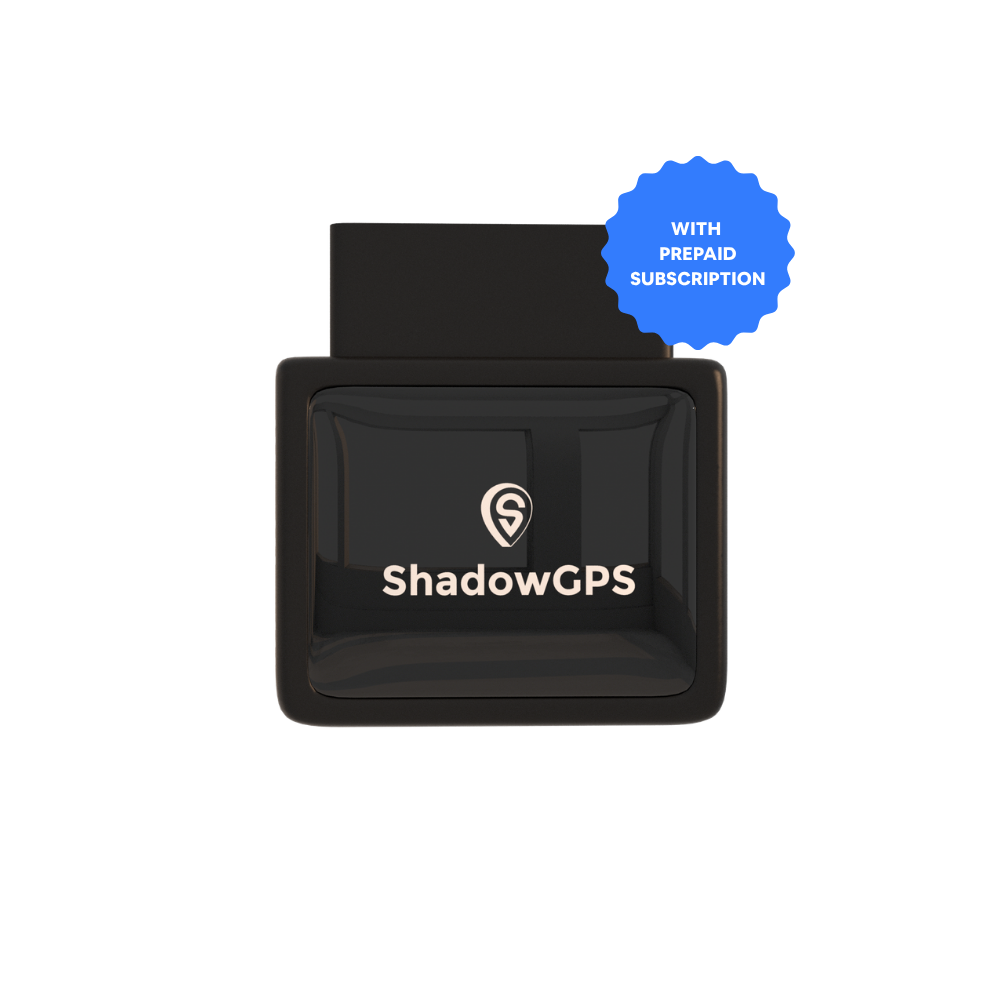
ShadowAuto
- Plugs into your car's OBD-II port in under 2 minutes, no tools
- Live tracking, trip timeline, and trip replay for your car or truck
- Car Alarm and geofencing alerts if the vehicle moves without you


Plug it in, and the free ShadowGPS app on your phone shows your car updating on the map every five seconds while it's moving, no separate phone-tracking app required for the vehicle itself. If your family needs to hide a tracker on a trailer, boat, or a vehicle without an OBD-II port, ShadowTrack is the battery-powered, magnetic-mount version built for exactly that.
No contract either way. Month-to-month, or prepay and save.
How to Choose the Right Location Sharing App for Your Family
Mixed iPhone and Android household
Life360 or Google Maps location sharing both work smoothly across platforms, since neither depends on everyone owning the same phone brand.
Privacy-conscious teens
HeyPolo or iSharing's consent-based sharing gives older teens some control back, which tends to keep the app installed instead of quietly disabled.
Tracking the family car itself
Pair any phone-based app with a plug-in GPS tracker like ShadowAuto so the vehicle stays visible even if a phone is dead, lost, or left behind.
Battery Life and Location Sharing: What to Expect
Continuous location sharing is one of the more battery-hungry things a phone does, since it keeps the GPS radio active in the background. Based on typical daily use, Google Maps and Glympse each add roughly 5-10% additional battery drain, iSharing uses about 10-15% more battery over a full day, and Life360's continuous tracking can reduce battery life by approximately 20%.
Apple's Find My tends to be the most battery-efficient option simply because it's integrated into iOS rather than running as a separate background process. If battery life is a real concern for an older phone in the family, look for an app with battery monitoring and low-battery notifications, so you at least know when a dot is about to disappear from the map instead of wondering why it stopped updating.
Privacy and Consent: What to Check Before You Turn It On
Every mainstream location sharing app requires you to grant persistent location access through your phone's operating system, and it's worth reviewing exactly who can see your location and for how long before you agree. Look for an app that lets you pause sharing, restrict access to specific contacts, and see a clear log of who has viewed your location.
Life360 alerts users when location sharing is paused, Find My lets you stop sharing instantly, and iSharing and HeyPolo both build mutual consent into the setup itself. If you're wondering whether someone can track your phone's location without you knowing, the honest answer is: only if they had access to install a hidden app or already had your login credentials, since every legitimate location sharing app requires your permission to start sharing in the first place.
Frequently Asked Questions
Which is better, Life360 or Google Maps?
Life360 is better if you want driving reports, crash detection, geofencing alerts, and location history. Google Maps is better if you just want simple, free, temporary location sharing without installing a dedicated family locator app.
Is Life360 still free?
Yes. The free plan includes two saved Places, arrival alerts, an SOS button, and two days of location history. Paid tiers (Silver, Gold, Platinum) add more Places, up to 30 days of history, driving reports, and roadside assistance.
What's the best free location sharing app?
Google Maps is the best free location sharing app for simple, temporary sharing with no limits. iSharing is the best free location sharing app if you want a dedicated family locator with place alerts built in.
Can someone track my phone's location without me knowing?
Legitimate location sharing apps require your permission before they can share your location, and most send a notification when sharing starts. If you're concerned, check your phone's location permissions settings and review which apps currently have "always allow" access.
How do I share my location with family for free?
Google Maps, Apple Find My, and the free tiers of Life360 and iSharing all let you share your location with family members at no cost. Google Maps and Find My are the quickest to set up since most families already have one of the two installed.
Is there a better free app than Life360?
"Better" depends on what you need. iSharing's free plan is less restrictive for a dedicated family locator, and Google Maps has no limits at all for temporary location sharing. Life360's free plan still leads on driving safety and SOS features.
What is the best app for tracking my teen's or partner's location?
For a teen driver, Life360 adds driving reports and crash detection on top of location sharing. Tracking a partner's phone without their knowledge or consent raises real privacy and, in many states, legal concerns. Any location sharing between adults should be mutual and consensual, which is why apps like HeyPolo and iSharing build consent into setup rather than treating it as optional.
Want to know where the car is, not just the phone?
Plug in ShadowAuto, see it move on the map every 5 seconds, and cancel any time.
Pricing, plan limits, and features for third-party apps reflect publicly listed information as of 2026 and may change; confirm current details on each provider's site before subscribing. ShadowAuto and ShadowTrack require a paired ShadowGPS device and an active plan to track a vehicle.

