

Employee time theft is when someone gets paid for time they didn't work. On a small crew that drives company trucks, it rarely looks like fraud. It looks like a 7:00 start that was really 7:25, a "supply run" that took 50 minutes, or a last job that "ran long" while the truck was already parked at home.
None of that shows up on a paper timesheet. It does show up on the truck's trip history. This guide walks through what time theft actually looks like in field work, what it costs a 2 to 5 truck business, how a GPS tracker on your work truck catches it, and how to roll tracking out fairly and legally so your honest people feel protected, not watched.
The most reliable way to stop employee time theft on a field crew is to put a GPS tracker on each company truck, geofence your yard and job sites, and compare the truck's trip timeline to timesheets once a week. The truck's record is independent of what anyone types into a timesheet, so padded starts, early finishes, long stops and personal errands become visible. Tell your crew in writing first: it's required in some states and it's what makes the system feel fair.
What Is Employee Time Theft?
Employee time theft (also called time fraud) is any situation where an employee is paid for hours they did not actually work. It can be deliberate, like adding an hour to a timesheet, or it can be sloppy habits that drift over time, like rounding every start time down to the hour.
It mostly affects hourly, non-exempt employees, because their pay is tied directly to the hours they report. For businesses with people in trucks, it's harder to spot because nobody is standing at the door when the shift starts or ends.
Time theft vs. honest mistakes vs. wage theft
Three things get lumped together that shouldn't be:
- Time theft: the employee claims paid time they didn't work, on purpose.
- Timekeeping errors: a missed punch, a forgotten clock-out, a wrong entry. Annoying, costly, but not dishonest.
- Wage theft: the reverse. The employer fails to pay for time that was worked, like unpaid early arrivals or off-the-clock work. This one is a legal problem for you, not the employee.
Good GPS data separates all three. It shows when someone padded their day, and it also shows when someone showed up early and should have been paid for it. That second part matters more than most articles admit, and we'll come back to it.
The Most Common Types of Time Theft on a Field Crew
In August 2026, Connecteam published an analysis of 500 companies that discussed time theft or inaccurate hours. The single most common specific behavior was off-site or false-location punches, reported by 29% of companies: people clocking in from home, from the truck, or before they reached the job site (Connecteam, 2026). That's exactly the kind of time theft that hides best in field work.
Here's how the common types look for a crew in trucks, and whether the truck's GPS record can actually show them. We've been honest in the last column, because a tracker on the truck is powerful but not magic.
| Type of time theft | What it looks like on a field crew | Can a truck GPS tracker show it? |
|---|---|---|
| Padded start times | Timesheet says 7:00. The truck left the driveway at 7:20. | Yes. First trip start time and arrival at the yard or job geofence. |
| Early finishes | "Last job ran long," but the truck was parked at home by 3:40. | Yes. Last stop and arrival time at home. |
| Extended breaks | A 30-minute lunch turns into 75 minutes. | Yes. Stop duration at a non-job address. |
| Personal errands on the clock | Stops at the bank, the gym, a buddy's house between jobs. | Yes. Every stop appears in the trip timeline. |
| Padded drive time | A 20-minute drive logged as 50 minutes of travel. | Yes. Trip replay shows the route and actual drive time. |
| Inflated overtime | Saturday hours claimed for a "quick job." | Yes. No trips that day means no job site visit. |
| Unauthorized after-hours use | The work truck moving on Sunday afternoon. | Yes. After-hours movement alerts and the trip history. |
| Buddy punching | A coworker clocks in for a teammate who's running late. | Partly. It shows when the truck arrived, not who was in it. |
| Slow work on-site | Long phone breaks while parked at the right job. | No. The truck is exactly where it should be. |
What Employee Time Theft Really Costs a Small Business
You'll see big national numbers thrown around in other articles, and many trace back to studies that are a decade or more old. Here's what's current and what it actually measures:
- 51% of companies in Connecteam's 2026 sample reported deliberate time theft or suspected it was happening, and 43% had managers manually correcting timesheets before payroll (Connecteam, 2026). Keep in mind this is a sample of companies already talking about timekeeping, not every employer.
- 80% of those companies wanted better proof of where employees were when they recorded time. A timestamp alone wasn't enough.
- The ACFE's Occupational Fraud 2026: A Report to the Nations estimates organizations lose 5% of revenue to all forms of occupational fraud each year, based on 2,402 cases in 143 countries (Accounting Today). That covers every kind of employee fraud, not just time theft, so treat it as the ceiling of the problem, not a time-theft figure.
How much is time theft costing you? Run your own numbers
Formula: minutes lost per day × working days per year ÷ 60 × hourly wage × number of employees.
Example: a 3-truck HVAC outfit pays techs $28/hour. If each tech's day quietly loses 15 minutes to a late start, a long lunch or an early finish, that's 15 × 250 ÷ 60 = 62.5 hours per tech per year. At $28/hour, that's $1,750 per tech, or $5,250 a year for three trucks, before overtime multipliers and before the jobs you couldn't fit into the schedule.
The hidden cost is usually bigger than the payroll leak. Lost time means fewer jobs per day, customers waiting for "on my way" calls, and you spending your Friday playing detective with texts and timesheets.
Why Time Theft Is Hardest to Spot in Field Work
In a shop or office, you see people walk in. On a crew, the work happens across town, and the only record is whatever the employee reports. That's why field businesses tend to rely on one of three weak signals:
- Self-reported timesheets. Easy to fill in from memory at the end of the week, which is where "about 7" becomes "7:00 sharp."
- Phone-based time clock apps. Better, because they stamp a location at clock-in. But a phone can be left in the truck, have location turned off, or be used to clock in from the parking lot of a coffee shop near the job.
- "Where are you?" calls. They interrupt good employees, and they only tell you what someone says.
A tracker on the truck adds something none of those have: a record that doesn't depend on the employee's phone, memory or word. If the truck didn't move until 7:20, the day didn't start at 7:00.
How a GPS Tracker on Your Work Truck Stops Time Theft
The key mindset: you're tracking the company truck, which is your property. You're not tracking the person. That framing keeps you on the right side of most state laws, and it's the one your crew will accept. Here's how the pieces work together.
1. Geofence your yard and your regular job sites
A geofence is a virtual boundary on a map. Draw one around your yard, your shop and any recurring job sites, and you'll get an alert when a truck enters or leaves. Over a week, those entry and exit times become an objective start and finish record you can line up against the timesheet. If you haven't set one up before, our walkthrough on setting up geofence alerts covers it step by step.
2. Compare the trip timeline to the timesheet
The trip timeline shows every trip, every stop and how long each stop lasted. This is where padded starts, long lunches and personal errands show up. You don't need to stare at a live map all day. A ten-minute weekly review is enough (more on that in the framework below).
3. Use trip replay when there's a dispute
When a timesheet and the truck's record don't match, trip replay lets you play back the day: the route, the stops and the timing. It turns "he said, she said" into a calm conversation about the same set of facts. It also works in the employee's favor when traffic or a detour explains the gap.
4. Get alerted to after-hours movement
A work truck moving at 9 p.m. on a Saturday is either theft or personal use. Either way, you want to know. After-hours geofence alerts and the Car Alarm feature notify you when a parked truck moves, which covers both unauthorized vehicle use and actual theft.
5. Answer "where's the crew?" without a phone call
When a customer calls asking when the tech will arrive, you can check the live map instead of interrupting the driver. That's the everyday benefit that makes tracking feel useful to everyone, not just a time theft tool.
Which ShadowGPS Tracker Fits a Work Truck?
For most work trucks and vans, ShadowAuto is the right pick. You plug it into the truck's OBD-II port (the diagnostic port under the dash, usually near the steering column), it powers itself from the truck, and there's nothing to charge. Plugging it in takes under two minutes with no tools and no mechanic. Once it's in, you see the truck update every 5 seconds while it's moving, which is fast enough that the trip timeline reflects real start and stop times instead of rough guesses.
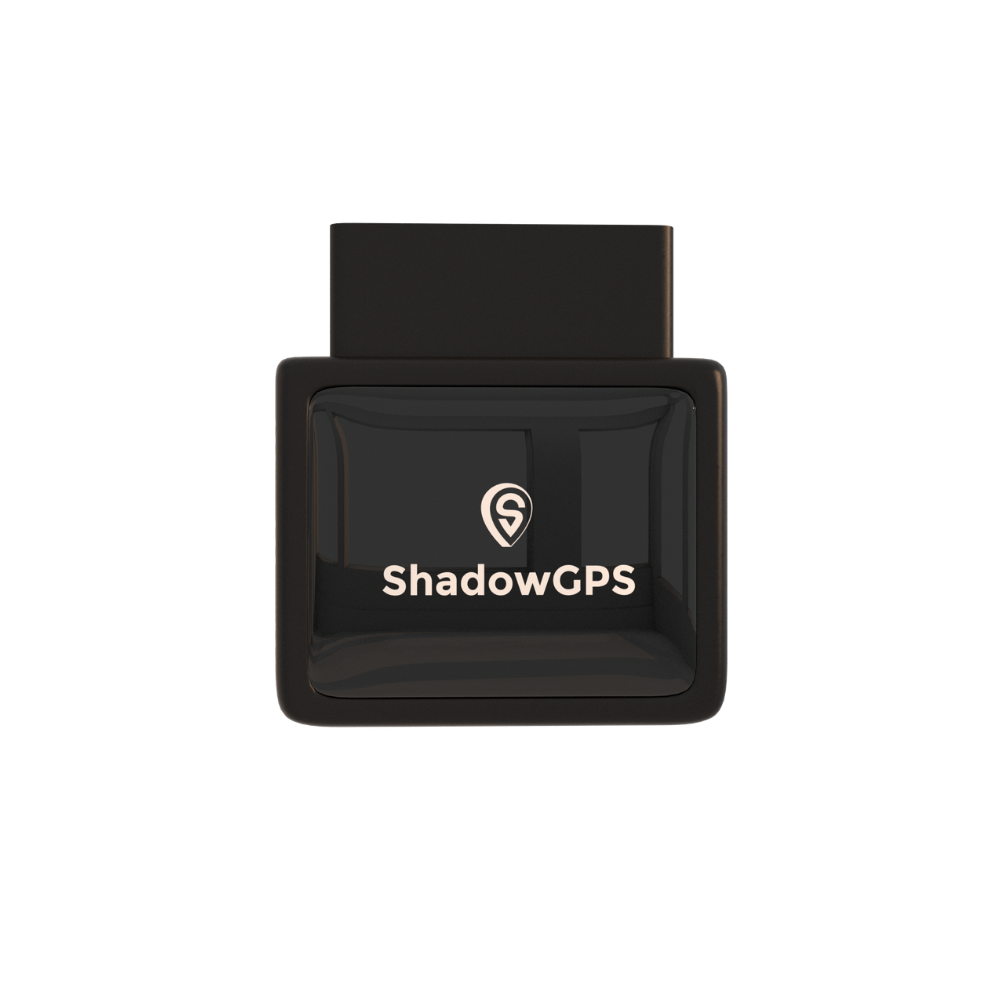
ShadowAuto
- Plugs into the OBD-II port in under 2 minutes, powered by your truck
- Trip timeline, trip replay and geofence alerts for every truck in one app
- Car Alarm and tamper alerts if a truck moves or the tracker is unplugged


Not sure where the port is on your truck? Our guide on finding your OBD2 port gets you there in about 30 seconds.
ShadowTrack is the better fit for anything without an OBD-II port: a trailer, a skid steer, a generator, or older equipment that moves between job sites. It's battery-powered (up to about 15 days per charge), sits in a weatherproof magnetic case, and shows when equipment leaves a job site it shouldn't. For a side-by-side breakdown, see OBD2 vs. battery-powered GPS trackers.
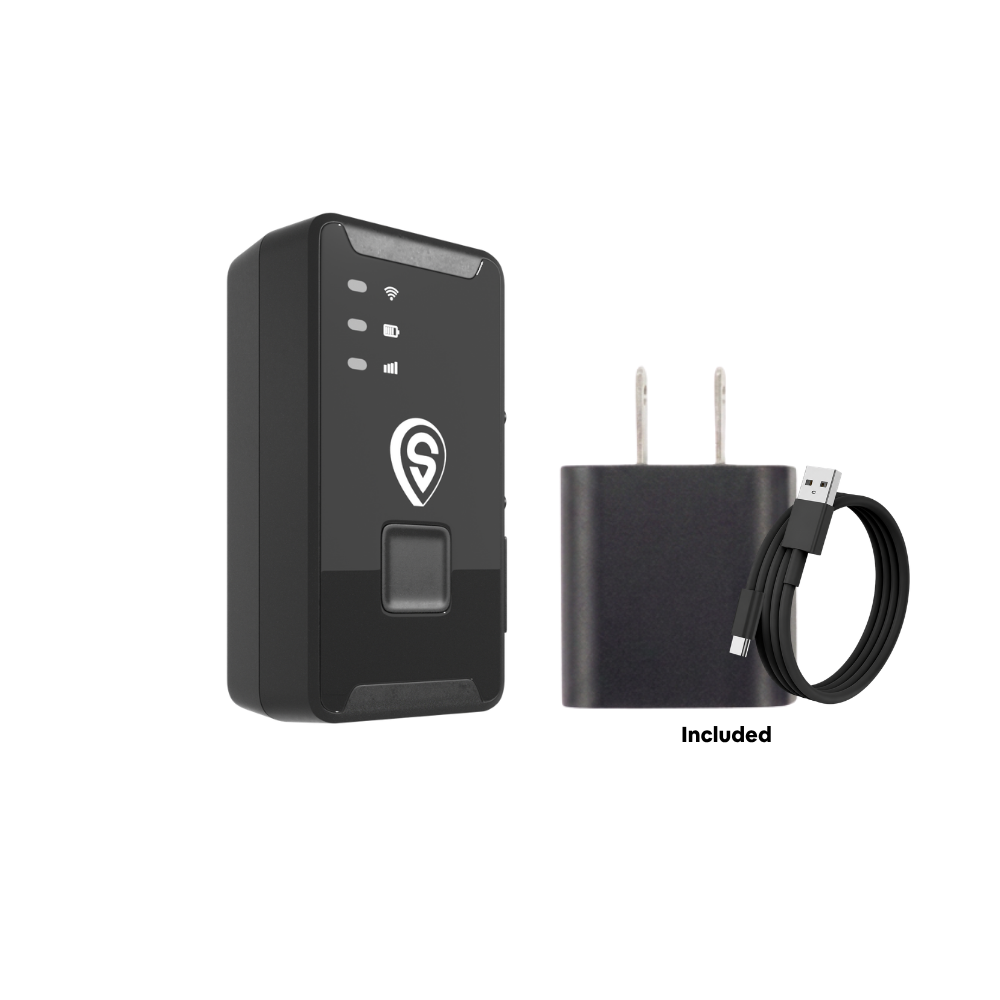
ShadowTrack
- No wiring: magnet-mount or tuck it away in under 2 minutes
- Up to about 15 days per charge, weatherproof magnetic case
- Geofence alerts when equipment leaves a job site or the yard
Best for: ShadowAuto on every truck and van your crew drives; ShadowTrack on trailers and equipment that don't have an OBD-II port.
Truck GPS Tracker vs. Other Ways to Verify Field Hours
A tracker isn't the only tool, and for some teams it works best alongside a phone time clock. Here's how the common options compare on what they actually prove.
| Method | What it proves | Easy for an employee to work around? | Setup effort | Best for |
|---|---|---|---|---|
| Paper or self-reported timesheets | What the employee says happened | Yes, very | None | Very small, high-trust teams |
| Supervisor spot checks | What one person saw, once | Yes, between visits | Costs supervisor hours | Occasional verification |
| Phone GPS time clock app | Where the phone was at clock-in and clock-out | Somewhat: phone left in the truck, location off, early clock-in nearby | App rollout and training | Proving clock-in location |
| Dashcam | What happened on the road | Somewhat: can be unplugged or covered | Wiring plus footage review | Accident and liability evidence |
| ShadowAuto truck GPS tracker | Where the truck went, when, and how long it stopped | Hard: tamper alert if unplugged | Plug in, under 2 minutes | Matching field hours to the truck's actual day |
The strongest setup for crews of 3 or more: a phone time clock for who clocked in, plus a tracker on the truck for where the work actually happened.
A 5-Step Framework to Roll Out GPS Without Losing Your Crew's Trust
Most resentment around tracking comes from surprise, not from the tracker itself. Follow these steps in order.
- Write a one-page policy. List which trucks are tracked, that tracking applies to company vehicles only, when data is reviewed, who can see it, and how long it's kept. Say clearly that personal vehicles are never tracked.
- Give written notice and get a signature. Hand the policy to every driver before the first tracker is plugged in, and keep a signed copy. In several states this is a legal requirement (see the legal box below). Everywhere else, it removes the "I didn't know" problem.
- Plug in and set your geofences. Add every truck to one account, then draw geofences around the yard and your regular job sites. Set after-hours alerts for the window your trucks should be parked.
- Do a 10-minute weekly reconciliation. Before approving payroll, scan each truck's trip timeline against its timesheet. You're looking for patterns, not single minutes: the same 20-minute gap every morning, or the same stop every afternoon.
- Coach first, document second. When something doesn't match, ask before you assume. Traffic, a supply house line or a customer who kept the tech talking are all real. If a pattern continues after a conversation, then document it with the trip records and follow your discipline policy.
We go deeper on the conversation itself in how to tell your crew about GPS trackers without losing their trust.
What this looks like in practice (an illustrative example)
Picture a 3-truck plumbing business. The owner plugs ShadowAuto into each van on a Monday after handing out the policy. In week two, the Friday review shows one van leaving the tech's driveway around 7:25 most mornings while the timesheet says 7:00. The owner mentions it casually. The tech explains a school drop-off that pushed his start, and they agree on a 7:30 start with a 30-minute later finish. Nobody gets disciplined, payroll matches reality, and the schedule actually gets more accurate. That's the most common outcome: tracking fixes habits far more often than it uncovers fraud.
Using GPS Data Fairly: It Protects Your Honest Employees Too
Here's the part competing articles skip. The same trip record that catches padded hours also shows unpaid work, and federal law requires you to pay for it.
Under the Fair Labor Standards Act, non-exempt employees must be paid for all hours worked, including time you "suffer or permit," like a tech who arrives early and starts loading materials (U.S. Department of Labor, Fact Sheet #22). If you round time, the rounding has to be neutral over time, not always in the company's favor (29 CFR 785.48).
So if the truck shows a crew member at the job site at 6:45 and the timesheet says 7:00, pay the 15 minutes. Doing this openly is the single best way to show your crew that the tracker is about accurate pay, not about catching people out.
Is it legal to use GPS to prevent time theft?
In general, yes, on vehicles your business owns. There's no comprehensive federal law covering private employers' GPS tracking, so state law decides the details. As of mid-2026, Connecticut, Delaware, New York and Maine have workplace electronic-monitoring notice laws (Maine's took effect in summer 2026), and California's Penal Code §637.7 allows tracking when the owner of the car or truck consents, with California privacy rules also treating precise location as sensitive data (Clockspot state law research, 2026). New Jersey also requires notice before tracking an employee's vehicle.
Two rules hold almost everywhere: track company-owned trucks only, and never put a tracker on an employee's personal car without their clear written consent. For the full breakdown, read our guide on whether GPS tracking is legal for employee vehicles. This isn't legal advice, and laws change, so check your state's current rules or ask an employment attorney before you roll out tracking.
What a Truck GPS Tracker Can't Do
Being straight about limits is how you use the data well:
- It tracks the truck, not the person. If two techs share a van, the record shows the van's day, not who drove it.
- It can't measure effort on-site. A truck parked at the right job for six hours looks the same whether the work took six hours or four.
- It doesn't replace a conversation. A gap in the timeline is a question, not a verdict.
- It works best with clear expectations. If start times and break rules aren't written down, there's nothing for the data to compare against.
Warning Signs of Time Theft Worth Checking
If several of these sound familiar, a week of trip data will tell you whether there's a real pattern:
- Timesheets with perfectly round start and end times every single day
- Jobs that consistently take longer for one crew than another for the same work
- Customers mentioning late arrivals that don't appear on timesheets
- Overtime that rises without more jobs on the schedule
- Fuel use or mileage that doesn't match the day's job list
- Vague answers to "where are you?" calls in the same time window each day
Frequently Asked Questions
What is considered employee time theft?
Employee time theft is being paid for time you didn't work. Common examples are padding start or finish times, taking longer breaks than recorded, running personal errands on the clock, claiming overtime that wasn't worked, and having a coworker clock in for you. For field crews, the most common form is clocking in before arriving at the job site.
Is time theft illegal?
There's no specific federal law against time theft, so it's usually handled as employee misconduct under your company policy. Serious, deliberate cases like falsified timesheets for large amounts can lead to termination and, in some states, fraud or theft charges. Consult an employment attorney before treating a case as criminal.
How do you prove time theft?
You need an objective record to compare against the timesheet. For crews in company trucks, GPS trip history with timestamps, geofence entry and exit times, and stop durations is one of the clearest sources. Look for a repeated pattern over several weeks, talk to the employee first, and keep the records with your notes.
Can I put a GPS tracker on a company truck my employee drives?
In most states, yes, because the business owns the truck. Several states, including Connecticut, Delaware, New York, New Jersey and Maine, require written notice, and California has stricter consent and privacy rules. Giving every driver a written policy and getting a signature is the safe approach everywhere.
Can I track an employee's personal vehicle?
Not without their clear, written consent, and even then it's risky. Tracking someone else's vehicle without permission is illegal in many states. If employees use their own cars for work, use a phone-based time clock or mileage app they opt into instead of a tracker on their car.
Is there a monthly fee for a GPS tracker?
Yes. Live tracking runs on cellular data, so there's a monthly fee. ShadowGPS plans run from $15/mo month-to-month down to $9/mo on a 2-year prepay for 1 to 3 trackers, with lower per-truck rates for 4 or more. No contract. Month-to-month, or prepay and save. See current pricing.
Does the tracker need a SIM card?
No, you don't buy or insert one. The cellular connection is built into the tracker and covered by your plan. More detail in does your GPS tracker need a SIM card.
How hard is it to set up a tracker on a work truck?
Not hard. ShadowAuto plugs into the truck's OBD-II port under the dash in under two minutes, with no tools and no mechanic. Then you add the truck in the app and draw your geofences.
Will GPS tracking eliminate time theft completely?
It removes most of the easy opportunities in field work, like padded starts, long stops and personal errands, because the truck's record shows them. It can't measure effort on-site or tell you who was driving a shared truck. Paired with a clear policy and a weekly review, it closes the biggest gaps.
How much does GPS tracking cost for a small crew?
Plan on the one-time tracker price plus a monthly fee per truck. For a realistic total across 2 to 10 vehicles, see how much GPS tracking actually costs for a small fleet in 2026.
Key takeaways
- Employee time theft is being paid for hours not worked. On field crews, it mostly shows up as padded starts, early finishes, long stops and personal errands.
- A GPS tracker on the company truck gives you a record that doesn't depend on anyone's timesheet, phone or memory.
- Geofence the yard and job sites, review the trip timeline weekly, and use trip replay for disputes.
- Give written notice first, track company trucks only, and pay for early arrivals the data reveals.
The Bottom Line
Most time theft on a small crew isn't a scheme. It's a few minutes here and a long lunch there that nobody can see. Once the truck's day and the timesheet sit side by side, those gaps close on their own, honest employees get paid accurately, and you stop spending Fridays reconstructing who was where. If you're running a few trucks, our business tracking page shows how it fits a growing crew.
Plug it in. See it move. Cancel any time.
Put ShadowAuto in each work truck and know exactly where your crew's day went. No contract, ever.
Pricing and plan details as of October 2026; check theshadowgps.com for current pricing. Statistics cite their original sources; survey figures describe the samples studied, not all employers. Some links are affiliate links, which means ShadowGPS may earn a commission at no extra cost to you. This article is general information, not legal advice: GPS and employee monitoring laws vary by state and change often.

