

Searching for apps like Life360 usually starts with one small frustration. Maybe the app has gotten pricier, the battery drain is real, or you have read one too many headlines about location data being sold to brokers. Whatever the reason, you are not alone: plenty of families keep the peace-of-mind habit but want a different app behind it.
The good news is that Life360 was never the only family safety app on the market. Some alternatives focus on simple, no-frills location sharing. Others add driving safety features like crash detection and speed alerts. A few are built around privacy first, so location sharing never feels like surveillance.
Below is a practical, side-by-side look at the best apps like Life360 for 2026, what each one does well, what it skips, and how to pick the right one for your family, whether that is a teen driver, younger kids, an Apple-only household, or a small crew of relatives spread across a few states.
The best apps like Life360 for family safety and location tracking are OtoZen, GeoZilla, FamiSafe, Apple Find My, Google Maps Location Sharing, Glympse, Findmykids, HeyPolo, iSharing, and Qustodio. Apple Find My and Google Maps Location Sharing are the simplest free options for basic location sharing. GeoZilla and FamiSafe are the closest all-in-one replacements for Life360's core features. OtoZen and iSharing lean harder into driving safety, with crash detection, speed alerts, and driving reports built for teen drivers. HeyPolo stands out for privacy, since it is built on consent-based, time-limited location sharing instead of always-on monitoring.
Why Families Search for Apps Like Life360
Life360 built its reputation on one simple promise: see where your family members are on a live map, and get an alert when they arrive. For a lot of families, that was enough for years. But three things tend to push people toward alternative apps.
The first is cost. Life360's free tier has shrunk over time, and its highest-tier plan runs as much as $250 per year for a family, per person fees on some plans, which is a lot for what is essentially live location sharing plus a few extras.
The second is privacy. Location history and real time location data are sensitive, especially when kids are involved, and Life360's data handling practices have made national headlines more than once (more on that below).
The third is fit. Some families just need simple location sharing between two or three phones. Others have a new teen driver and actually want driving reports, speed alerts, and crash detection. Life360 tries to be one app for every use case, and that is exactly where apps like Life360 start to look more appealing, since many of them do one job better than Life360 does all of them.
Life360 Privacy and Data Handling Practices to Know First
Before comparing individual apps, it is worth understanding why "Is Life360 safe?" is one of the most common questions parents ask, since it shapes what to look for in every alternative on this list.
- Life360 has reportedly shared precise location data with data brokers, including firms that resell aggregated location data to insurers and other commercial buyers.
- The app can store location history indefinitely by default, which means years of family movement patterns can sit on a company's servers.
- Life360 disclosed a 2024 data breach tied to an unsecured login API, exposing personal information (names, phone numbers, emails) for roughly 400,000 to 442,000 users.
- App permissions have included camera access, which raises questions for a location sharing tool and adds to the app's data footprint.
- Surveys have found that 59% of parents say they would quit a family safety app over data sharing concerns, which is a big reason "apps like Life360" is such a common search.
None of this means Life360 is unsafe to use. It means privacy controls, like who owns your location data and whether it is sold, deserve the same attention as features when you are comparing family safety apps.
What to Look for in a Family Safety App
Whatever alternative you land on, run it through the same short checklist: does it clearly state whether location data is sold or shared, does it let you set place alerts and location alerts without draining the battery, does it support both Android devices and Apple devices in one family group, and does it offer the specific feature your family actually needs, whether that is screen time management, app blocking, or driving reports for a teen driver?
Best Apps Like Life360 for Family Safety and Location Tracking
Here are the best alternative apps, grouped from the most driving-safety-focused to the simplest free options.
1. OtoZen
OtoZen combines live location sharing with driving safety tools in one app, which makes it a strong Life360 alternative for families with a new or teen driver. It layers speed alerts, crash detection, and phone-use insights on top of standard real time location sharing.
Beyond the map, OtoZen builds out full driving reports so parents can see patterns over time, not just a single trip. That combination of location sharing plus driving behavior monitoring is the exact gap most basic location apps leave open.
Pros
- Crash detection with emergency response support
- Speed alerts and phone-use insights for teen drivers
- Trip reports and driving behavior insights over time
Cons
- Newer name in the category than Life360 or GeoZilla
- Driving-heavy feature set may be more than a non-driving family needs
Best for: families whose main reason for switching is a teen driver who needs speed alerts and crash detection, not just a location pin.
2. GeoZilla
GeoZilla is arguably the most direct Life360 alternative on this list. It offers a family map, place alerts, location history, and an SOS panic button, the same core loop Life360 built its reputation on, at a lower entry price.
GeoZilla provides lightweight family location tracking and geofencing alerts without the parental-control extras some competitors pile on, which makes it a good pick for families who liked Life360's original location product and just want a different vendor.
Pros
- Familiar family map and place alerts layout
- Entry-level plan starts around $79 per year
- Location history and SOS button included
Cons
- No screen time controls or app blocking
- No dedicated driving-behavior reports like OtoZen or iSharing
Best for: families who just want a Life360-style map and alerts, without paying for parental-control features they will not use.
3. FamiSafe
FamiSafe combines GPS tracking, geofencing alerts, and parental controls in one dashboard, which makes it the closest all-in-one upgrade for families who want more than location sharing. Screen time management, content filtering, and app blocking sit alongside the family map.
For younger kids especially, that combination matters more than raw location accuracy, since the risks parents worry about often live inside the phone, not just on the map.
Pros
- GPS tracking, geofencing alerts, and parental controls together
- Screen time controls and app blocking for younger kids
- Paid plans start around $4.99 per month
Cons
- Heavier monitoring feature set can feel like more than a teen driver situation needs
- Full feature set requires the paid tier
Best for: parents of younger kids who want location tracking plus screen time management and content filtering in one app.
4. Apple Find My
Apple Find My is best for families using only Apple devices. It is built into iOS at no extra cost, handles real time location sharing between family members reliably, and needs no separate app or account setup beyond an Apple ID.
It will not replace Life360's alerts or driving reports, but for a household where every phone is an iPhone, it is a genuinely free alternative that just works.
Pros
- Completely free, built into every iPhone
- Reliable real time location sharing between Apple devices
- No third-party company holding your location data
Cons
- No geofencing alerts, driving reports, or activity monitoring
- Only works well when the whole family carries Apple devices
Best for: all-Apple households that just want simple location sharing without paying for anything extra.
5. Google Maps Location Sharing
Google Maps Location Sharing is suitable for simple location sharing across both Android devices and Apple devices, since it lives inside an app almost everyone already has installed. Family members share their location for a set period or indefinitely, and anyone in the group can check it from the Google Maps app.
It is not a dedicated family safety app, so there are no location alerts for arrivals or departures by default and no driving reports, but for basic real time location sharing it is hard to beat on price.
Pros
- Free, works across Android and Apple devices
- No new app to install for most users
Cons
- No place alerts, driving reports, or SOS button
- Sharing settings are easy for a teen to quietly turn off
Best for: mixed Android-and-Apple families who want the simplest possible real time location sharing, no monthly fee, no new app.
6. Glympse
Glympse allows temporary location sharing for quick trips, which sets it apart from every "always-on" app on this list. Instead of permanent location history, you send a live location link that expires after a set time, ideal for "I'm on my way" moments rather than ongoing family tracking.
Pros
- No account needed for the person receiving the location
- Location sharing automatically expires, no lingering location history
Cons
- Not built for ongoing, everyday family location sharing
- No place alerts or driving safety features
Best for: one-off trips, like sharing an ETA on a road trip, not a permanent Life360 replacement.
7. Findmykids
Findmykids focuses on child location safety for younger kids rather than teens or adults. It is built around a simpler device (often a kid-focused phone or watch) with location tracking, a listen-in style safety feature, and alerts if a child leaves a set area.
Pros
- Purpose-built for younger kids rather than teen drivers
- Geofence and place alerts for school, home, and other zones
Cons
- Less useful once kids become independent teen drivers
- No driving safety or trip report features
Best for: parents of younger kids who want location alerts without the driving and screen-time extras aimed at teens.
8. HeyPolo
HeyPolo emphasizes privacy and consent in location sharing, which makes it the direct answer for families who want out of Life360's data handling practices specifically. Instead of always-on monitoring, HeyPolo is built around consent-based, time-limited sharing: family members choose when their location is visible, and it is designed so the company does not sell location data.
It still covers the basics families expect, place alerts, an SOS button, and driving-speed insights, at a single subscription that covers the whole family rather than per person fees.
Pros
- Consent-based, time-limited sharing instead of always-on tracking
- Single family plan, no per person fees, around $3.99 per month billed annually
- Works across Android and Apple devices
Cons
- No always-on monitoring may not suit families who want constant visibility
- Newer app with a smaller review history than Life360
Best for: families whose main complaint about Life360 is trust and data handling, not features.
9. iSharing
iSharing features real-time alerts, historical route playback, and an emergency panic button, making it a solid pick for families who specifically want to review where someone has been, not just where they are right now.
Pros
- Historical route playback shows where someone has traveled
- Real-time alerts and a panic button for emergencies
Cons
- Lighter parental-control layer than FamiSafe or Qustodio
Best for: families who want to see a full location history and route, not just a live dot on the map.
10. Qustodio
Qustodio is built primarily as a parental control app, with location tracking layered in alongside screen time controls, app blocking, and content filtering. Its Basic plan costs $54.95 per year, undercutting Life360's higher tiers while adding real digital-wellbeing tools Life360 does not offer.
Pros
- Strong screen time management and app blocking
- Basic plan starts at $54.95 per year
Cons
- Location tracking is a secondary feature, not the main focus
Best for: families whose real priority is screen time and content filtering, with location as a bonus, not the headline feature.
Best Apps Like Life360 Compared: Price and Features
Here is how the top Life360 alternatives stack up on price and core features, a quick reference for the featured-snippet question "which app is similar to Life360 and cheaper?"
| App | Starting Price | Driving Safety | Screen Time Controls | Best For |
|---|---|---|---|---|
| Life360 | Up to $250/yr | Yes | No | All-around, higher price |
| GeoZilla | $79/yr | No | No | Closest Life360 replica |
| FamiSafe | $4.99/mo | No | Yes | Parental controls |
| OtoZen | Varies by plan | Yes | No | Teen driver safety |
| iSharing | Free tier available | No | No | Route history |
| HeyPolo | $3.99/mo (annual) | Yes | No | Privacy-first sharing |
| Qustodio | $54.95/yr | No | Yes | Screen time and content filtering |
| Apple Find My | Free | No | No | Apple-only households |
| Google Maps | Free | No | No | Simple, cross-platform sharing |
| Glympse | Free | No | No | Temporary, one-off sharing |
Life360 Alternatives for Teen Drivers and Driving Safety
Location sharing tells you where the car is. It does not tell you how it is being driven, and for a family with a new teen driver, that is often the more important question.
This is where apps like OtoZen and iSharing pull ahead of a basic family locator. Driving behavior reports include speeding and phone use insights, so parents can see patterns, not just a single close call. Crash detection can trigger an alert and emergency response support if something goes wrong, similar in spirit to how ShadowGPS's own collision and SOS alerts work. Speed alerts flag hard acceleration or unsafe speeds in near real time, which helps families monitor teen driver safety without riding along in the passenger seat.
These app-based tools rely on the driver's phone to detect motion, which means they only work when the phone is charged, has the app open in the background, and stays in the car. That is a real limitation worth knowing about before you count on it as your only safety net. For a closer look at how families combine both approaches, see our guide on why parents are turning to GPS car trackers for teen drivers.
Track the Car Itself, Not Just the Phone
Every app on this list, including Life360, tracks a phone. That works well for knowing where a person is. It gets shakier the moment the phone dies, gets left at home, or a teen driver borrows a different car for the night, since the location data simply stops.
ShadowAuto plugs into your car's OBD-II port in under two minutes and updates its location every 5 seconds while moving, independent of anyone's phone. It pairs with the free ShadowGPS app, so you always know where your car or truck actually is, not just where a phone last checked in.
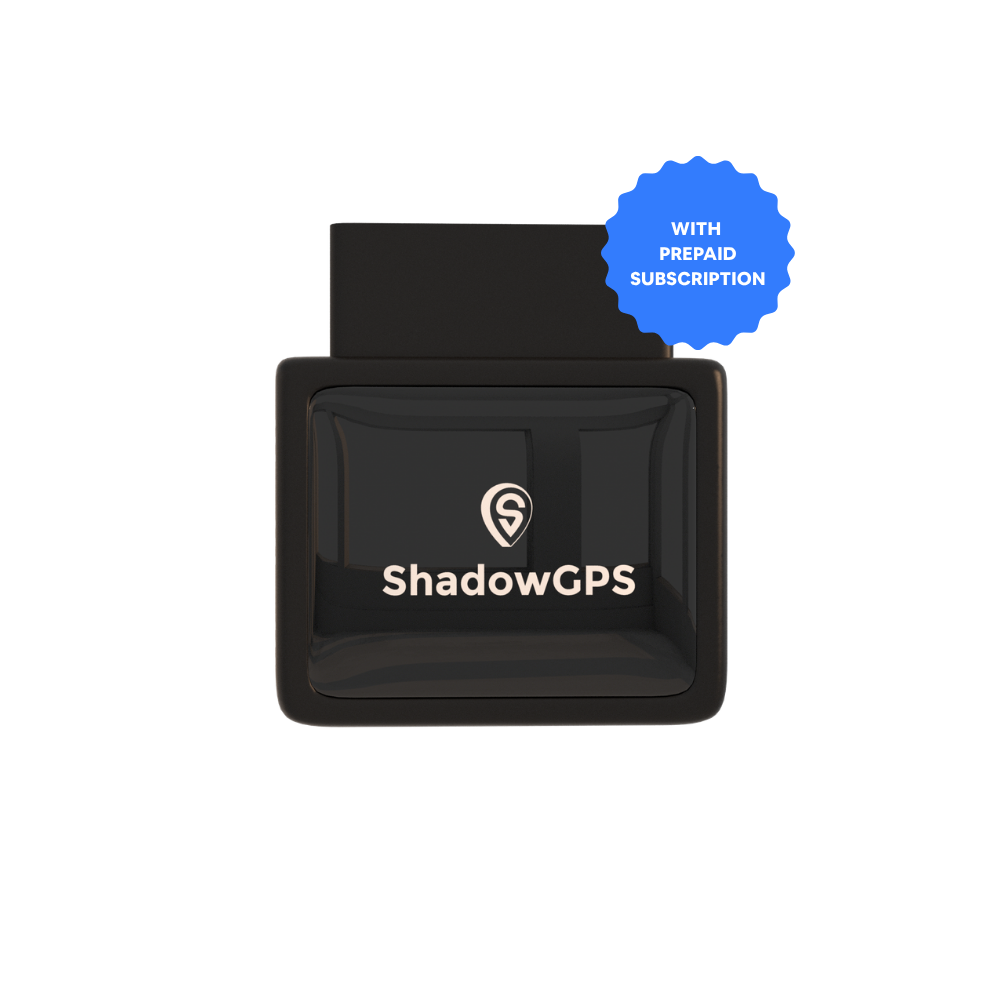
ShadowAuto
- Tracks the vehicle directly, not a phone
- Trip history, trip replay, and car alarm alerts


Think of it as pairing, not replacing. Keep a Life360 alternative for knowing where family members are. Add ShadowAuto for knowing where the car is, even if a phone is off, dead, or left behind. For more on this approach, read family safety GPS tracking for elderly parents and teen drivers and the ShadowGPS family tracker app for iPhone and Android.
How to Choose the Best Alternative for Your Family
Young kids
Findmykids or FamiSafe, for simple geofence alerts plus age-appropriate controls without driving features you do not need yet.
Teen drivers
OtoZen or iSharing for speed alerts, crash detection, and driving reports, paired with ShadowAuto to track the car directly.
Privacy-conscious families
HeyPolo, for consent-based, time-limited sharing instead of always-on monitoring and data sales.
Frequently Asked Questions
What is the best family tracker app?
There is no single best app for every family. GeoZilla and FamiSafe come closest to replacing Life360's core features at a lower price, Apple Find My and Google Maps Location Sharing are the best free options, and OtoZen is the strongest pick if driving safety for a teen driver is the priority.
Is Life360 or Family 360 better?
Family Nest (sometimes called Family 360) mirrors early Life360 versions, with simple circles, live maps, and alerts, without the added financial or monitoring layers Life360 has added over time. It suits families who want a simpler, lighter version of what Life360 used to be, while Life360 still offers a broader feature set for families who want more than basic location sharing.
Is GeoZilla better than Life360?
GeoZilla is generally cheaper, with an entry-level plan around $79 per year against Life360's plans that can run up to $250 per year, and it covers the same core loop of family map, place alerts, and location history. Life360 still has a larger feature set overall, including driving reports on its higher tiers, so "better" depends on whether you value price and simplicity over breadth of features.
What app is similar to 360?
GeoZilla, FamiSafe, OtoZen, iSharing, HeyPolo, Findmykids, Apple Find My, Google Maps Location Sharing, and Glympse are all apps similar to Life360 (sometimes searched as "360" for short), each covering a different mix of location sharing, driving safety, and parental controls.
Is there a free alternative to Life360?
Yes. Apple Find My is free for Apple-only families, Google Maps Location Sharing is free and works across Android and Apple devices, and Glympse offers free temporary location sharing for one-off trips. None of the three includes place alerts, driving reports, or an SOS button, so they suit basic location sharing rather than full family safety monitoring.
Why do people look for alternatives to Life360?
The three most common reasons are cost (plans running up to $250 per year), data handling practices (reported location data sales to data brokers and a 2024 data breach affecting roughly 400,000 to 442,000 users), and fit, since some families only need simple location sharing while others want dedicated driving safety features Life360 does not offer on lower tiers.
Know where your car is, not just your phone.
Plug ShadowAuto into your car's OBD-II port, see it update every 5 seconds, and cancel any time. No contract, ever.
Pricing and feature details for third-party apps are current as of publication and may change; check each app's official site for the latest plans before subscribing.

