

Geofencing GPS tracking lets you draw a virtual boundary on a map, around your driveway, your teen's school, or a job site, and get an alert the moment your car or truck enters or leaves it. Instead of opening an app to check, the app tells you when something changes.
That one shift is why geofencing has become the most useful feature on a modern GPS tracker. It turns "let me check where the car is" into "I'll hear about it if anything happens." Below you'll see how it works, how accurate it really is, how to size zones so alerts stay useful, and the exact first three zones to set up whether you're a parent, a Turo host, or someone running a few work trucks.
Geofencing GPS tracking pairs a GPS tracker with virtual boundaries you draw on a map. The tracker reports where your car is, the app checks each update against your zones, and you get a push, text, or email alert when it enters or exits one. The faster your tracker updates, the faster the alert arrives.
What Is Geofencing GPS Tracking?
A geofence is an invisible fence you draw around a real place on a digital map. It can be a tight circle around your home, a custom shape that traces a storage yard, or a wide boundary around the town your teen normally drives in.
On its own, a geofence does nothing. It needs a location source, which for your car or truck is a GPS tracker. The tracker supplies the dot on the map, and the geofence supplies the rule: tell me when the dot crosses this line.
That's the real difference between the two features. GPS tracking shows you where your car is and where it's been. Geofencing tells you when that location matters.
| GPS tracking | Geofencing | |
|---|---|---|
| Question it answers | Where is my car right now? | Did my car just cross a line I care about? |
| How you find out | You open the app and look | The app alerts you |
| Needs a tracker? | Yes | Yes, it runs on top of GPS tracking |
| Best for | Live location, trip timeline, trip replay | Overnight security, arrival alerts, after-hours use |
One quick clarification: many "what is geofencing" pages are written for marketers. In advertising, geofencing (and its cousin, geotargeting) means showing ads to phones inside an area. That's a different thing entirely. In this guide, geofencing means alerts about your own car, truck, or trailer.
How a GPS Tracker With Geofencing Works
Every vehicle geofence runs the same four-step loop, over and over, for as long as the tracker is on:
- You draw the zone. In your tracking app, you mark an area on the map as a circle or a custom shape and choose what should trigger an alert.
- The tracker reports its position. It reads satellite signals to find its latitude and longitude, then sends that location over the cellular network.
- The platform compares the two. Each new location is checked against your zones: inside or outside? The boundary check happens on the server, so the tracker itself never needs to "know" your zones.
- A crossing triggers an alert. If your car moved from inside to outside (or the reverse), the event is logged with a time stamp and an alert goes out by push notification, text, or email.
Why update speed decides how fast you hear about it
Here's the part most geofencing guides skip. A geofence can only fire after the tracker reports a position on the other side of the line. So the gap between updates is the gap before you know.
The table below shows how far a car travels between location updates. It's simple math, but it explains why two trackers with "geofencing" on the box can feel completely different in real life.
| Update interval while moving | Distance at 25 mph (neighborhood) | Distance at 40 mph (main road) |
|---|---|---|
| Every 5 seconds | About 183 ft | About 293 ft |
| Every 30 seconds | About 1,100 ft | About 1,760 ft (1/3 mile) |
| Every 60 seconds | About 2,200 ft | About 3,520 ft (2/3 mile) |
| Every 5 minutes | About 2.1 miles | About 3.3 miles |
That's why ShadowGPS trackers update every 5 seconds while moving. When your car leaves the driveway, the alert lands while it's still on your street, not two neighborhoods away. Cellular delivery and the push notification itself add a few more seconds no matter which tracker you use.
Battery-powered trackers often stretch their reporting interval to save charge, so check the interval a tracker actually uses on its default setting, not just its fastest one.
How accurate is a geofence?
A geofence is only as accurate as the GPS fix behind it. According to GPS.gov, GPS-enabled smartphones are typically accurate to within about 16 feet (4.9 m) under open sky, and accuracy gets worse near buildings, bridges, and trees.
In practice, that means a reported position can drift a little in a downtown street, a parking garage, or under heavy tree cover. If you draw a zone tightly around a single parking space, normal drift can occasionally trigger an alert when your car hasn't moved at all.
The zone-sizing rule of thumb
Make every zone bigger than the place itself by two amounts: normal GPS drift (plan on about 50 feet in town) plus the distance your car travels between updates at the speed it usually crosses that line. For a tracker that updates every 5 seconds, a home zone that reaches roughly 250 to 300 feet past your property line is a good starting point. For a tracker that reports once a minute, you'd need a far wider zone to get the same reliability.
Types of Geofences and Geofence Alerts
Geofences differ in two ways: the shape of the zone and the rule that fires the alert. Getting both right is what separates useful alerts from noise.
By shape: circle or polygon
- Circle geofence: A radius around one point, like your home, your office, or a customer's address. It's the fastest to set up and fits most personal use.
- Polygon geofence: A custom shape you trace around an irregular area, like a school campus, an equipment yard, or an airport parking lot. Use it when a circle would spill into a busy road next door and cause false alerts.
By trigger: what fires the alert
| Alert type | Fires when | Good for |
|---|---|---|
| Exit alert | Your car leaves the zone | Driveway overnight, storage yard, parking spot between rentals |
| Entry alert | Your car arrives in the zone | School arrival, customer site, airport delivery lot |
| Entry and exit | Either crossing happens | Arrival and departure logs for work trucks |
| Time window | A crossing happens during set hours | After-hours use, teen curfew, overnight security |
| Dwell | Your car stays inside longer than a set time | Long stops at a job site, unexpected parking |
Entry and exit alerts are standard on nearly every vehicle tracker. Time-window and dwell rules vary more from app to app, so confirm which ones a tracker supports before you plan around them.
How Geofencing Improves Vehicle Security
Car theft is down, but it hasn't gone away. The National Insurance Crime Bureau reports that 659,880 vehicles were stolen in the U.S. in 2025, a 23% drop from 2024 and a multi-decade low. That still works out to roughly one car every 48 seconds, with California alone accounting for more than 136,000 thefts.
What geofencing changes is timing. Without it, most owners find out their car is gone when they walk outside in the morning. With an overnight exit alert, you find out while your car is still close, and you're looking at its live location instead of an empty parking spot.
The overnight exit alert: your most important zone
If you set up only one geofence, make it this one. Draw a zone around where your car sleeps, set it to alert on exit, and limit it to the hours your car should be parked (for example, 11 p.m. to 6 a.m.). Route it to both push and text so you actually notice it at night.
Because it only fires during hours nobody should be driving, it almost never cries wolf. For a deeper walkthrough of this exact setup, see our guide on setting up geofence alerts that catch overnight theft.
Stack geofences with motion alerts and Car Alarm
A geofence tells you when your car leaves an area. Pair it with alerts that fire before it ever gets that far. Motion alerts flag movement while your car should be parked, and tamper alerts tell you if someone messes with the tracker itself.
On ShadowAuto, our plug-in OBD-II tracker, Car Alarm adds one more layer: arm it when you park, and you'll hear about unexpected movement right away. Since ShadowAuto draws power from your car, it never needs charging, so your overnight zone is always on. You plug it into the OBD-II port under the dashboard in under 2 minutes. No tools, no wiring, nothing to charge.
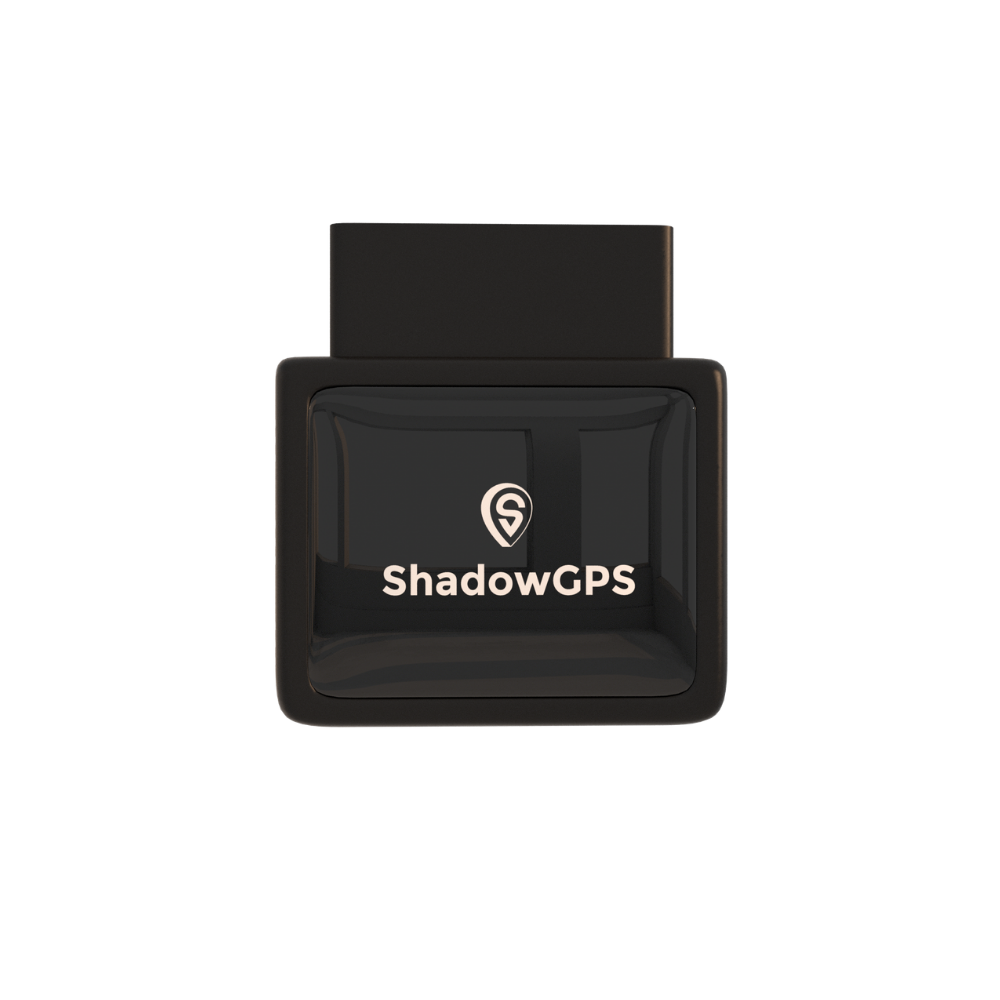
ShadowAuto
- Geofence, motion, and Car Alarm alerts
- Powered by your car, never needs charging
- Live tracking, trip timeline, and trip replay


What to do when a geofence alert fires overnight
An alert is only useful if you know your next move. Keep it calm and simple:
- Open the live map. Confirm your car is actually moving and see which way it's heading.
- Rule out the obvious. A quick text to anyone in your household with a key saves a lot of worry.
- Call the police and share the live location. Give them the current position and direction of travel. Don't chase or confront anyone yourself.
- Keep the map open. Updates keep flowing as your car moves, which is exactly what officers need.
Our step-by-step guide on immediate recovery steps for a stolen car covers what to say and what to have ready.
An honest note on theft
A geofence doesn't physically stop anyone from taking your car. What it does is shrink the time between "your car moved" and "you know about it" from hours to seconds. That head start, plus a live location you can hand to police, is what gives you the best shot at getting your car back.
Geofencing for Families, Turo Hosts, and Small Fleets
Geofencing isn't only a fleet feature. The same boundary alerts solve different everyday problems depending on who's holding the keys.
Parents of teen drivers
Get an arrival alert when your teen reaches school or practice, and a heads-up if the car leaves your usual area after curfew.
Turo and rental hosts
Know when your car leaves its parking spot between trips, reaches the airport lot, or travels well outside the expected trip area.
Small fleets (2 to 5+ vehicles)
Log arrivals and departures at customer sites automatically and get alerted when a work truck leaves the yard after hours.
Teen drivers: arrival alerts, not a leash
The first year of driving is the riskiest. Per the CDC, drivers ages 16 to 19 have a fatal crash rate almost three times as high as drivers 20 and older per mile driven, and their nighttime fatal crash rate is about three times that of adult drivers.
Geofencing helps without hovering. An entry alert at school replaces the "did you get there?" text. A time-window alert on a wider zone around town tells you if the car heads somewhere unexpected late at night. Set the zones up together with your teen, so they know exactly what triggers an alert and why. More ideas in our guide to GPS tracking for teen drivers and elderly parents.
Turo and rental hosts: know when a trip goes off-plan
For hosts, a car is a business asset that spends a lot of time with strangers. Three zones cover most situations: an exit alert on your parking spot between trips, an entry alert at the airport or delivery lot so you know a handoff happened, and a wide trip-area zone that flags a car heading far outside where the guest said they'd go.
Always disclose the tracker in your listing and follow the platform's current rules on tracking devices. Our GPS tracking for Turo hosts page covers how hosts use ShadowAuto across multiple cars.
Small fleets: arrival logs without phone calls
If you run a few work trucks, geofencing quietly does the check-in calls for you. Zones around customer sites record when each truck arrived and left, which helps with billing questions and timesheet disputes. An after-hours exit alert on your yard flags a truck going out on a weekend, and a service-area zone shows when a vehicle leaves the territory it's supposed to cover. For more on this, see how GPS tracking prevents vehicle misuse and unauthorized trips.
Not everything you need to protect has an OBD-II port. Trailers, generators, mowers, and equipment can carry ShadowTrack, our rechargeable battery tracker. It rides in a weatherproof magnetic case, so you can tuck it out of sight and draw a geofence around the yard or job site it lives on. It runs up to about 15 days per charge depending on how often it reports.
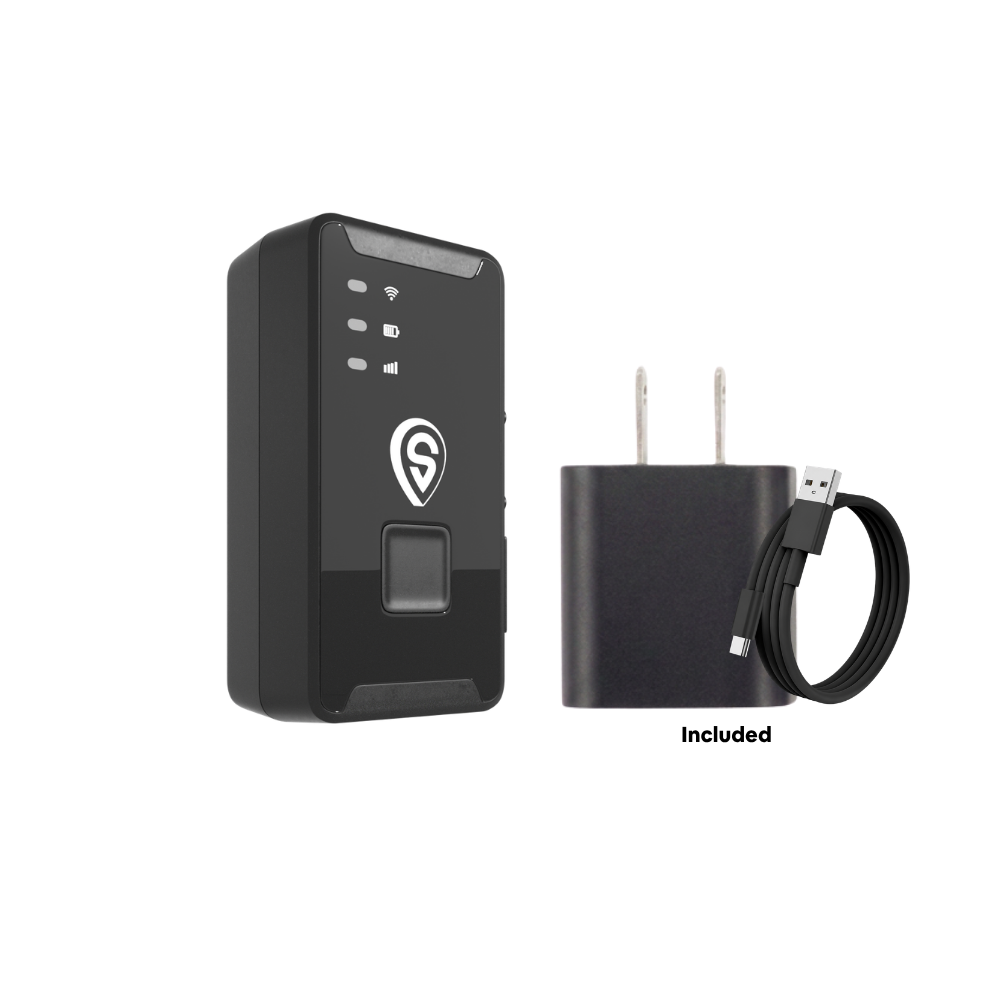
ShadowTrack
- Geofence and motion alerts on anything it's attached to
- Up to about 15 days per charge
- Weatherproof magnetic case, ready in under 2 minutes
Best for: ShadowAuto for any everyday car or truck with an OBD-II port; ShadowTrack for trailers, equipment, and anything without one.
Your First Three Geofences: A Ready-Made Plan
The most common geofencing mistake is starting with ten zones and getting buried in alerts. Start with three that answer real questions, live with them for a week, then adjust. Here's a starting plan for each type of owner.
| You are | Zone 1 | Zone 2 | Zone 3 |
|---|---|---|---|
| Family car or truck owner | Home parking: exit alert, 11 p.m. to 6 a.m., push + text | Work lot: exit alert during work hours, push | Usual area (wide circle): exit alert, any time, push |
| Parent of a teen driver | School (polygon around campus + lot): entry alert, weekday mornings | Home: entry alert after curfew window starts | Usual area (wide circle): exit alert after dark, push + text |
| Turo or rental host | Parking spot: exit alert between trips only, push + text | Airport or delivery lot (polygon): entry alert on handoff days | Trip area (very wide circle): exit alert during trips, push |
| Small fleet (2 to 5+) | Yard or depot (polygon on fence line): exit alert nights + weekends | Customer sites (circle each): entry + exit, business hours, email log | Service area (large polygon): exit alert, any time, push |
Notice the pattern: urgent alerts (overnight exits) go to push and text so they wake you up, while routine logs (customer arrivals) go to email so they don't clutter your lock screen.
How to Set Up a Geofence in 6 Steps
Menus differ between apps, but setting up a geofence takes a few minutes and follows the same steps everywhere:
- Pick the place and name it. Search for the address or drag the map, then use a name you'll recognize instantly in an alert, like "Home driveway" or "Oak St job site."
- Draw the boundary. Use a circle for a single spot or trace a polygon for an irregular area. Make it bigger than the place itself, using the sizing rule above.
- Choose the trigger. Exit for places your car should stay, entry for places you want arrival confirmations, or both for logs.
- Set the schedule. Limit security zones to the hours that matter, like overnight or weekends, so they don't fire during normal driving.
- Pick how you're told. Push, text, email, or a mix. Choose the channel you'll actually notice for that zone.
- Test it. Drive out of the zone and back in once. Confirm both alerts arrived and the timing feels right, then resize if needed.
In the ShadowGPS app for iOS and Android (and on the web dashboard), geofence alerts live alongside your other custom alerts, so you can set and tweak them from the same place you watch your car's live location.
Geofencing Mistakes That Cause Missed or False Alerts
- Zones drawn too tight. A circle around one parking space will fire on GPS drift. Give every zone breathing room.
- Too many zones, too soon. If you start ignoring alerts, the system has failed. Cut back to the three that matter.
- Every alert on the same channel. When routine arrivals and overnight exits both buzz your phone, the important one gets lost.
- Slow reporting on a battery tracker. Long intervals save charge but delay alerts. Know your tracker's real interval and size zones to match.
- Ignoring dead zones. A tracker needs cell coverage to send an alert. Underground garages and remote areas can delay it until the signal returns.
- Not telling the people who drive. Geofencing works best, and stays on the right side of the law, when drivers know about it.
What to Look For in a GPS Tracker With Geofencing
Almost every tracker lists "geofencing" as a feature, so the label alone won't help you choose the right geofencing GPS tracking setup. These are the details that decide whether alerts actually arrive in time:
- Update speed while moving. This sets how quickly a crossing is detected (see the distance table above).
- Power source. Plug-in OBD-II trackers never need charging. Battery trackers go anywhere but trade speed against battery life.
- Alert rules. Entry, exit, and time-window alerts at minimum. Motion, tamper, and Car Alarm alerts add real security.
- Alert channels. Push, text, and email, set per zone.
- Trip history. Being able to replay where your car went before and after an alert adds context.
- Clear monthly fee, no contract. Real-time alerts need a data plan. Look for one you can cancel any time.
| Tracker | Type | Location updates while moving | Geofence alerts | Best for | Contract |
|---|---|---|---|---|---|
| Apple AirTag | Bluetooth tag | Only when near Apple devices | No true geofence (item left-behind alerts only) | Keys, bags, luggage | No fee |
| Tracki | Battery, portable | Adjustable; slower settings stretch battery | Yes | Bags, pets, small items | Plan required |
| Bouncie | OBD-II plug-in | About every 15 sec | Yes | Driving insights on one car | No contract |
| ShadowTrack | Battery, magnetic case | Every 5 sec | Yes, plus motion alerts | Trailers, equipment, non-OBD assets | No contract, ever |
| ShadowAuto | OBD-II plug-in | Every 5 sec | Yes, plus motion and Car Alarm | Family cars, teen drivers, Turo, small fleets | No contract, ever |
Competitor specs are based on publicly listed information as of October 2026 and can change. Check each brand's current plans before buying.
If you're deciding between plug-in and battery for a mixed set of vehicles, our breakdown of battery-powered vs. OBD GPS trackers walks through it.
Is it legal to geofence a car?
In general, yes, when you track a vehicle you own or have the right to track, and the people who drive it know about the tracker. Parents tracking a family car, hosts tracking their own rental cars, and businesses tracking company vehicles with a written policy are all common, legitimate uses. Tracking a car you don't own, or a person without their knowledge, can break state laws. Rules vary by state, so read our guide on whether GPS tracking is legal for employee vehicles and check local law if you're unsure. This isn't legal advice.
Frequently Asked Questions
What is geofencing in GPS tracking?
Geofencing is a GPS tracking feature that lets you draw a virtual boundary around a real place, like your home or a school. When your tracked car or truck enters or leaves that boundary, the app sends you an alert by push, text, or email.
Is there a monthly fee for geofencing alerts?
Real-time geofence alerts need a cellular data plan, so most GPS trackers have a monthly fee. With ShadowGPS, geofencing is included in the plan: $15/mo month-to-month, or prepay and save down to $9/mo. No contract, ever, and you can cancel any time.
Does a GPS tracker with geofencing need a SIM card?
Not one you buy yourself. ShadowAuto and ShadowTrack have cellular connectivity built in, and data is covered by your plan, so there's no SIM card to buy, insert, or top up.
How accurate is GPS geofencing?
It's as accurate as the GPS fix behind it, typically within about 16 feet under open sky, and less precise near tall buildings, bridges, and trees. Draw zones a little larger than the place itself to avoid false alerts from normal drift.
Can geofencing prevent car theft?
It can't physically stop a theft, but it changes when you find out. An overnight exit alert tells you the moment your car leaves its parking spot, so you can see its live location and share it with police while it's still close.
Does geofencing work without cell service?
The tracker can still read its location from satellites, but it needs a cellular connection to send the alert. In an underground garage or a remote dead zone, the alert is delayed until the tracker reconnects.
Does geofencing drain a tracker's battery?
The geofence itself doesn't, because the boundary check happens on the server. Faster reporting does use more battery on battery-powered trackers. Plug-in OBD-II trackers like ShadowAuto draw power from your car, so there's no trade-off.
Can I set more than one geofence for one car?
Yes. You can add several zones per car, like home, school, and work, each with its own entry or exit rule, schedule, and alert channel. Starting with three focused zones keeps alerts useful.
Is geofencing the same as geotargeting?
No. Geotargeting is an advertising term for showing ads to people in a region. Vehicle geofencing is about alerts for your own car, truck, or trailer when it crosses a boundary you set.
Plug it in. See it move. Cancel any time.
Geofencing GPS tracking works best when it's simple. Set your first overnight zone tonight and know where your car is, every time it matters. No contract, ever.
Prices and plans are current as of October 2026 and may change; see our pricing page for the latest. Theft figures from the NICB 2025 Vehicle Theft Report; teen driver data from the CDC; accuracy data from GPS.gov. Some links in this article are affiliate links, which means we may earn a commission at no extra cost to you. Information about tracking laws is general and not legal advice.

