

Still writing trips down on a clipboard, a phone note, or a spreadsheet you fill in on Sunday night? You are not alone, and you are not doing it wrong. But you are doing it the hard way. A GPS tracker records every trip your car or truck takes on its own: when it left, where it went, how far it drove, and where it is parked right now.
That is the real difference in the manual logs vs GPS fleet tracking debate. A paper log tells you what someone remembered. A tracker tells you what actually happened. Below, we break down what a manual log is really costing you, what a GPS mileage log records automatically, what the IRS expects in 2026, and how to switch in one afternoon, whether you own one car that matters or run a crew of five trucks.
GPS tracking beats manual logs because it records every trip automatically, shows where your car or truck is live, and keeps a trip history you can check any time. Manual logs depend on memory, go missing, and only tell you about a trip after it is over. You can still use GPS trip history to build a tax mileage log, adding the business purpose yourself once a week.
Manual Logs vs GPS Fleet Tracking: The Short Version
If you only have a minute, here is how the two approaches stack up on the things owners actually care about.
| What you need | Manual log (paper or spreadsheet) | GPS tracker |
|---|---|---|
| Recording trips | Someone writes it down, if they remember | Every trip saved automatically |
| Knowing where it is now | Call or text the driver | Live map on your phone or computer |
| Accuracy | Estimates, rounding, forgotten stops | GPS points with dates and times |
| Theft or after-hours use | You find out the next day, or never | Alerts when it moves or leaves an area |
| Proving a trip happened | Your word against theirs | Trip replay on a map |
| Weekly admin time | Collect, type up, double-check | Review and add notes |
What a Manual Vehicle Log Really Asks of You
A manual log looks simple: a notebook in the glovebox or a spreadsheet on your laptop. In practice, it asks you (or your drivers) to record the same details after every single trip, forever, with no reminders and no way to check the math.
That is fine for a week. Over a year, it becomes a pile of missing lines, round numbers, and "I think I went to the supplier that Tuesday."
What the IRS wants in a mileage log
If you deduct business miles or reimburse employees, your log has a legal job to do. IRS Publication 463 asks for four details for each business use of your car or truck:
- Date of each trip.
- Miles driven for each business use, plus total miles for the year.
- Destination, meaning the place or area you drove to.
- Business purpose, a short reason the trip was for work.
The IRS also wants records kept "at or near the time" of the trip. It explicitly says a log kept weekly counts as timely. A spreadsheet rebuilt from memory in April does not carry the same weight.
The 2026 twist: two mileage rates in one year
This year makes manual logging harder than usual. The IRS set the 2026 business rate at 72.5 cents per mile starting January 1, then raised it mid-year to 76 cents per mile for miles driven from July 1 through December 31 (see the IRS standard mileage rates page).
That means your 2026 log needs to show which miles happened before July 1 and which happened after. With a paper log, that is another column to get right. With GPS trip history, every trip already carries a date, so splitting the year is a filter, not a project.
Worked example: what forgotten miles are worth
Say you drive your truck for work and forget to log just 10 business miles a week in the second half of 2026. That is about 26 weeks times 10 miles, or 260 miles. At 76 cents a mile, that is roughly $198 in deductions that never make it onto your return, from one small habit. Forget 30 miles a week and it is closer to $593.
This is not tax advice, and your numbers will differ. The point is simple: a log is only worth what it actually captures.
6 Problems With Manual Logs (and What GPS Does Instead)
1. Trips get forgotten
The quick run to the hardware store. The detour to pick up a part. Short trips are the easiest to skip, and they add up fastest. A tracker does not decide which trips are worth writing down. It saves all of them to your trip timeline.
2. Logs get rebuilt from memory
Most manual logs are not written in the truck. They are reconstructed later from receipts, texts, and calendar entries. GPS trip history gives you the date, start time, end time, route, and distance for each drive, so you are filling in the "why," not guessing the "where."
3. You only see the past, never the present
A paper log cannot tell you where your car is right now. When a customer calls with an urgent job, or your teen said they would be home by ten, a log is useless. Live tracking answers "where is it?" in the time it takes to open an app.
4. Disputes come down to your word
A client says your crew never showed. A Turo guest says they barely drove the car. With a manual log, that is a he-said, she-said. With trip replay, you can pull up the drive on a map, with times attached, and settle it calmly.
5. Theft and after-hours use stay invisible
Manual logs have a blind spot the size of a night shift. If a truck leaves the yard at 2 a.m., nobody writes that down. The National Insurance Crime Bureau tracks hundreds of thousands of vehicle thefts in the U.S. every year, and a log cannot help you with any of them. A tracker with a car alarm and geofence alerts tells you the moment something moves when it should not.
6. Idle time and wasted fuel hide in plain sight
Nobody logs the 20 minutes a truck sat running outside a job site. Yet according to the U.S. Department of Energy's Alternative Fuels Data Center, Argonne National Laboratory estimates that U.S. road vehicles lose more than 6 billion gallons of fuel to idling every year. GPS stop and trip data makes long stops visible, so you can have a real conversation about them.
What a GPS Tracker Records Automatically
Here is what shows up in your app without anyone writing a single line:
- Live location of your car, truck, or trailer on a map.
- Trip timeline with start time, end time, and distance for each drive.
- Trip replay so you can watch any past drive play back on the map.
- Stops and how long your car or truck stayed at each one.
- Geofence alerts when it enters or leaves places you choose, like home, the yard, or a job site.
- Car alarm and tamper alerts if it moves or gets unplugged when it should not.
- Engine codes and diagnostics on plug-in (OBD-II) trackers, so a warning light is not a mystery.
- Share location with a family member or customer, on the web or in the app.
Want to know how the tech works under the hood? Our guide on how real-time GPS tracking works explains it in plain words.
Who Is Switching From Manual Logs to GPS?
It is not just big companies with dispatch rooms. Most of the people making the switch own one to five vehicles and simply got tired of guessing.
The parent of a new driver
Trades "text me when you get there" for a trip timeline. You see the drive home without calling mid-trip. More in our teen driver guide.
The Turo host
Swaps odometer photos and guesswork for trip history and live location during every rental. See our Turo host page.
The self-employed driver
Uses trip history as the backbone of a weekly mileage log instead of rebuilding a year from receipts.
The contractor with 2 to 5 trucks
Knows which truck is closest to the next job, and which one sat idling for an hour.
The landscaper or hauler
Tracks trailers and equipment that have no OBD-II port, not just the trucks that tow them.
The family with a "work" car
Keeps business and personal trips straight on a shared car or truck, without a notebook in the glovebox.
The ShadowGPS Way to Replace Your Manual Log
ShadowAuto: plug it in and your log keeps itself
ShadowAuto is a plug-in tracker for cars, trucks, and vans with an OBD-II port (almost every car sold in the U.S. since 1996). It updates your car's location every 5 seconds while it moves, so the map you see is the drive happening now, not a snapshot from minutes ago.
Setup is the part people expect to be hard, and it is not. Find the port under the dashboard, plug it in, and pair it in the app. It takes under 2 minutes, with no tools, no wiring, and no appointment. It runs on your car's power, so there is nothing to charge. Not sure where your port is? Here is how to find your OBD2 port in 30 seconds.
From then on, every drive lands in your trip timeline, with engine codes and car alarm alerts on top. That is the certainty a paper log never gives you: you know where your car is, and where it has been.
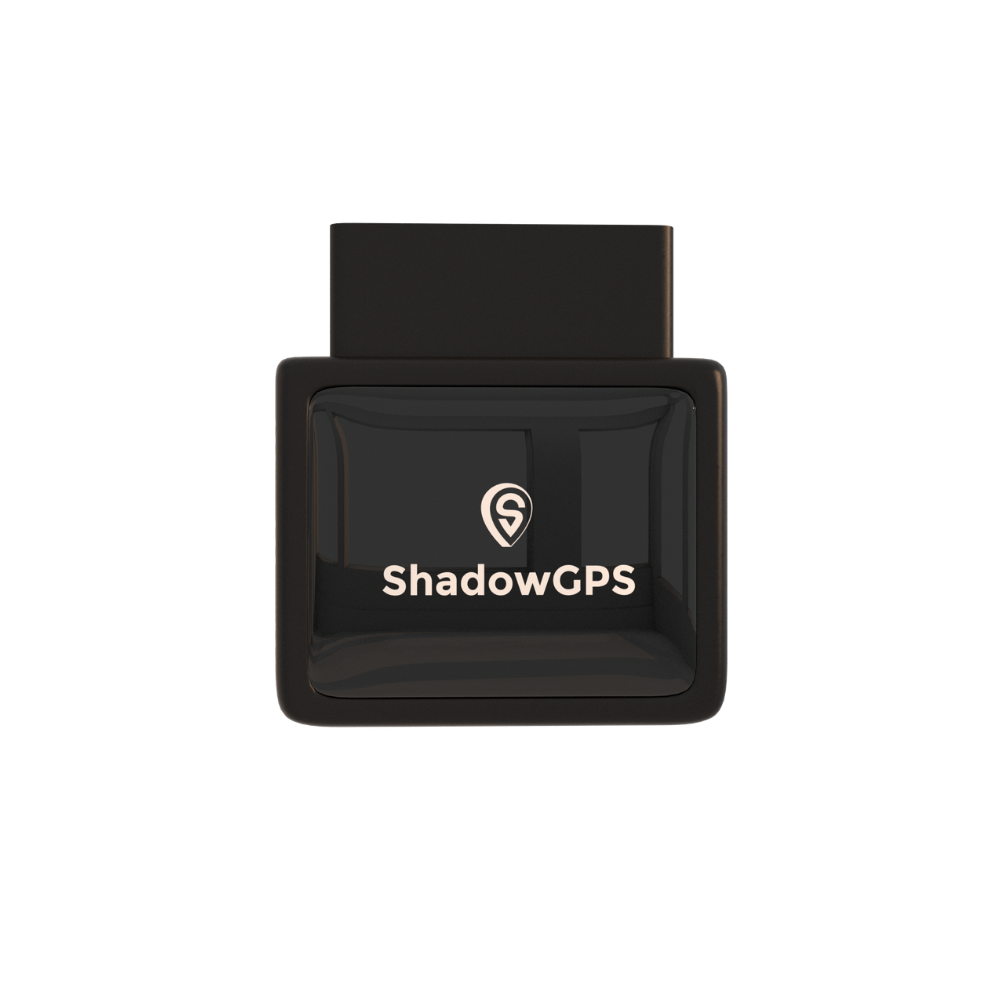
ShadowAuto
- Trip timeline and trip replay for every drive
- Plugs in under 2 minutes, powered by your car
- Car alarm, geofences, and engine code alerts


Not every asset has an OBD-II port. Trailers, generators, mowers, and older equipment still need a record of where they have been, and that is where the battery tracker comes in.
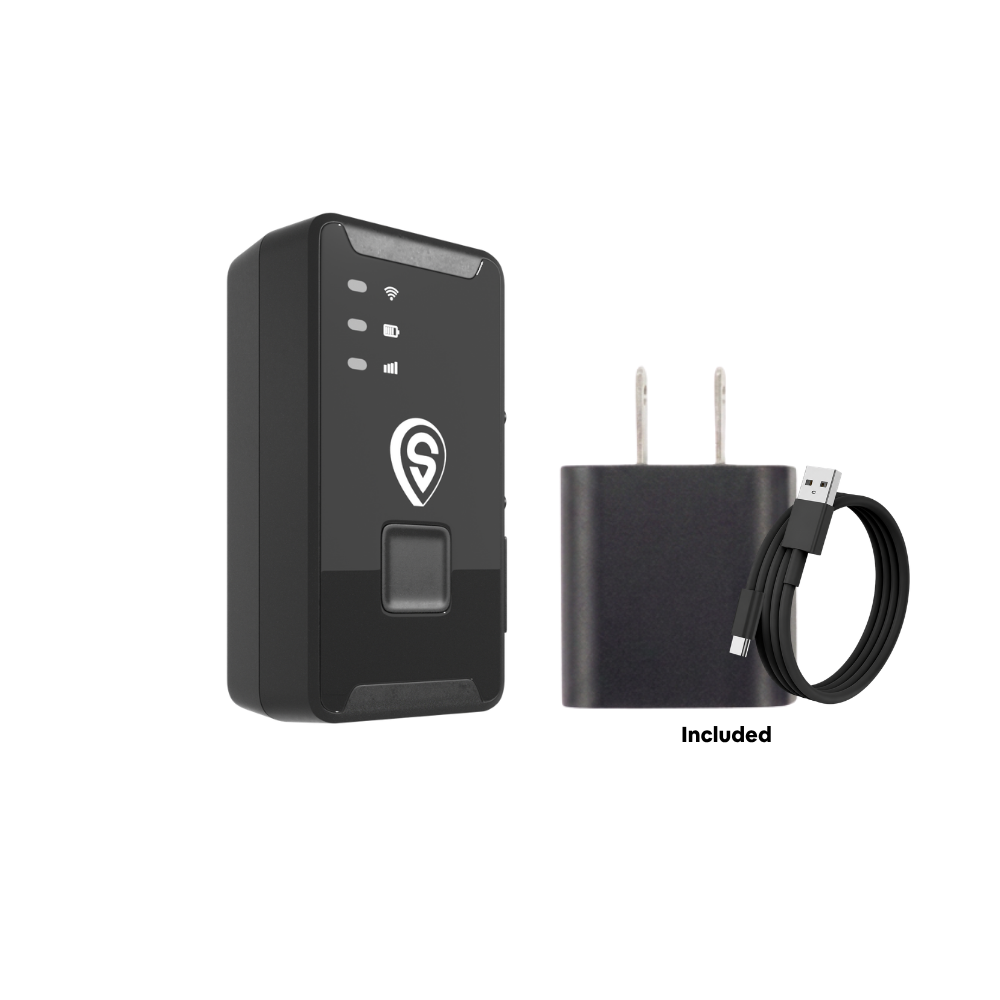
ShadowTrack
- Rechargeable, up to about 15 days per charge
- Weatherproof magnetic case, mounts in under 2 minutes
- Same app, map, and trip history as ShadowAuto
Best for: ShadowAuto for any car, truck, or van you drive every day. ShadowTrack for trailers, equipment, and anything without a port. Mixed fleets use both in one app. Still deciding? Compare them side by side in OBD2 vs battery-powered GPS tracker.
Paper Log vs Spreadsheet vs Mileage App vs ELD vs GPS Tracker
"Manual log" can mean a few different things, and "GPS" can too. Here is how every common option compares, so you can pick the right one for your situation.
| Method | Records trips automatically | Live location | Works if the driver's phone stays home | Theft alerts | Best for |
|---|---|---|---|---|---|
| Paper logbook | No | No | Yes, if someone writes it | No | Very occasional business trips |
| Spreadsheet | No | No | Yes, if someone types it | No | Organizing notes you already keep |
| Phone mileage app | Yes, when the phone is in the car | Usually no | No | No | Solo drivers claiming mileage |
| ELD (electronic logging device) | Yes | Varies | Yes | Varies | Commercial trucks under FMCSA hours-of-service rules |
| ShadowAuto / ShadowTrack | Yes, every trip | Yes | Yes, it lives in your car or on the asset | Yes, car alarm and geofences | One car that matters up to 5+ trucks and trailers |
ELD rules apply to specific commercial drivers. If you are required to keep hours-of-service records, use a device on the FMCSA ELD registry. ShadowGPS trackers are not ELDs.
In one sentence
A manual log records what someone remembers after a trip, while a GPS tracker records every trip as it happens, shows where your car or truck is live, and alerts you when it moves without you.
How to Switch From Manual Logs to GPS in One Afternoon
You do not need an IT person, a rollout plan, or a week off. Here is the whole process.
Step 1: List what you want to track
Write down every car, truck, van, and trailer. Next to each one, note whether it has an OBD-II port. That single detail decides which tracker it gets.
Step 2: Match the tracker to the job
- Daily-driven car, truck, or van: ShadowAuto, plugged into the port.
- Trailer, equipment, or older vehicle with no port: ShadowTrack, mounted in its magnetic case.
Step 3: Plug in and pair
Plug in each tracker, open the ShadowGPS app, and add it to your account. Name each one clearly ("Mike's F-150," "Blue trailer") so your trip history reads like a log. Our setup walkthrough covers it step by step.
Step 4: Set your geofences
Draw zones around home, the shop or yard, and your regular job sites. Now arrivals and departures log themselves, and you hear about it when something leaves after hours. Here is how to set up geofence alerts that actually work.
Step 5: Tell your drivers
If someone else drives your vehicles, tell them before the tracker goes in, and explain what it is for: fewer check-in calls, no more paperwork, and proof when a customer disputes a visit. We wrote a whole guide on talking to your crew about GPS.
Step 6: Do a 10-minute weekly review
Once a week, open your trip history and add a business purpose to your work trips, or copy them into your mileage log. That keeps your records timely under the IRS's weekly standard, and it takes minutes instead of a weekend in April.
Step 7: Keep your old logs
Do not throw out past paper logs. Keep them with your tax records for at least three years, the general IRS window for reviewing a return, and ask your tax pro if your situation needs longer.
Is it legal to track your car or company vehicles?
Tracking a car or truck you own is generally legal in the U.S. Things change when someone else drives it. If employees use company vehicles, tell them in writing that those cars and trucks are tracked, and check your state's rules, since some states (like California) have specific GPS tracking laws. Never put a tracker on a vehicle you do not own. Our employee vehicle tracking legal guide goes deeper. This is general information, not legal advice.
What About the Monthly Fee?
This is the first question almost everyone asks, so here is the straight answer. A ShadowGPS tracker is $69.90, and service runs $12 to $15 a month (or $10 to $13 a month each with 4 or more trackers). No contract. Month-to-month, or prepay and save. Cancel any time.
What you get for that fee is not a gadget. It is a record you never have to write, a live map you can open any time, and alerts when something moves that should not. For a clear breakdown for small fleets, see how much GPS tracking actually costs for a small fleet in 2026.
Common Worries About Leaving Paper Logs Behind
- "My drivers will hate it." Most pushback fades once drivers realize the paperwork disappears and trip history can back them up in a dispute.
- "I'm not a tech person." If you can use a phone map, you can use the app. Plugging in is the hardest part, and it takes under 2 minutes.
- "I only have one car." That is who ShadowGPS is built for. You do not need a fleet to want to know where your car is.
- "What if I stop needing it?" Cancel. There is no contract to buy your way out of.
Frequently Asked Questions
Is GPS tracking better than a manual mileage log?
For most owners, yes. GPS tracking records every trip automatically with dates, times, and distances, while a manual log depends on someone remembering to write each trip down. A tracker also shows live location and sends alerts, which no log can do.
Is there a monthly fee for a GPS tracker?
Yes. Real-time GPS trackers need a cellular connection, and that is what the monthly fee pays for. ShadowGPS plans are $12 to $15 a month per tracker, or $10 to $13 each with 4 or more. No contract. Month-to-month, or prepay and save.
Does a GPS tracker need a SIM card?
Not one you buy yourself. ShadowAuto and ShadowTrack come with cellular service built in, covered by your monthly plan. There is no SIM card to insert and no phone carrier plan to set up.
Is a GPS tracker hard to set up?
No. ShadowAuto plugs into your car's OBD-II port under the dashboard in under 2 minutes, with no tools or wiring. ShadowTrack mounts with a magnetic case or tucks away on a trailer or piece of equipment just as fast.
Does the IRS accept GPS mileage logs?
The IRS does not require any specific format. It wants the date, miles, destination, and business purpose for each business trip, recorded at or near the time. GPS trip history covers the date, miles, and destination automatically. You add the business purpose, ideally once a week. Check with your tax professional for your situation.
Do I still need a logbook if I have a GPS tracker?
You no longer need to write trips down by hand, but you still need to note which trips were for business and why if you deduct mileage. Many owners do this weekly from their trip history instead of keeping a separate paper log.
What is the 2026 IRS mileage rate?
For business use, it is 72.5 cents per mile for January 1 through June 30, 2026, and 76 cents per mile for July 1 through December 31, 2026, after a mid-year increase. Keep your logs split by those two periods.
Can a GPS tracker replace an ELD?
No. An ELD is a specific device required for certain commercial drivers who must record hours of service under FMCSA rules. ShadowGPS trackers are built for owners who want to know where their cars, trucks, and trailers are, not for hours-of-service compliance.
Can I track a trailer or equipment with no OBD-II port?
Yes. ShadowTrack is battery powered, lasts up to about 15 days per charge, and sits in a weatherproof magnetic case, so it works on trailers, generators, mowers, and older vehicles. It shows up in the same app as your ShadowAuto trackers.
How long should I keep mileage records?
Keep mileage logs and supporting records for at least three years from when you filed the return, which is the general IRS review window. Some situations call for longer, so ask your tax professional.
Stop writing it down. Start knowing.
Plug it in, see it move, cancel any time. Your trips log themselves from the first drive.
Pricing current as of September 2026. IRS rates and rules from IRS Publication 463 and irs.gov; this article is general information, not tax or legal advice. Some links are affiliate links, and ShadowGPS may earn a commission on qualifying purchases. Only track vehicles and assets you own or have the right to track.

