

Most school mornings come down to one quiet question: where is the car right now? Your teen just pulled out with a younger sibling in the back. The carpool left ten minutes ago. The daycare van is somewhere between the last stop and the school gate.
Real-time GPS tracking devices for vehicles answer that question on your phone, without a single "are you there yet?" text. Below are the five GPS safety features that actually protect school children on the road, what each one looks like on a normal school day, and how to set them up in about 15 minutes.
The five GPS safety features that protect school children are: (1) real-time location tracking, (2) geofence arrival and departure alerts, (3) speed and driving-behavior alerts, (4) crash and tamper alerts, and (5) trip history with route replay. A plug-in or battery GPS tracker for vehicles puts all five on your phone for the car, truck, or van that carries your kids.
Who this guide is for
This guide is written for families and small operators who own the car, SUV, or van that carries children to school. It is not a buyer's guide for a school district's 200-bus fleet.
Parents of a teen driver
Your 16-year-old drives to school, maybe with a sibling. You want arrival alerts and honest speed data, not a daily interrogation.
Carpool and family cars
Your car does the school run, sometimes with another parent at the wheel. You want to share live location and ETAs with the whole group.
Small school, daycare, or church vans
You run 2 to 5 vans or small buses. You want live location, route history, and a way to give parents real arrival times.
Riding a district school bus? You can't put your own tracker on a bus you don't own. Ask your district's transportation office whether it offers a parent bus-tracking app. Many districts already do, and it's the right tool for that job.
Why the school commute deserves a closer look
School buses themselves have a strong safety record. The risk tends to sit around the bus and around new drivers: the curb, the stop, the pickup window, and the first months behind the wheel.
- The curb is riskier than the seat. In NHTSA's 2014 to 2023 data, pedestrian deaths in school-transportation-related crashes (171) outnumbered deaths of people riding in school transportation vehicles (113) by about 1.5 to 1. (NHTSA)
- Timing matters. NHTSA has found that more school-age pedestrians are killed from 7 to 8 a.m. and 3 to 4 p.m. than any other hours of the day, which is exactly the drop-off and pickup window. (NHTSA)
- Teen drivers carry the highest risk. Per mile driven, drivers aged 16 to 19 have a fatal crash rate almost three times that of drivers 20 and older, and the risk climbs with each teen passenger. (CDC)
- Other drivers still pass stopped buses. In the 2026 national one-day survey, 101,334 school bus drivers in 39 states and D.C. reported 56,024 illegal passings. (NASDPTS)
A GPS tracker won't stop another driver from blowing past a stop arm. What it can do is shorten the time kids spend waiting at the curb, confirm arrivals without anyone texting while driving, and give you real data about how the car carrying your kids is being driven.
The 5 GPS safety features that protect school children
1. Real-time location tracking
Real-time tracking shows where your car is right now, on a live map, on your phone or computer. It's the foundation every other safety feature is built on.
What it looks like on a school morning
You glance at the app and see the car two blocks from school. No call, no text, no guessing. If the pickup is running late, you know before your child is standing outside in the rain wondering where everyone is.
How often a tracker updates makes a real difference here. A tracker that refreshes every few minutes shows you where the car was. ShadowGPS trackers update every 5 seconds while moving, so the dot on the map is where the car is. That's the difference between "somewhere on Main Street" and "turning into the school lot."
For a car, SUV, minivan, or light truck, the simplest option is a tracker that plugs straight into the OBD-II port under the dashboard. It draws power from your car, so there's nothing to charge and nothing to forget.
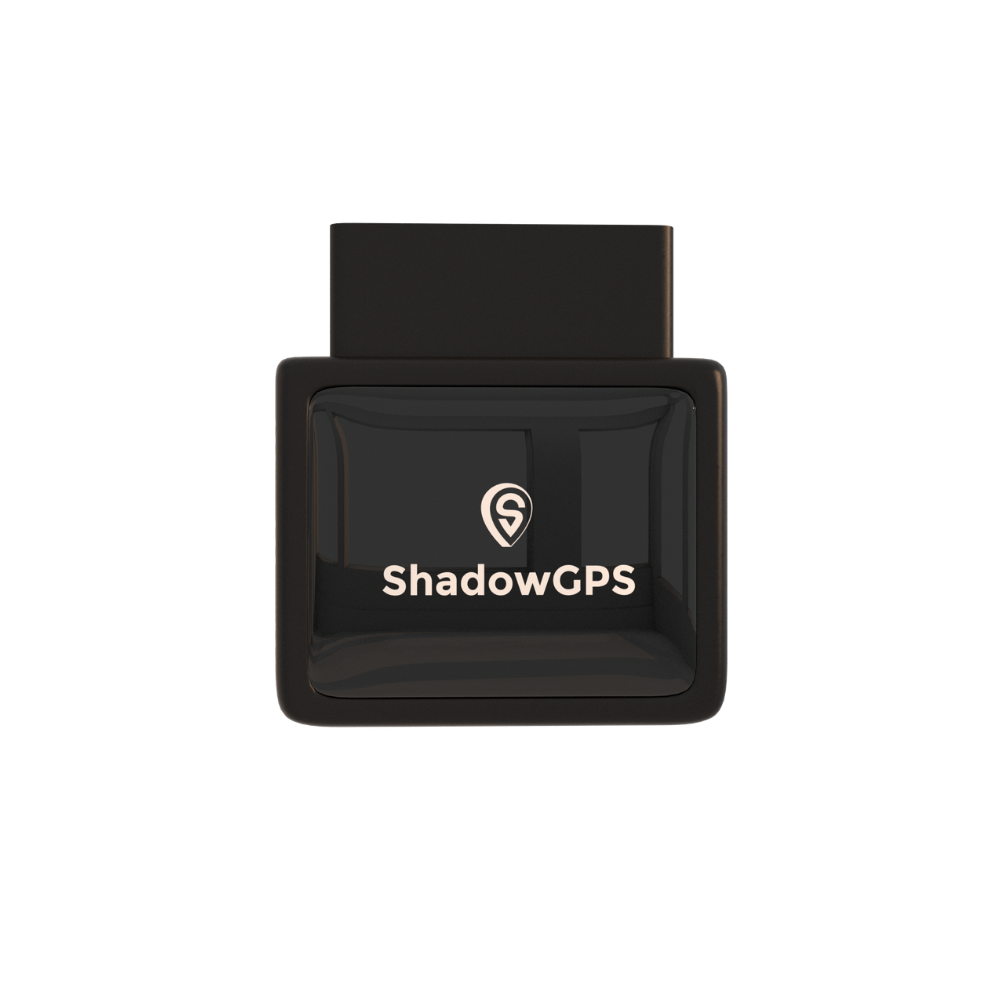
ShadowAuto
- Plugs in under 2 minutes, never needs charging
- Crash, speeding, curfew and unplug alerts
- 1 year of trip history with route replay


Share it, don't just watch it. The Share Location feature lets you send a live location link to a co-parent, grandparent, or the other carpool families. For a small school or daycare van, that same link gives parents a real arrival time instead of a printed schedule that assumes perfect traffic.
2. Geofence arrival and departure alerts
A geofence is a virtual boundary you draw on a map around a place, like home, school, or the soccer field. When your car enters or leaves that zone, you get an alert on your phone.
Why it's the feature parents use most
Geofences replace the "text me when you get there" rule. Your teen doesn't have to pick up a phone while driving, and you still get the "arrived at school" notice at 7:52 a.m. It's safer for them and calmer for you.
Start with three zones and add more only when you need them:
- Home. Tells you when the school run actually starts.
- School. Draw it around the drop-off lane or parking lot, not the whole campus, so the alert fires when the car truly arrives.
- The regular after-school stop. Practice, a job, or a grandparent's house.
Pair it with curfew alerts. A curfew alert tells you if your car moves outside the hours you set, like after 10 p.m. on a school night. It's a simple way to keep the agreement you and your teen already made. For more on building zones that work, see our guide to how geofencing works for vehicle security.
3. Speed and driving-behavior alerts
Location tells you where the car is. Speed and driving-behavior alerts tell you how it's being driven, which matters most when that car is full of kids.
ShadowGPS lets you set your own speed limit in the app and get a real-time alert when it's crossed. The app also flags harsh braking and rapid acceleration, the habits that tend to come before a close call.
How to use speed data without starting a fight
- Set the limit together. Agree on a threshold with your teen up front, so an alert is a shared rule, not a surprise.
- Review trips weekly, not hourly. A Sunday look at the week's trips beats a text every time the car hits 41 in a 35.
- Look for patterns, not single events. One hard stop is a squirrel. Hard stops every morning at the same corner is a conversation.
- For carpool and van drivers, use the same data to coach, and to show parents that routes and speeds are consistent.
If you're getting ready to hand over the keys, our guide on GPS trackers for teen drivers goes deeper on setting expectations.
4. Crash and tamper alerts
If something goes wrong on the way to school, the first minutes matter. ShadowAuto can detect a collision and send a crash alert by text with your car's location, so you know where to go without waiting for a phone call.
Two other alerts round out this feature. An unplug alert tells you if the tracker is removed from the OBD-II port. A tamper or motion alert on ShadowTrack tells you if the tracker is moved when it shouldn't be. Both help you trust that the data you're seeing is real.
Does a car tracker have an SOS button for kids?
No, and it's worth being clear about that. A vehicle GPS tracker watches your car, not your child. It can't be pressed by a child in trouble. If your child walks, bikes, or waits alone at a bus stop and you want a panic button, a wearable made for kids is the better tool, such as Jiobit or AngelSense. Many families use both: a wearable for the child and a tracker for the car.
Learn more about how crash notifications work in our post on collision SOS alerts.
5. Trip history and route replay
Trip history records every drive automatically: the route, the stops, how long each stop lasted, and the speed along the way. Route replay lets you watch any trip play back on the map.
ShadowGPS keeps up to 12 months of trip history, so you can look back at last Tuesday or last semester.
Where trip history earns its keep
- Settling "what happened?" Was the pickup late because of traffic, or because of a detour? The replay shows you.
- Spotting slow drift. A new route, a longer stop, a habit that creeps in over a month.
- Showing accountability. For a small school or daycare van, clean trip records give parents confidence and give you a clear answer when a question comes up.
ShadowAuto or ShadowTrack: which fits your school run?
Both trackers run on the same ShadowGPS app with the same live map, alerts, and trip history. The difference is how they get power and where they go.
Choose ShadowAuto if the car has a standard OBD-II port, which covers nearly every car, SUV, minivan, and light truck made since 1996. Plug it in once and forget it.
Choose ShadowTrack if you want a tracker you can move between cars, hide in a bag or glovebox, or put on something without an OBD-II port. It runs on a rechargeable battery for up to about 15 days per charge, and it pairs with an optional weatherproof magnetic case.
A note for small bus owners: many full-size buses use a heavy-duty diagnostic connector instead of the standard OBD-II port found in cars. If your bus doesn't have a standard OBD-II port, ShadowTrack is the simpler choice. Passenger vans and smaller buses built on a van chassis usually do have one.
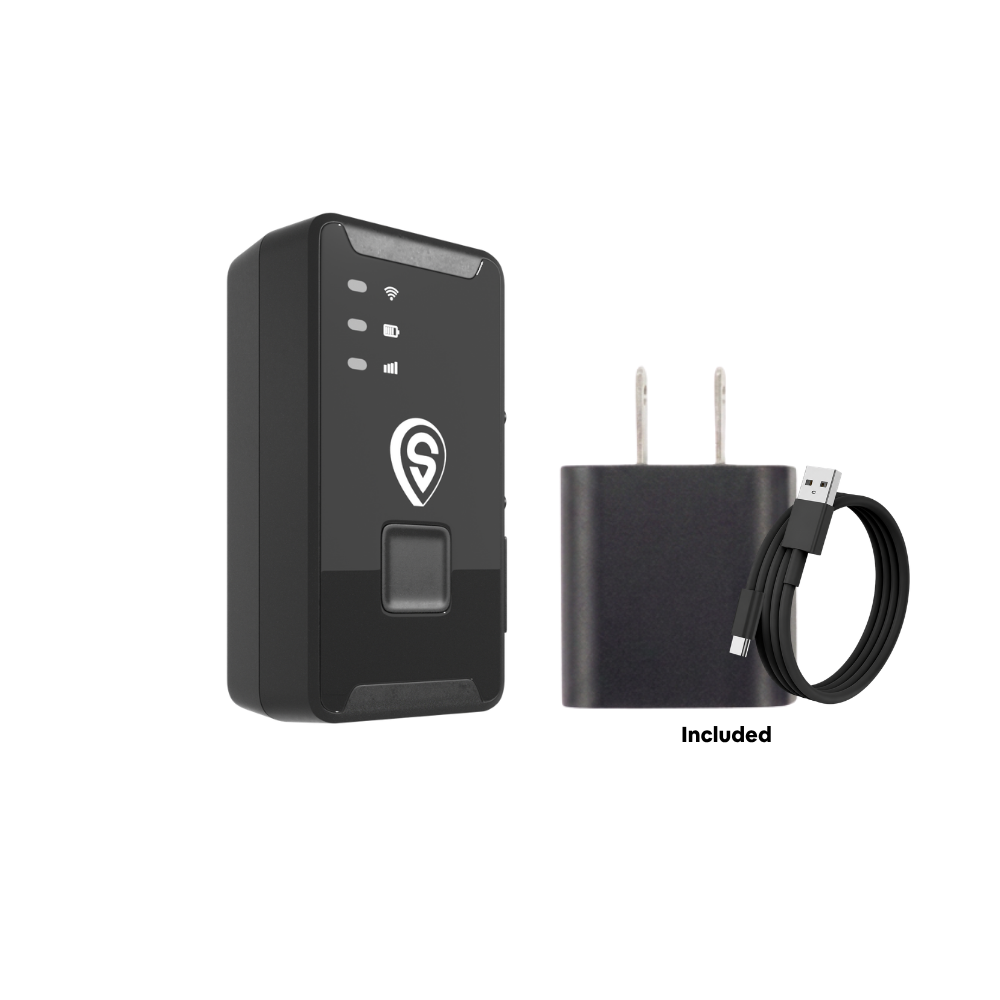
ShadowTrack
- Up to about 15 days per charge
- Motion, geofence, speed, curfew and tamper alerts
- Moves between cars, vans and buses in seconds
Best for: ShadowAuto for the family car or teen's car that does the school run every day. ShadowTrack for shared cars, full-size buses without an OBD-II port, or anyone who wants to move one tracker between vehicles.
School-run tracking options compared
Not every tool tracks the same thing. Here's how the common options stack up for the school commute.
| Option | Tracks | Live location | Arrival alerts | Speed alerts | Crash alert | Trip history |
|---|---|---|---|---|---|---|
| District bus app | District bus | Yes, varies by district | Often | No (for parents) | No | No (for parents) |
| Phone location sharing (Life360, Find My) | A person's phone | Yes, if phone is on and with them | Yes | Paid tiers only on some apps | Some paid plans | Limited |
| Kids' GPS wearable (Jiobit, AngelSense) | The child | Yes | Yes | No | No (SOS button on some) | Varies |
| ShadowTrack | Your car, van or bus | Yes, updates while moving | Yes (geofence) | Yes | Tamper and motion alerts | Up to 12 months |
| ShadowAuto | Your car or truck | Yes, updates while moving | Yes (geofence) | Yes, plus harsh braking | Yes, by text with location | Up to 12 months |
Features for third-party apps and devices vary by plan and change often. Check each provider's current plan details before you buy.
The takeaway: phone apps follow the phone, wearables follow the child, and a vehicle tracker follows the car. If your worry is the drive itself, a tracker on the car is the only one of these that reports speed, crashes, and trips without depending on someone's phone battery.
A 15-minute school-run safety setup
Here's the setup we'd recommend for a family car doing the daily school run. The same steps work for a small school or daycare van.
- Plug it in (2 minutes). Plug ShadowAuto into the OBD-II port, or charge ShadowTrack and place it in the car.
- Pair it in the app (3 minutes). Download the ShadowGPS app, create your account, and add your tracker. Name it something obvious, like "Maya's Civic."
- Draw three geofences (4 minutes). Home, the school drop-off area, and the regular after-school stop.
- Set speed and curfew alerts (3 minutes). Pick a speed threshold you've agreed on and a school-night curfew.
- Add the people who need it (2 minutes). Invite a co-parent as a user, or send a Share Location link to the carpool group.
- Book a weekly review (1 minute). Put a 10-minute trip review on the calendar. That's where the real value shows up.
Example scenario: A parent sets a school geofence around the drop-off lane and a 45 mph speed alert. For two weeks, arrival alerts land every morning between 7:48 and 7:55. In week three, a Tuesday alert doesn't come until 8:06, and trip replay shows a long detour around a road closure. No worry, no phone call needed, just an answer.
Is it legal to track the car my kids ride in?
In general, tracking a car you own is legal in the U.S., including a car your teen drives. Where it gets risky is putting a tracker on a car you don't own, like another parent's car or a district school bus. Two good habits: tell your teen the car has a tracker, and if another adult drives your car in a carpool, let them know too. Laws vary by state, so check your state's rules if you're unsure. This isn't legal advice.
What a GPS tracker can't do
Being honest about limits is part of using any safety tool well.
- It won't stop other drivers. Stop-arm violations and distracted drivers are outside anyone's control. Teach kids to wait for the driver's signal before crossing.
- It tracks the car, not the child. Once your child is out of the car, a tracker can't tell you where they are.
- It needs cell coverage to report live. In a dead zone, location reports resume when the signal comes back.
- It doesn't replace the conversation. The best results come when your teen knows the rules, the alerts, and why they're there.
Frequently asked questions
Is there a monthly fee for a GPS tracker for my car?
Yes. Real-time trackers send location over a cellular network, and the monthly fee covers that connection. ShadowGPS plans run $12 to $15 a month, or $10 to $13 a month with 4 or more trackers. No contract, ever. Go month-to-month, or prepay and save. See all options on our pricing page.
Does a vehicle GPS tracker need a SIM card?
You don't need to buy or insert one. ShadowAuto and ShadowTrack come with cellular connectivity built in, and your monthly fee covers it. More detail in our post on whether a GPS tracker needs a SIM card.
Is it hard to set up a GPS tracker in my car?
No. ShadowAuto plugs into the OBD-II port under your dashboard in under 2 minutes, with no tools and no wiring. ShadowTrack just needs a charge, then you place it or magnet-mount it.
How can I track my child's school bus?
For a district bus, ask your school's transportation office whether it offers a parent bus-tracking app. You shouldn't place your own tracker on a bus you don't own. If you run your own school, daycare, or church van, a tracker like ShadowAuto or ShadowTrack plus a Share Location link gives parents live arrival updates. Our school bus safety guide covers this in more depth.
What is the best GPS tracker for kids?
It depends on what you want to track. If your child walks, bikes, or waits alone, a wearable made for kids with an SOS button is the right fit. If your concern is the car that drives them, including a teen driver, a vehicle tracker like ShadowAuto gives you live location, arrival alerts, speed alerts, and crash alerts for the car itself.
Can a GPS tracker alert me if my teen gets in an accident?
Yes, with ShadowAuto. When it detects a collision, it sends a crash alert by text with your car's location, so you know where to go right away.
How fast does a real-time GPS tracker update?
It varies a lot by brand and plan, from a few seconds to several minutes. ShadowAuto and ShadowTrack update continuously while your car is moving, on every plan, with no upgrade needed for faster updates.
Is it legal to put a GPS tracker on my teen's car?
Generally yes, if you own the car. Most families find it works best when the teen knows about the tracker and the rules behind it. Laws vary by state, so check local rules if you have questions.
What happens if I cancel?
You stop paying. There's no contract and no cancellation fee. If school's out for the summer and you don't need tracking, you can cancel and restart when you need it again. New purchases also come with a 30-day money-back guarantee.
Know where the school run is. Right now.
Plug it in, see it move, cancel any time. No contract, ever.
Pricing and features current as of September 2026 and subject to change. Some links on this page are affiliate links, which means ShadowGPS may earn a commission at no extra cost to you. Crash statistics are from NHTSA, CDC, and NASDPTS as linked above. This article is general information, not legal advice. Only track vehicles you own or have permission to track.

