

The way to introduce GPS tracking to employees without resentment is simple: tell them before the tracker goes in, explain exactly what you'll look at and why, and put it in writing. Most pushback comes from surprise and fear of how the data will be used, not from the tracker itself.
If you run a small crew (a few vans, service trucks, or delivery cars), you don't have an HR department to manage this for you. This guide gives you a 7-step rollout plan, a one-page policy template, a sample announcement you can read to your team, and honest answers to the questions your drivers will actually ask.
How do you introduce GPS tracking to employees? (1) Decide your reason in one sentence, (2) check your state's notice rules, (3) write a one-page GPS policy, (4) choose a visible plug-in tracker, (5) announce it in person before the first tracker is plugged in, (6) run a 30-day no-discipline trial, and (7) review the data with drivers, not about them. Transparency up front is what prevents resentment.
Why Employees Push Back on GPS Tracking
Drivers rarely object to a map. They object to what they think the map means. In our experience talking with small business owners, the same four worries come up again and again:
- "You don't trust me." A tracker that appears without warning reads as an accusation.
- "You'll use it to catch me." Drivers worry every two-minute coffee stop becomes a write-up.
- "You'll see my personal life." This is the big one for take-home trucks used on evenings and weekends.
- "The rules will change later." If data use isn't written down, people assume the worst.
Those worries are reasonable. The American Psychological Association found that 60% of employees who say their employer monitors them typically feel tense or stressed during the workday, compared with 35% of those who aren't monitored.
The good news is that how you do it matters as much as whether you do it. A 2026 study in the Journal of Business and Psychology notes that monitoring used mainly for development, with clear communication and employee input, may soften the stress and even have neutral or positive effects. That is the whole playbook below in one sentence.
How to Introduce GPS Tracking to Employees: A 7-Step Rollout Plan
Step 1: Decide your reason, and write it in one sentence
If you can't explain why in one sentence, your team will fill in the blank for you. Good reasons are specific and about the business, not about a person:
- "We want to send the closest truck to emergency calls and give customers accurate arrival times."
- "We want to know where our trucks are if one is stolen, and get help to a driver fast after a crash."
- "We want to catch engine problems before a van breaks down on a job."
If the honest reason is "I think one person is padding their hours," deal with that person directly first. Rolling out tracking to the whole crew to solve one problem is the fastest way to create resentment.
Step 2: Check the law in your state
In general, U.S. businesses can track vehicles they own or lease. But some states add notice or consent rules, and they apply before you start, not after someone complains.
Know these before you start
New Jersey: Since April 18, 2022, an employer that knowingly uses a tracking device in a vehicle used by an employee must first give that employee written notice. It applies to both company-owned and personal vehicles, and violations carry civil penalties of up to $1,000 for a first violation and up to $2,500 after that. Verbal notice isn't enough.
California: Penal Code 637.7 restricts using an electronic tracking device to determine a person's location without consent, with an exception for the car's registered owner or lessee. Tracking an employee's personal car is where businesses get into trouble.
Other states have their own rules, and laws change. We're not lawyers, so check with an employment attorney, and read our guide to GPS tracking laws for employee vehicles.
A simple rule keeps most small businesses safe everywhere: track only vehicles you own or lease, give written notice to every driver, and keep a signed acknowledgment on file.
Step 3: Write a one-page GPS policy
Your policy doesn't need to be long. It needs to answer every question a driver will have, in plain words. Use this as a template:
| Policy section | What to cover | Example wording |
|---|---|---|
| Purpose | Your one-sentence reason | "We track company trucks for dispatch, safety, and theft recovery." |
| Which vehicles | Company-owned or leased only | "Only company trucks. We never track personal vehicles." |
| What's collected | Location, speed, trips, engine codes | "Location, speed, trip times, and engine alerts." |
| Who can see it | Name the people with app access | "The owner and the operations manager." |
| How it's used | Coaching, dispatch, safety, disputes | "To coach, dispatch, and protect drivers. Never to post rankings or embarrass anyone." |
| Off-hours | Your rule for take-home trucks | "We only open after-hours data for theft, a crash, or a customer dispute." |
| How long it's kept | Your review window | "Reviewed weekly; we don't dig into old trips without a reason." |
| Questions and disputes | How a driver can see their own data | "Ask anytime to see your own trips." |
Have each driver sign and date it. In New Jersey that signature is your proof of written notice; everywhere else it's simply good practice.
Step 4: Choose a tracker you can be open about
For employee vehicles, pick a tracker you can show your team, not one you'd hide. A plug-in tracker that sits in the OBD-II port (usually under the dashboard) is easy to point to in the kickoff meeting, and it doubles as a safety tool, not just a location dot.
ShadowAuto plugs into that port in under 2 minutes with no tools. Besides live location, it sends alerts for crashes, speeding, ignition, geofences, and device removal, and it shows engine codes and battery health. That gives drivers real reasons to see it as protection: faster help after a crash and fewer breakdowns.
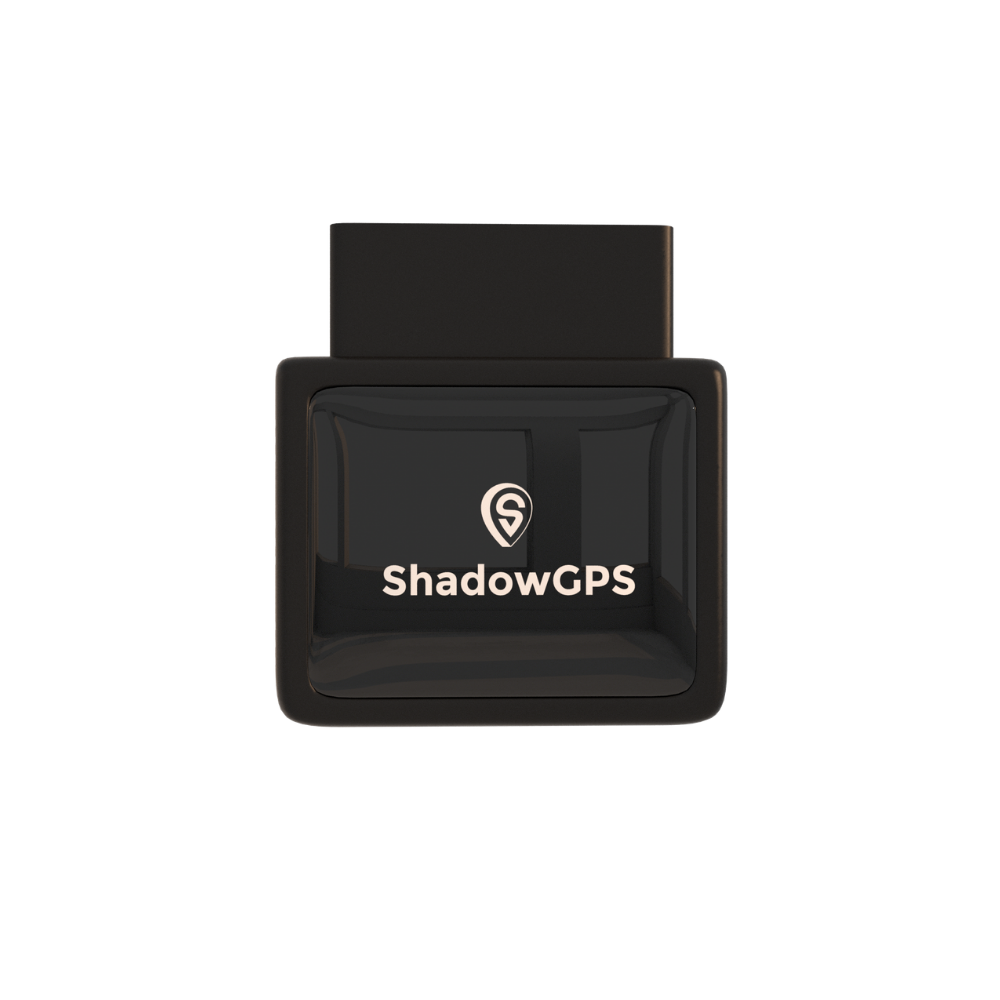
ShadowAuto
- Plugs into the OBD-II port in under 2 minutes
- Crash, speeding, ignition, and geofence alerts
- Every truck in one app, with extra users for managers


For trailers, generators, and equipment that don't have a driver or an OBD-II port, ShadowTrack is the better fit. It's battery-powered (about 15 days per charge) and comes in a weatherproof magnetic case. Use it to protect gear, and tell your crew it's there too.
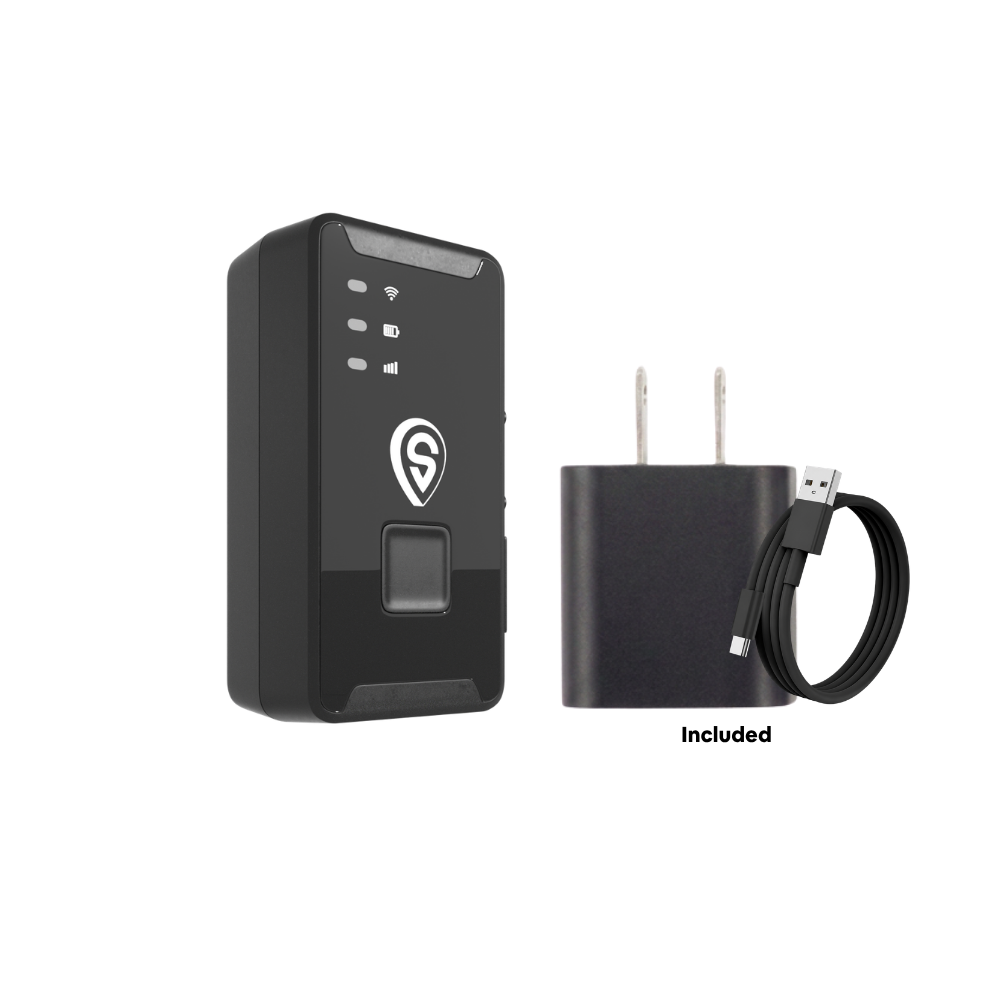
ShadowTrack
- About 15 days per charge, no wiring
- Weatherproof magnetic case for trailers and gear
- Motion and geofence alerts if equipment leaves the yard
Best for: ShadowAuto for every van, truck, or car your crew drives; ShadowTrack for trailers and equipment. For a deeper comparison, see our guide to fleet GPS tracking for 3 to 10 vehicles.
Step 5: Announce it in person, before the first tracker goes in
Email is fine for the written policy, but the announcement itself should happen face to face, at a regular crew meeting. Bring a tracker and the app on a phone so people can see exactly what you'll see. Pass the policy around, answer questions, then collect signatures.
A sample script is in the next section. Keep the tone matter-of-fact. If you sound nervous or apologetic, people will assume there's something to be nervous about.
Step 6: Run a 30-day trial with no discipline
Tell the team that the first 30 days are for learning the system, and nobody gets written up from tracker data during that time (outside of something truly dangerous). This lowers the temperature, gives drivers time to see the benefits, and gives you time to tune alerts so you're not buried in notifications.
Step 7: Review data with drivers, not about them
The habit that keeps trust long term is simple: when you look at a driver's data, look at it together. Show them the trip, ask what happened, and listen. Share good weeks as often as bad ones, and say thank you out loud when the data clears someone of a customer complaint.
If you want a weekly routine, our fleet safety guide includes a 10-minute weekly review you can run with each driver.
What to Say: A Sample GPS Tracking Announcement
Adapt this to your own words. It takes about two minutes to read aloud.
Sample script
"Starting next Monday, every company truck will have a GPS tracker plugged in under the dash. Here's one, and here's the app. I want to tell you why before anything goes in.
We're doing this for three reasons: to send the closest truck when a customer calls, to find a truck fast if it's ever stolen, and to get help to you quickly if you're in a crash. It also warns us about engine problems before a truck leaves you stranded.
Here's what it doesn't do. It doesn't track your phone, your personal car, or what you do on your own time. It's not there to count your coffee breaks. Only Maria and I can see the app, and if I ever have a question about a trip, I'll ask you about it face to face.
The first 30 days are a trial. Nobody gets in trouble from tracker data while we learn it. You can ask to see your own trips anytime. Here's the one-page policy. Read it, ask me anything, and sign it when you're comfortable."
Common Employee Concerns, and Honest Answers
Your crew will ask hard questions. Answer them honestly, even when the honest answer isn't the most comfortable one.
| What drivers ask | An honest answer |
|---|---|
| "Does this mean you don't trust me?" | "It's going in every truck, including mine. It's about safety, dispatch, and theft, not any one person." |
| "Will you write me up for every stop?" | "No. Breaks and stops are normal. We'll look at patterns, and we'll talk to you before anything else." |
| "Can you see where I go after work?" | "The tracker stays with the truck, so the data exists. Our policy says we only look at after-hours trips for theft, a crash, or a dispute." |
| "Can you hear or see me?" | "No. This tracker has no camera or microphone. It reports location, speed, and engine alerts." |
| "What's in it for me?" | "Faster help after a crash, fewer breakdowns, and proof on your side if a customer says you were late or never showed." |
| "Can I see my own data?" | "Yes, anytime. Just ask." |
The Hard Question: Take-Home Trucks and Off-Hours Tracking
Many older guides promise drivers that tracking "only happens during work hours." Be careful with that promise. A vehicle tracker reports whenever the truck moves, so if a driver takes a company truck home, the trips exist in the app.
What you can control is when you look. Pick one of these approaches, write it into your policy, and stick to it:
- Exception-only access. You only open after-hours trips for theft, a crash, misuse reported by someone else, or a customer dispute. This is the most common choice for small crews.
- No personal use. If company trucks are work-only, say so. Then after-hours movement is a legitimate question, and drivers know that up front.
- Personal use allowed. If drivers can run errands in the truck, say that too, and say you won't review those trips.
Whatever you pick, the resentment doesn't come from the rule. It comes from finding out the rule was different from what they were told.
Rollout Approaches Compared
How you introduce tracking shapes how your team feels about it for years. Here's how the three common approaches play out.
| Approach | What it looks like | Legal risk | Trust impact | Typical result |
|---|---|---|---|---|
| Hidden tracking | Trackers go in without telling anyone | High (notice laws, consent rules) | Severe once discovered | Turnover, grievances, data you can't use |
| Announced by email | Policy sent, no conversation | Lower, if notice is in writing | Mixed; questions go unanswered | Quiet resentment, rumors |
| Announced, explained, and reviewed together (recommended) | In-person kickoff, signed one-page policy, 30-day trial, joint reviews | Lowest | Positive over time | Drivers see it as protection, not policing |
Example: a 6-van plumbing company
Picture an owner with six vans. One senior tech pushes back hard at the kickoff, worried about being "watched all day." The owner shows him the app, agrees in writing to the exception-only rule for evenings, and starts the 30-day trial. In week three, a customer claims the tech never showed up. The trip history shows the van parked at the house for 50 minutes. The complaint is dropped, and the tech becomes the tracker's loudest supporter on the crew. Specific, fair use of the data does more for trust than any speech.
7 Mistakes That Create Resentment
- Tracking first, telling later. Even where it's legal, people never fully trust the program again.
- Vague policies. "We may use data as needed" sounds like "we'll use it against you."
- Public leaderboards that shame drivers. Recognize good driving privately or as a team; don't post the worst scores.
- Disciplining from one alert. Always ask before you act. Data shows what happened, not always why.
- Breaking the off-hours promise. Look at weekend trips "just once" without a reason, and word gets around.
- Tracking personal vehicles. It creates legal risk and kills trust. Use mileage logs for personal cars instead.
- Never sharing the wins. If tracking recovered a stolen trailer or cleared a driver, tell the whole crew.
For more on tracking company vehicles day to day, see our GPS tracker for work vans guide and what GPS tracking costs for a small fleet.
To introduce GPS tracking without resentment, tell employees before you start, put the rules in a signed one-page policy, and use the data with drivers, not against them. Track only vehicles you own or lease, check your state's notice laws (New Jersey requires written notice), be honest about take-home trucks, and start with a 30-day no-discipline trial. Transparency up front costs you one meeting; skipping it can cost you your best drivers.
Frequently Asked Questions
How do I tell my employees about GPS tracking?
Tell them in person before any tracker goes in. Explain your reason in one sentence, show them the tracker and the app, hand out a one-page written policy covering what's collected and who sees it, answer questions, and collect signed acknowledgments. Then start with a 30-day trial where no one is disciplined from tracker data.
Is it legal to GPS track employees in company vehicles?
In general, U.S. businesses can track vehicles they own or lease. Some states add rules: New Jersey requires written notice before using a tracking device in any vehicle an employee uses, and California restricts tracking a person without consent unless you're the car's registered owner or lessee. Check your state's laws or ask an employment attorney.
Do I have to tell employees I'm tracking company vehicles?
In some states, yes. New Jersey requires written notice, with civil penalties for violations. Even where it isn't required, telling employees is the single most effective way to avoid resentment, because tracking people find out about later almost always feels like a betrayal.
Can I track an employee's personal vehicle?
We don't recommend it. Tracking a car you don't own raises consent and privacy issues in many states, and New Jersey's notice law covers personal vehicles used for work too. For personal cars, use mileage logs or reimbursement apps instead of a vehicle tracker.
Can I see where a take-home truck goes after work?
A vehicle tracker reports whenever the truck moves, so after-hours trips are recorded. The key is deciding in advance when you'll look at them, such as only for theft, a crash, or a dispute, and writing that rule into your policy so drivers know exactly where they stand.
How does GPS tracking benefit employees?
Drivers get faster help after a crash, fewer breakdowns thanks to engine alerts, and proof on their side when a customer disputes arrival times or claims a job wasn't done. Many teams also use trip data to recognize safe, reliable drivers.
Is there a monthly fee for a GPS tracker?
Yes. Real-time trackers use a cellular connection, so they need a plan. ShadowGPS plans run $9 to $15 a month for 1 to 3 trackers and $8 to $13 a month for 4 or more, depending on how you pay. No contract, ever: go month-to-month, or prepay and save.
How hard is it to set up trackers in company trucks?
Not hard. ShadowAuto plugs into each truck's OBD-II port in under 2 minutes with no tools, and every truck shows up in one app. Once plugged in, you'll see each truck's location refresh every 5 seconds while it's moving.
Track your trucks the open, honest way
Plug it in, see it move, cancel any time.
Pricing as of October 2026 and subject to change. Some links on this page are affiliate links, and we may earn a commission at no extra cost to you. The example in this article is illustrative, not a specific customer. This article is for general information and isn't legal advice; employment and privacy laws vary by state.

