

GPS tracking improves fleet safety by turning driving you can't see into alerts you can act on: speeding, late-night trips, crashes, and engine problems, the moment they happen. It doesn't drive the car for anyone. It gives you the facts you need to have a fair, specific conversation before a bad habit becomes a bad day.
And "fleet" doesn't have to mean 200 trucks. For most of our readers, it's two family cars and a newly licensed teen, three cars listed on Turo, or a handful of work trucks you run yourself. This guide is written for that size of fleet. It covers what GPS tracking actually changes, what the research says it doesn't, and a simple setup playbook you can use this week.
How does GPS tracking improve fleet safety? It improves safety in five ways: (1) speeding and curfew alerts catch risky habits early, (2) trip history makes driver coaching specific and fair, (3) crash detection sends your exact location so help arrives faster, (4) engine-code alerts flag mechanical problems before a breakdown, and (5) geofence and tamper alerts protect your car or truck when it's parked. Research on commercial drivers shows the biggest gains come when tracking data is paired with regular coaching.
What Fleet Safety Means When Your Fleet Is 1 to 5 Vehicles
Big fleet platforms are built for safety departments, dispatchers, and federal compliance rules. That's a different job. When you own the cars yourself, fleet safety comes down to three plain questions: is the person driving it driving safely, is my car or truck where it should be, and will I know right away if something goes wrong?
GPS tracking answers all three. Here's how that looks for the three kinds of owners we hear from most.
Parents of teen drivers
Know your teen made it home, see if they're speeding on the highway, and get a curfew alert if the car is out past the time you agreed on.
Turo and rental hosts
See how guests are driving your car, get alerted if it leaves an agreed area, and have a trip record ready if a dispute or damage claim comes up.
Small business owners
Coach drivers with real trip data, catch after-hours use of work trucks, and fix engine problems before a truck breaks down on the way to a job.
Why Fleet Safety Matters: The Real Cost of One Crash
Crashes are expensive long before anyone talks about insurance. The Network of Employers for Traffic Safety (NETS) released its updated Costs of Motor Vehicle Crashes to Employers report in July 2026. It found that crashes cost U.S. employers $61.7 billion in 2023.
Broken down to fleet terms, the report estimates an on-the-job crash costs an employer an average of $55,772. Distracted-driving crashes alone cost employers $16.2 billion, and speed-related crashes cost $6.7 billion.
For families, the numbers that matter most are about new drivers. According to the CDC, drivers aged 16 to 19 have a fatal crash rate almost three times that of drivers 20 and older, per mile driven. Risk is highest in the first months after licensing, and 44% of teen crash deaths in 2020 happened between 9 pm and 6 am.
Those patterns (speed, nighttime driving, inexperience) are exactly what a GPS tracker can see and alert you to.
7 Ways GPS Tracking Improves Fleet Safety
1. Speeding alerts catch the habit, not just the ticket
A speeding alert tells you when your car goes over a speed you choose. One alert is a blip. Five alerts on the same stretch of highway is a habit, and habits are what you can actually coach.
The value isn't punishment. It's timing. You can talk about it the same day, while the drive is fresh, instead of after a ticket or a crash.
2. Trip history and replay make coaching fair
"You drive too fast" starts an argument. "On Tuesday you hit 82 on I-95 near exit 14" starts a conversation. Trip history shows routes, stops, times, and speeds, and trip replay lets you watch the drive play back on a map.
This works both ways. Trip data also clears a good driver when a neighbor, guest, or customer complains without cause.
3. Curfew alerts cover the riskiest hours
Since nighttime is when teen crash risk climbs, a curfew alert is one of the simplest safety tools a parent can set. Pick a window (for example, 11 pm to 5 am) and get a notification if the car moves during it.
For work trucks, the same idea becomes an after-hours or ignition alert, so you know if a company truck is out when the shop is closed.
4. Crash detection sends help to the exact spot
When a tracker detects a crash, it alerts you right away with a precise location. That matters most when the driver can't call, or doesn't know exactly where they are on an unfamiliar road.
Minutes count after a crash. Knowing the exact spot, instead of "somewhere on Route 9," helps you guide emergency services or a tow truck straight there.
5. Geofences keep vehicles where they belong
A geofence is a virtual boundary on a map, like home, school, a job site, or your Turo pickup lot. You get an alert when your car or truck enters or leaves it. It's a quiet way to confirm a teen arrived at school, a crew reached the job, or a rental stayed within the area you allow.
For a step-by-step guide, see how to set up geofence alerts that actually work.
6. Engine codes flag problems before a breakdown
Mechanical failure is a safety problem, not just a repair bill. A tracker that plugs into the OBD-II port can read diagnostic trouble codes (the same codes behind your check engine light) plus battery voltage and fuel level, and push them to your phone.
That means a failing battery or misfire shows up on your screen before it strands a driver on the shoulder of a busy highway.
7. Theft and tamper alerts protect parked vehicles
Safety includes the hours your car is parked. Car Alarm alerts you if your car moves without you, and a device-removal alert tells you if someone unplugs the tracker. A stolen car is a car someone else is driving, often badly, with your name on the registration.
ShadowAuto covers all seven of these in one small tracker. It plugs into your OBD-II port, so there's nothing to charge and no tools to use, and it sends alerts for speeding, crashes, curfew, ignition, geofences, and device removal through the ShadowGPS app.
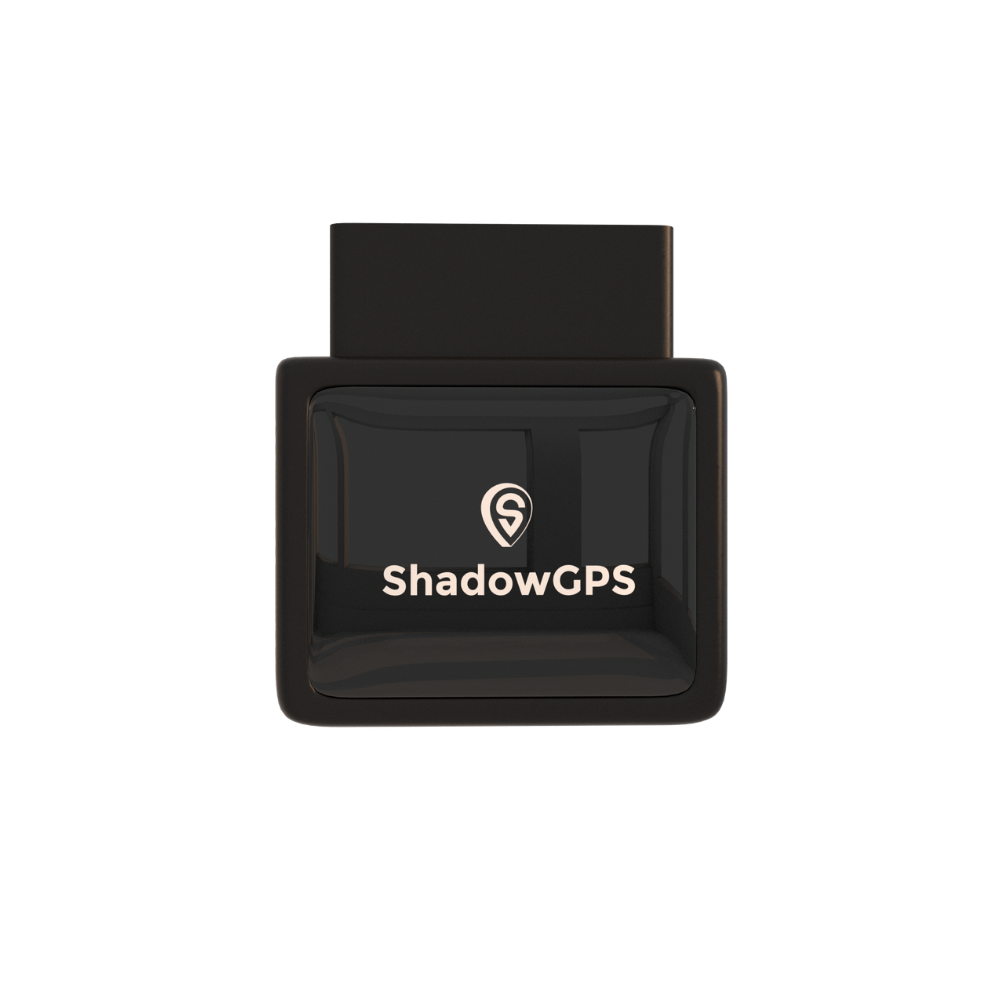
ShadowAuto
- Plugs into your OBD-II port in under 2 minutes
- Speeding, curfew, crash, and geofence alerts
- Engine codes, battery, and fuel level in the app


Does GPS Tracking Actually Reduce Accidents? What the Research Says
Here's the honest answer: tracking alone doesn't make anyone a safer driver. Tracking plus feedback does. The research is consistent on this point.
In a study funded by the Federal Motor Carrier Safety Administration, researchers at the Virginia Tech Transportation Institute (VTTI) evaluated an onboard safety monitoring program at two trucking companies. When drivers got feedback and coaching on recorded events, risky events per mile dropped 37% at one carrier and 52.2% at the other.
The same paper cites a teen-driver study where a weekly driving report card cut safety-related events by 58% in the first nine weeks, and by 76% in the nine weeks after that. The pattern holds across trucks and teens: people improve when they see their own driving and talk about it.
What this means for you
Those studies used camera and sensor systems with structured coaching, so your results will depend on how you use the data. The lesson carries over directly, though: alerts you never review won't change anything. A short weekly check-in with your driver is what turns GPS data into safer driving.
How to Set Up GPS Tracking for Fleet Safety: A 5-Step Playbook
Most people plug in a tracker, turn on every alert, and mute the app a week later. This playbook avoids that. It takes about 30 minutes to set up and 10 minutes a week to run.
- Talk first, track second. Tell your teen, guest, or employee that the car has a tracker, what you'll look at, and why. Trust is the foundation of every safety program that works.
- Plug in and name each vehicle. Find your OBD-II port (usually under the dashboard near the steering column), plug in, and give each car or truck a clear name in the app.
- Turn on a few high-value alerts. Start with speeding, curfew or after-hours use, crash detection, and device removal. Add more only when you know you'll act on them.
- Add geofences for the places that matter. Home, school, the shop, regular job sites, or your Turo pickup spot.
- Review weekly and coach specifically. Use the 10-minute review below, and praise good weeks as often as you point out bad ones.
Recommended alert settings to start with
| Alert | Suggested starting setting | Why it matters |
|---|---|---|
| Speeding | A speed just above your local highway limit (for example, 75 mph) | Flags real habits without pinging you for every small overage |
| Curfew (teen drivers) | Match your state's nighttime driving rules, for example 11 pm to 5 am | Covers the hours when teen crash risk is highest |
| After-hours / ignition (work trucks) | Outside your business hours and weekends | Catches unauthorized use and late-night fatigue risk |
| Crash detection | Always on, sent to two people | Gets help moving even if you miss the first notification |
| Geofence | Home, school, job sites, rental area | Confirms arrivals and flags unexpected trips |
| Device removal | Always on | Tells you if someone unplugs the tracker |
| Engine codes | Always on, reviewed weekly | Spots mechanical problems before a breakdown |
The 10-minute weekly safety review
Block ten minutes on the same day each week. Open the app and work through these three checks for each driver.
Minutes 1 to 4: Look for patterns, not single events
Scan the week's alerts. Is speeding happening on the same road or at the same time of day? Patterns tell you what to coach. One-off events usually don't need a conversation.
Minutes 5 to 7: Replay one trip
Pick the trip with the most alerts and replay it. Note the specific moment (road, time, speed) so your feedback is concrete and fair.
Minutes 8 to 10: Check vehicle health and plan the talk
Look at engine codes and battery level, book any repairs, then send a quick note or have a two-minute talk with the driver. Lead with what went well.
Example: a 4-truck landscaping crew
Picture an owner with four trucks and five drivers. Week one, the speeding alerts all come from one truck on the same highway stretch around 4:30 pm, when the crew is heading home. Instead of a group lecture, the owner shows that one driver the replay and agrees on a speed. Week two, the same truck throws a battery warning, and it gets replaced on a Tuesday instead of failing on a job site. No new rules, no drama: just specific information, used early.
Which GPS Tracker Fits Your Fleet: ShadowAuto or ShadowTrack?
Both ShadowGPS trackers update your car's location every 5 seconds while it's moving, so the map on your phone shows where it is now, not where it was a minute ago. The difference is how they're powered and where they go.
ShadowAuto: for cars and trucks people drive every day
If your fleet is family cars, a teen's first car, Turo rentals, or work trucks, ShadowAuto is the one to start with. It runs on your car's power, reads engine codes, and covers the full set of safety alerts in this guide. It's the box shown above.
ShadowTrack: for trailers, equipment, and hidden spots
Not everything you need to protect has an OBD-II port. ShadowTrack is battery-powered, lasts about 15 days per charge, and comes with a weatherproof magnetic case so you can mount it on a trailer, generator, or piece of equipment, or tuck it somewhere out of sight in a car.
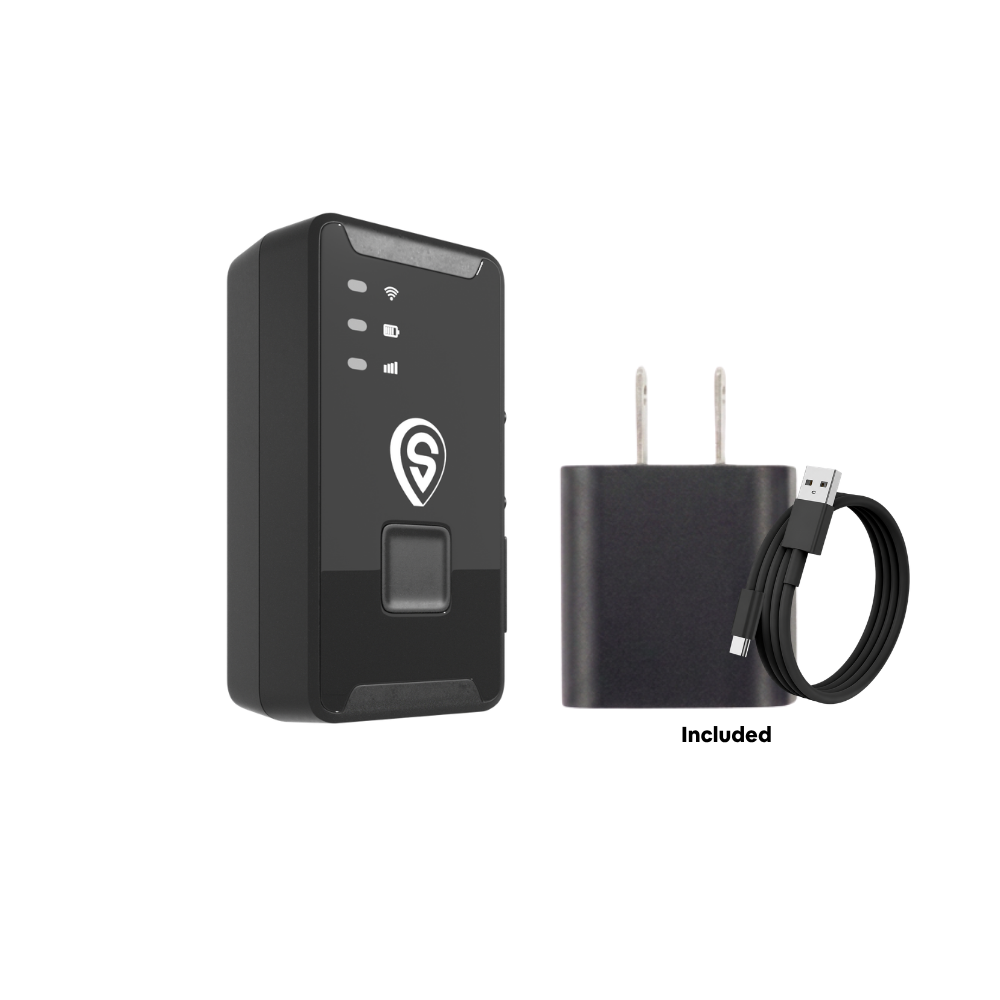
ShadowTrack
- About 15 days per charge, no wiring
- Weatherproof magnetic case, mounts in seconds
- Motion and geofence alerts, up to a year of trip history
Best for: ShadowAuto for any car or truck someone drives daily; ShadowTrack for trailers, equipment, and anything without an OBD-II port. Many small fleets use both. Not sure which? Our OBD-II vs. battery tracker guide walks through it.
GPS Tracking vs. Other Fleet Safety Tools
GPS tracking isn't the only safety tool out there. Here's how it compares to the other options small fleet owners usually weigh.
| Tool | Live location | Driving alerts | Crash alerts | Engine health | Setup | Best for |
|---|---|---|---|---|---|---|
| Phone location app | Phone only, if it's on | Some apps | Some apps | No | Download an app | Checking on a person, not a car |
| Bluetooth tag (AirTag-style) | Only near other phones | No | No | No | Drop it in the car | Finding keys or a parked car nearby |
| AI dashcam | Often, with GPS built in | Yes, with video | Yes, with video | Rarely | Mount and wire to power | Fleets that need video evidence |
| Enterprise fleet platform | Yes | Yes, with scorecards | Yes | Yes | Often hardwired, often long contracts | Large fleets with compliance needs |
| ShadowTrack (battery) | Yes, live | Motion alerts, trip speeds | No | No | Magnet-mount, under 2 min | Trailers, equipment, no OBD port |
| ShadowAuto (OBD-II) | Yes, live | Speeding, curfew, ignition | Yes | Engine codes, battery, fuel | Plug in, under 2 min | Family cars, teen drivers, Turo, work trucks |
Feature comparison reflects typical products in each category as of October 2026. Individual products vary, so check current specs before you buy.
Dashcams and GPS trackers work well together. A dashcam shows what happened in front of the car; a tracker shows where, when, and how fast, and keeps working when the car is parked. For a 1 to 5 vehicle fleet, a plug-in tracker is usually the simplest place to start.
Tracking Drivers the Right Way: Consent, Privacy, and Trust
A safety program only works if drivers trust it. The fastest way to lose that trust is to track someone without telling them.
The legal basics
In general, you can track a car or truck you own or lease. Rules get stricter when you track a person, or a vehicle you don't own. Some states have specific laws: California, for example, restricts using an electronic tracking device to locate a person without consent (Penal Code 637.7), with an exception for the car's registered owner or lessee. Rules for employees vary by state. We're not lawyers, so check your state's rules or talk to an attorney, and read our guide to GPS tracking laws for employee vehicles.
Beyond the law, a few habits build trust fast:
- Put it in writing. A one-page vehicle policy (or a family driving agreement) that says what's tracked and why.
- Track the car, not the person's life. Focus on driving and vehicle use, and don't track personal vehicles you don't own.
- Use data to coach, not to catch. Share good weeks too. Drivers accept tracking when it feels fair.
- Agree on a graduation plan with teens. For example, fewer alerts after three clean months. It gives them a goal and you a reason to relax.
Fleet Safety in 2026: What's Changing
A few shifts are shaping fleet safety this year, and they matter even for small fleets.
- Faster location updates. A map that refreshes every minute or more can be blocks behind a moving car. Faster updates make crash locations, geofence alerts, and theft recovery more precise.
- More data from the car itself. Plug-in trackers now read engine codes, battery voltage, and fuel level, so maintenance is part of safety rather than an afterthought.
- Cameras and trackers working together. More fleets are pairing dashcams for video with GPS trackers for location and alerts.
- Coaching over policing. The research above has pushed fleets of every size toward short, regular feedback instead of punishment after the fact.
If you run a few vehicles for work, our guide to choosing fleet GPS tracking for 3 to 10 vehicles and our breakdown of what GPS tracking costs for a small fleet go deeper. Parents can start with what every parent should know about GPS trackers for teen drivers, and hosts with the best GPS tracker for Turo.
GPS tracking improves fleet safety by showing you risky driving, crashes, and vehicle problems as they happen. Start with four alerts (speeding, curfew or after-hours, crash detection, device removal), add geofences for key places, and review trips for 10 minutes a week. Research shows the biggest safety gains come from pairing tracking data with regular, specific coaching. Tell drivers about the tracker up front, and use the data to coach, not to catch.
Frequently Asked Questions
How does GPS tracking improve fleet safety?
GPS tracking improves fleet safety by alerting you to speeding, late-night driving, crashes, and engine problems as they happen, and by keeping a trip history you can use to coach drivers with specific examples. Studies of commercial drivers found risky driving events dropped by 37% to 52% when monitoring was paired with feedback and coaching.
Is there a monthly fee for a GPS tracker?
Yes. Real-time trackers use a cellular connection, so they need a plan. ShadowGPS plans run $9 to $15 a month for 1 to 3 trackers and $8 to $13 a month for 4 or more, depending on how you pay. No contract, ever: go month-to-month, or prepay and save, and cancel any time.
Does a GPS tracker need a SIM card?
Not one you have to buy. ShadowAuto and ShadowTrack have cellular connectivity built in, and your plan covers the data. There's no separate SIM card or phone carrier account to set up.
Is a fleet GPS tracker hard to set up?
No. ShadowAuto plugs into your car's OBD-II port, usually under the dashboard, in under 2 minutes with no tools. ShadowTrack mounts with its magnetic case. You then set up alerts in the ShadowGPS app.
Does GPS tracking reduce accidents?
Tracking works best with coaching. Virginia Tech Transportation Institute research found that monitoring plus driver feedback cut risky events by 37% and 52.2% at two trucking companies, and a weekly report card cut teen drivers' safety-related events by up to 76%. A tracker gives you the data; regular conversations turn it into safer driving.
Can a GPS tracker detect a car crash?
Many can. ShadowAuto sends a crash detection alert to your phone with the car's exact location, so you can check on the driver and guide emergency services or a tow truck to the right spot.
Can GPS tracking lower my insurance?
It can, depending on your insurer. Some carriers offer discounts for vehicles with GPS tracking or anti-theft devices, and trip records can help during a claim. Ask your agent what they accept before you count on a discount.
Is it legal to track my employees or my teen driver?
Generally, you can track a vehicle you own or lease, including a company truck or a car your teen drives. Some states have extra notice or consent rules, especially for employees. Always tell drivers about the tracker, and check your state's laws or ask an attorney if you're unsure.
Is GPS tracking worth it for a small fleet of 2 to 5 vehicles?
For most small fleets, yes. NETS estimates an on-the-job crash costs an employer $55,772 on average, and small fleets feel a crash or a breakdown more than big ones do. A plug-in tracker gives you speeding, crash, and engine alerts for every car or truck from one app, with no long-term contract.
Safer driving starts with knowing
Plug it in, see it move, cancel any time.
Pricing as of October 2026 and subject to change. Some links on this page are affiliate links, and we may earn a commission at no extra cost to you. Crash-cost figures are from the Network of Employers for Traffic Safety (2026); teen driver figures are from the CDC. This article is for general information and isn't legal advice.

