

You hand an employee the keys to a $40,000 work truck every morning. By noon it could be at a job site, a lunch spot, or parked outside a customer's house with the engine idling. Most small business owners have no idea which, and that uncertainty costs real money.
Employee vehicle tracking fixes the blind spot, but only when it is done right. Done badly, it breeds resentment, turnover, and even legal risk. This guide walks through the best practices that actually work for small teams: how to tell your crew, what to put in writing, which GPS tracking device for company vehicles fits your trucks, and how to use the data to coach people instead of policing them.
It is written for owner-operators running 2 to 10 vehicles, not enterprise fleet managers. If you run a landscaping crew, a cleaning service, a plumbing shop, or a couple of Turo cars on the side, this is for you.
Employee vehicle tracking best practices: track only vehicles the company owns, tell employees in writing before any tracker goes in, get a signed acknowledgment, limit use of the data to safety, security, and job verification, set alerts only for what matters (speeding, idling, after-hours use), coach with the data instead of punishing, protect who can see it, and review the policy every 90 days.
What is employee vehicle tracking?
Employee vehicle tracking is the practice of putting a GPS tracker in a company-owned car, truck, or van so the business can see where it is, where it has been, and how it is being driven. The tracker reports location over the cellular network to a phone app or web dashboard, usually with trip history and alerts.
The key word is vehicle. The goal is certainty about company property, not a minute-by-minute log of a person's day. Businesses that keep that distinction clear get better buy-in and far fewer problems.
Why small businesses track company vehicles
The reasons are practical. Driving is the most dangerous thing most employees do at work. According to the U.S. Bureau of Labor Statistics, transportation incidents were the most frequent type of fatal work event in 2024, making up 38.2% of all occupational deaths (1,937 people). A tracker that flags speeding will not stop every crash, but it gives you a reason to have the conversation before one happens.
Safety
Speeding and idling alerts give you objective data for coaching, and a live map helps you find a driver fast if a truck breaks down or goes silent.
Accountability
Trip history shows arrival and departure times at job sites, which settles billing disputes and "the tech never showed up" complaints in seconds.
Asset protection
Know where every truck is overnight. If one moves when it should not, you get an alert and a live location instead of a police report and a shrug.
There are money reasons too: fewer personal detours on the company fuel card, less idling, and faster ETAs for customers. Just keep those as outcomes. Leading with "we want to catch people" is the fastest way to lose your team.
Is employee vehicle tracking legal?
Yes, in most cases. Tracking a vehicle the business owns is generally legal in all 50 states, as long as you follow state notice rules. Tracking an employee's personal car is a different story and carries real legal risk.
The legal basics, in plain words
Company-owned vehicles: businesses have broad authority to track property they own. Several states, including New York, Connecticut, Delaware, and California, require written notice or consent before electronic monitoring starts.
Employee-owned vehicles: tracking a personal car without the owner's consent can break state law. California Penal Code 637.7, for example, prohibits using an electronic tracking device on a vehicle without the registered owner's consent.
After-hours use: even in a company truck, courts look at whether tracking reaches into personal time. If employees take trucks home, spell out exactly how after-hours data is used.
This is general information, not legal advice. Laws change, so check your state's rules or talk to an employment attorney before you roll out tracking. For a state-by-state look, read our guide to GPS tracking laws for employee vehicles.
9 employee vehicle tracking best practices
These nine practices follow a simple framework we call TRUST: Tell your team first, Record the policy in writing, Use data only for stated reasons, Share data with drivers, and Tune the setup over time. Each practice below fits under one of those five steps.
1. Track the truck, not the person
Put trackers in company-owned cars and trucks only. Do not track phones, and do not put a tracker in an employee's personal car, even if they use it for work. For mileage on personal cars, a reimbursement log or mileage app is the safer route.
This one rule solves most of the privacy tension. Your crew is not being tracked. The truck is.
2. Tell your team before the first tracker goes in
Nothing damages trust faster than an employee finding a tracker they did not know about. Announce it in a team meeting, explain why, and answer questions before a single tracker is plugged in. Lead with safety and asset protection, because those are true and they benefit the driver too.
A simple script you can use
"Starting next month, every company truck will have a GPS tracker. It is there so we can find a truck if it is stolen, get help to you fast if you break down, and show customers exactly when we arrived. It tracks the truck, not your phone. Here is the written policy on what we look at and what we don't. Ask me anything."
For more on handling pushback, see how to tell your crew about GPS trackers without losing their trust.
3. Put your GPS tracking policy in writing
A verbal "heads up" will not protect you in a dispute. A short written policy will. It does not need to be long. One page covering these seven points is enough for most small businesses:
| Policy section | What to write |
|---|---|
| Purpose | Safety, theft protection, job verification, customer ETAs |
| What is tracked | Company-owned vehicles only; location, speed, trip history, idle time |
| When | Working hours, plus after-hours theft and unauthorized-use alerts |
| Who can see it | Owner and named managers only |
| How data is used | Coaching, billing disputes, recovery; never shared outside the business except with police or insurers after an incident |
| Retention | How long trip history is kept and who can delete it |
| Consequences | What happens after a violation, starting with a conversation |
4. Get a signed acknowledgment
Add the policy to your employee handbook and have every driver sign a one-line acknowledgment that they read it. Keep the signed copy in their file. In states like New York and Connecticut this is close to what the law already asks for, and everywhere else it is simple protection.
5. Choose the right GPS tracking device for company vehicles
Not every tracker fits every truck. The right choice depends on what you drive, whether trucks rotate between drivers, and whether you also have trailers or equipment without an OBD-II port. Here is how the main options compare.
| Tracker type | Setup | Power | Best for | Watch out for |
|---|---|---|---|---|
| Phone tracking app | Employee's phone | Phone battery | Solo field workers | Tracks the person, not the truck; easy to switch off |
| Hardwired tracker | Professional wiring | Vehicle battery | Trucks kept for many years | Labor cost and downtime; hard to move to a new truck |
| ShadowTrack (battery) | Magnet or tuck away, under 2 min | Rechargeable, up to ~15 days | Trailers, equipment, non-OBD assets | Needs a recharge schedule |
| ShadowAuto (OBD-II plug-in) | Plug it in, under 2 min, no tools | Vehicle-powered, never charge | Cars, trucks, vans made after 1996 | Needs an OBD-II port |
For most small businesses with cars, pickups, and vans, a plug-in OBD-II tracker is the easiest place to start. ShadowAuto plugs into the port under the dashboard in less than two minutes, with no mechanic and no wiring. It updates every 5 seconds while your truck is moving, so the map shows where it is right now, not where it was a minute ago. Not sure where the port is? Here is how to find your OBD-II port in 30 seconds.
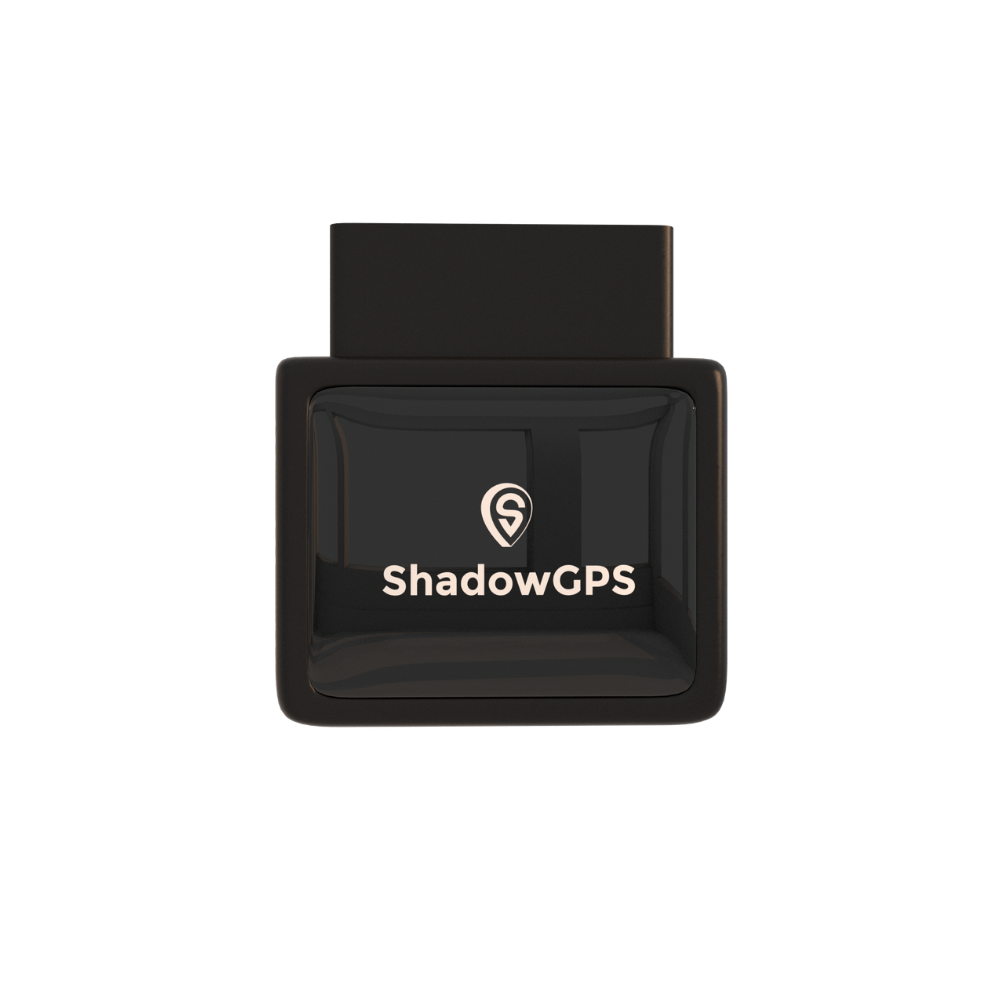
ShadowAuto
- Plug it in under 2 minutes, powered by your truck
- Speeding, idling, and unauthorized-use alerts
- Up to 1 year of trip history and trip replay


If you also run trailers, mowers, or equipment with no OBD-II port, a battery tracker covers the gap. ShadowTrack sits in a weatherproof magnetic case, lasts up to about 15 days per charge, and shows up on the same app and dashboard as your trucks.
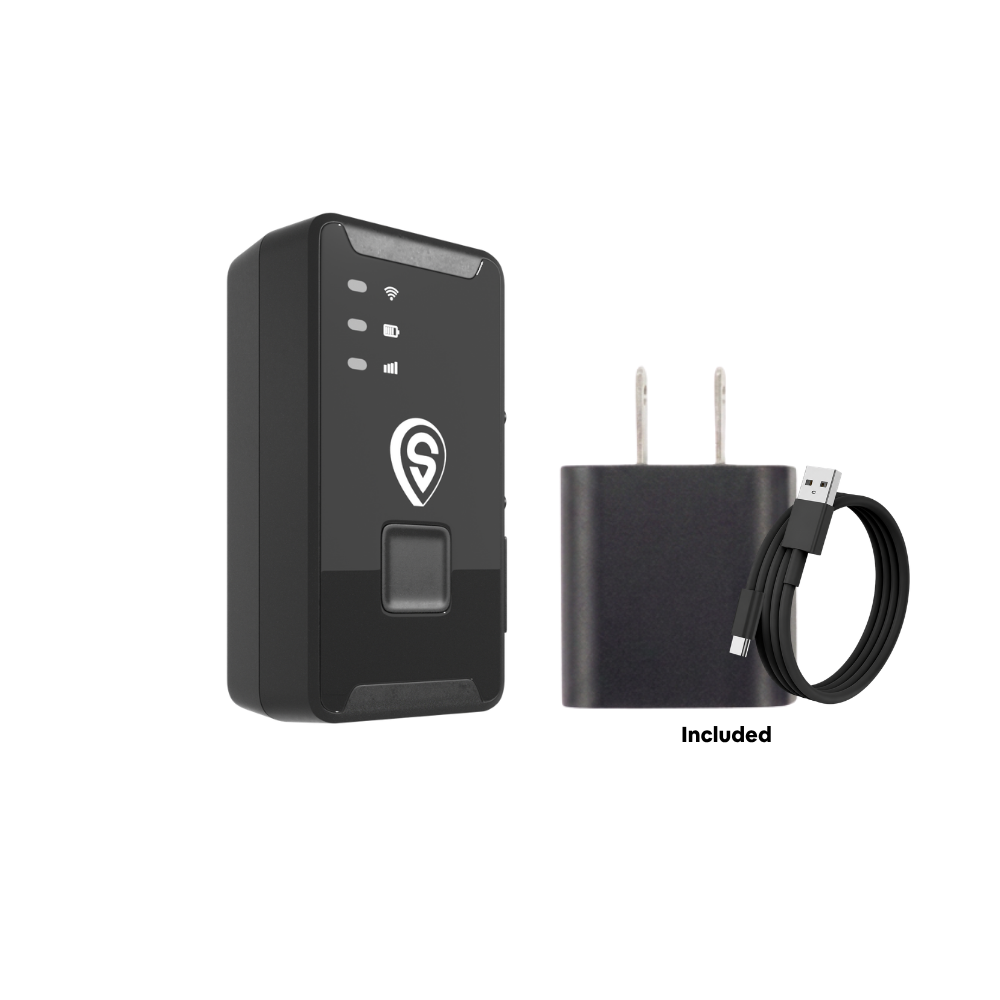
ShadowTrack
- Up to ~15 days per charge
- Weatherproof magnetic case, hides almost anywhere
- Same app and dashboard as your trucks
Best for: ShadowAuto for every car, pickup, and van with an OBD-II port. ShadowTrack for trailers, equipment, and anything that needs to stay out of sight. Still deciding? Our OBD-II vs. battery tracker comparison goes deeper.
6. Set alerts for what matters, and nothing else
A tracker that pings your phone 40 times a day gets ignored. Pick a handful of alerts tied directly to your written policy:
- Speeding: set the threshold a few mph over typical limits on your routes so you only hear about real problems.
- Excessive idling: catches trucks running for 20 minutes in a parking lot, which burns fuel and wears engines.
- After-hours movement: the single most useful theft and unauthorized-use alert for trucks parked at the shop overnight.
- Geofences: draw a zone around the yard or a big job site and get notified on arrival or departure. Here is how to set up geofence alerts that catch overnight theft.
- Tamper or unplug: tells you if a plug-in tracker gets pulled from the port.
7. Coach with the data, don't punish with it
The goal is fewer speeding alerts next month, not a stack of write-ups. Use a simple three-step rhythm when something shows up in the data:
- Look at the pattern, not one event. One speeding alert on an empty highway is different from five a day in a school zone.
- Talk privately and show the trip. Pull up the trip replay together. Often there is a reason, like a detour, a late customer, or a route that needs fixing.
- Agree on one change and check back. Revisit in two weeks. Recognize improvement out loud.
Better still, let drivers see their own trips. When people can check their own data, the tracker feels like a tool they share, not one aimed at them.
8. Protect who can see the data
Location history is sensitive. Limit dashboard access to the owner and one or two named managers, use strong passwords, and never share logins. Decide how long you keep trip history and stick to it.
Your tracker provider matters here too. ShadowGPS stores tracking history on U.S.-based servers and never sells your data, so your crew's routes stay your business.
9. Review and tune every 90 days
Your first setup will not be perfect. Put a recurring review on the calendar at 30, 60, and 90 days and check a few numbers:
- Speeding alerts per truck per week: is it trending down?
- Idle time: which trucks idle most, and why?
- After-hours trips: are any unexplained?
- Customer disputes resolved with trip history: a quick way to show the tracker paying for itself.
- Driver feedback: what is annoying them, and what policy wording needs a fix?
If an alert never leads to action, turn it off. If employees keep asking the same question, add the answer to the policy.
Common employee vehicle tracking mistakes to avoid
- Plugging trackers in quietly. Hidden tracking in work trucks is the number one trigger for legal disputes and quits.
- Tracking personal cars. Even with good intentions, this crosses a line in many states.
- Checking the map all day. Micromanaging via live map signals distrust and wastes your own time. Let alerts do the watching.
- Using data for things the policy doesn't cover. If the policy says "safety and theft," don't use trip logs to question someone's lunch break.
- Buying on price alone. A slow tracker that updates every few minutes can put a stolen truck miles away before the map catches up.
- Locking into a long contract. Small businesses grow, shrink, and swap trucks. Month-to-month plans let you add or drop trackers as you go.
A 30-day rollout plan for a 2 to 10 vehicle business
Here is a simple timeline you can copy. It assumes plug-in trackers, so there is nothing to schedule with a mechanic.
- Week 1, decide and write: list every vehicle and asset, pick tracker types, and draft the one-page policy.
- Week 2, tell and sign: hold the team meeting, hand out the policy, answer questions, and collect signed acknowledgments.
- Week 3, plug in and set up: plug a tracker into each truck, set up the app, add your alerts and geofences, and give managers access.
- Week 4, review and adjust: look at the first week of data together, tune alert thresholds, and fix anything confusing in the policy.
Example: a four-truck landscaping crew
Picture a landscaping business with four pickups and two trailers. The owner plugs a ShadowAuto into each pickup and puts a ShadowTrack in each trailer. After-hours alerts cover the yard at night, a geofence marks the yard, and speeding alerts are the only daytime alert.
In the first month, trip history settles one customer's "your crew never came" complaint in a minute, and idle alerts show one truck running through every lunch break in summer. One friendly conversation fixes it. Nobody feels watched, because the policy was clear from day one. (This is an illustrative scenario, not a customer case study.) See how this works for crews on our landscaping GPS tracking page.
How much does employee vehicle tracking cost?
Expect two costs: the tracker itself and a monthly fee for the cellular connection and app. ShadowAuto and ShadowTrack are $69.90 each, with plans at $12 to $15 per month, or $10 to $13 per month when you run four or more trackers. No contract, ever. Go month-to-month, or prepay and save.
Every plan includes all features, so you are not paying extra for faster updates or more alerts. For a full breakdown, see what GPS tracking really costs for a small fleet or check the pricing page.

The same tracker works just as well outside of work. Plenty of owners use ShadowAuto on a family car or a teen driver's first car, all from the same account. If you run rentals on the side, our Turo host page shows how.
Employee vehicle tracking FAQs
Is it legal to track employees in company vehicles?
Generally yes. Businesses can track vehicles they own in all 50 states, but states such as New York, Connecticut, Delaware, and California require written notice or consent first. The safest approach everywhere is written notice plus a signed acknowledgment. This is not legal advice, so check your state's rules.
Do I have to tell employees their vehicle is being tracked?
In some states it is required by law, and in every state it is the right call. Most legal disputes start when an employee discovers a tracker they did not know about. Tell them before the tracker goes in, explain why, and put it in writing.
Can an employer track an employee's personal car?
Only with the owner's clear consent, and even then it carries risk. Several states make it illegal to put a tracking device on a vehicle without the registered owner's consent. For personal cars used for work, use a mileage log or app instead of a GPS tracker.
Can I track company vehicles after work hours?
Usually, since the business owns the truck, but disclose it in the policy. A fair middle ground is to rely on after-hours theft and unauthorized-use alerts rather than reviewing personal trips. In California and Connecticut, after-hours tracking should be tied to a clear business purpose.
Is there a monthly fee for a company vehicle GPS tracker?
Yes, real-time trackers need a cellular connection. ShadowGPS plans run $12 to $15 per month, or $10 to $13 per month for four or more trackers. No contract, ever. Month-to-month, or prepay and save.
Does a GPS tracker for company vehicles need a SIM card?
ShadowAuto and ShadowTrack come ready to go, with the cellular connection included in the plan, so you do not need to buy or insert a SIM card. More detail in our post on whether a GPS tracker needs a SIM card.
Is it hard to set up trackers in work trucks?
Not with a plug-in tracker. ShadowAuto plugs into the OBD-II port under the dashboard in less than two minutes, with no tools, wiring, or mechanic. It works with most cars and trucks made after 1996.
What if an employee unplugs the tracker?
Set up tamper alerts so you know right away. Your written policy should also state that removing or blocking a tracker is a violation. For assets where unplugging is a concern, a hidden battery tracker like ShadowTrack is an option.
What data does a vehicle GPS tracker collect?
Typically location, speed, trip start and stop times, routes, idle time, and alerts. ShadowAuto can also read engine codes from the OBD-II port. It does not record audio, video, or anything from the driver's phone.
How fast does a company vehicle tracker update?
It varies a lot by brand and plan, from every few seconds to every few minutes. ShadowGPS trackers update every 5 seconds while moving on every plan, so the live map stays current.
Know where every truck is. Keep your team's trust.
Plug it in, see it move, cancel any time. One app for your work trucks, your trailers, and the family car.
Pricing checked September 2026 and may change; see the pricing page for current plans. Some links are affiliate links, and ShadowGPS may earn a commission on qualifying purchases. Legal information in this article is general guidance, not legal advice. Always follow federal, state, and local laws and get consent where required.

