

Can a GPS tracker tell you when your car has been in an accident? Yes. A GPS tracker with crash detection senses the sharp jolt of a collision and sends an alert to your phone, along with where your car is, often before anyone has had a chance to call you.
That matters most on the drives you aren't on. Your teen's first solo trip across town. Your dad's Sunday drive to church. A Turo guest somewhere on the interstate. This guide walks through how collision alerts actually work, where phone-based crash detection leaves gaps, what to do the moment an alert lands, and how to set it up on your own car in a few minutes.
A GPS tracker with crash detection uses a built-in motion sensor called an accelerometer to recognize the sudden force of a collision, then pushes a crash alert to your phone with your car's location. A plug-in OBD-II tracker like ShadowAuto does this for every driver who uses your car, even if their phone is dead or left at home.
What Is a GPS Tracker With Crash Detection?
It's a car tracker that does two jobs at once. It shows where your car is in real time, and it watches for the specific motion pattern of an impact. When it sees one, it sends a crash alert, sometimes called a collision alert or an accident notification.
Three parts work together. GPS answers "where is my car?" The accelerometer answers "what just happened?" A built-in cellular connection carries the alert to your phone, so there's no separate SIM card to buy.
It's different from a dashcam, which records video but doesn't tell anyone in real time. It's also different from factory systems like OnStar, which are built into certain cars and connect you to a call center. A plug-in tracker works on almost any car made since 1996, whatever brand it is.
How Collision Detection Works, in 3 Steps
- Sense. A 3-axis accelerometer measures force front to back, side to side, and up and down, many times every second. It's the same type of sensor that flips your phone screen when you turn it sideways.
- Confirm. Software compares each reading to a crash threshold. Hard braking, a pothole or a speed bump creates a short, modest g-force. A collision creates a sharp spike that's far outside normal driving, and that pattern is what triggers impact detection.
- Send. The tracker sends the event over its cellular connection to your app as a push notification. Because the tracker keeps reporting its location, you can open the live map and see exactly where your car stopped.
What Usually Triggers a Crash Alert, and What Doesn't
Usually triggers an alert
- Front or rear collisions at road speed
- Side impacts at an intersection
- Hitting a fixed object like a pole or guardrail
- Running off the road with a hard stop
Usually doesn't
- Hard braking or a quick lane change
- Potholes, speed bumps, railroad tracks
- Slammed doors or a trip through the car wash
- Very low-speed parking lot taps, which may fall under the threshold
Why a Firm Fit in the Port Matters
An OBD-II tracker sits in a port that's fixed to your car's dash structure, which gives the sensor a solid, consistent reading. A loose extension cable or a splitter lets the tracker wobble, and that can dull or distort what it feels. For the most reliable collision detection, plug the tracker straight into the port.
Phone Crash Detection vs. a Car Tracker: What Each One Covers
Recent iPhones, Apple Watches and Google Pixel phones have crash detection built in, and family apps like Life360 offer it too. These are genuinely useful. The catch is simple: they follow a person's phone, not the car.
Phone & Watch Crash Detection
Built into many newer phones and watches. After a severe crash it counts down, then calls emergency services and texts your emergency contacts. It only protects whoever is carrying that device.
Family App Crash Detection
Apps like Life360 alert your circle when a member's phone detects a crash. It needs location set to "Always," a charged phone, and that phone in the car.
Car-Based Crash Alerts
A tracker plugged into your car watches the car itself, no matter who's driving. Your teen borrows the second car, a friend drives your truck, a guest takes your Turo car: you still get the alert.
For most families the strongest setup is both: crash detection on the phone for the person, and a tracker on the car for the car. The car-based layer earns its place on lonely stretches of road. Per NHTSA's 2024 rural/urban data, rural areas carried 31% of miles driven but 41% of traffic deaths, and 63% of rural fatalities came from roadway-departure crashes, the kind where a car leaves the road and nobody else may be around to see it.
Who Collision Alerts Help Most
Parents of Teen Drivers
Per mile driven, the fatal crash rate for 16 to 19 year olds is just over 3 times the rate for drivers 20 and older, per IIHS. A crash alert means you hear about a problem right away, not hours later.
Adult Kids of Aging Parents
Many older drivers want to keep driving on their own. A crash alert on their car, set up with their knowledge, lets them keep that independence while you stay in the loop.
Turo Hosts & Small Fleets
Know about an incident with your rental or crew truck as it happens, often before the guest or driver calls it in, so you can start the claim and line up a tow sooner.
Teen drivers are where most families start. IIHS also found that 41% of 16 to 19 year old drivers in fatal crashes in 2024 were in single-vehicle crashes, with no second driver at the scene. If you're weighing a tracker for a new driver, our guide for parents of teen drivers covers the conversation to have first. For a parent behind the wheel, see our caregiver's guide to GPS tracking for elderly parents.
If you run two to five work trucks or vans, the same alert tells you when one of your drivers needs help, and the trip history shows where and when it happened. Turo hosts can find more on our Turo host page.
ShadowAuto: Crash Alerts for the Car You Own
ShadowAuto OBD-II GPS Tracker
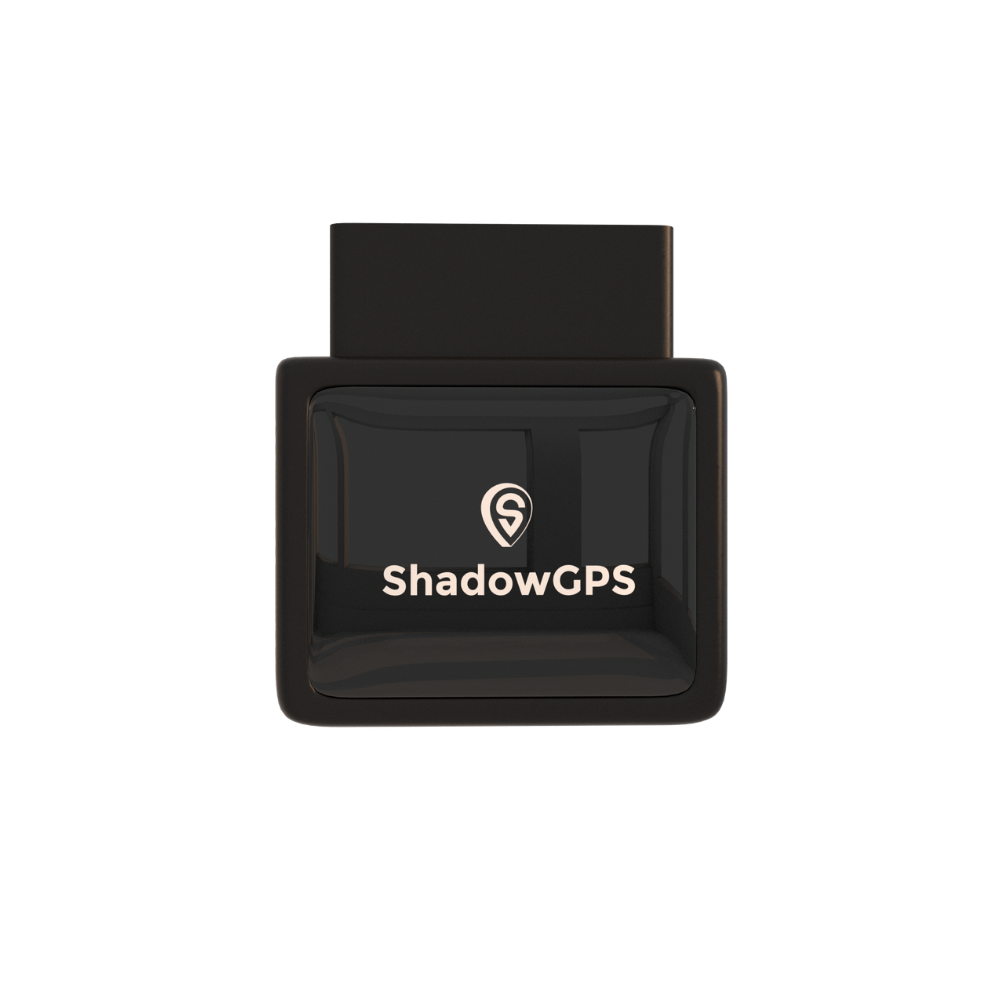
ShadowAuto updates your car's location every 5 seconds while it's moving, so the live map shows where things stand right now, not where they stood a few minutes ago. You plug it into the OBD-II port under your dash in under 2 minutes, with no tools and no wiring. If you're not sure where the port is, here's how to find your OBD2 port in 30 seconds.
Then you know. Crash alerts sit alongside speeding, curfew, geofence, ignition and unplug alerts in one app. You also get up to a year of trip history with route replay, plus check engine codes and battery level, which come in handy after a fender bender. It works with gas cars from 1996 or newer and most diesels.
ShadowAuto
Plug-in · OBD-II · For cars & trucks
Plans $9-$15/mo (1-3 trackers) or $8-$13/mo (4+ trackers) · No contract, ever.
- Crash, speeding, curfew and geofence alerts
- Live location plus a year of trip replay
- Reads check engine codes and battery level


Pros
- Covers every driver, phone or no phone
- Plugs in under 2 minutes, never needs charging
- Crash alerts included on every plan, not an add-on
- Month-to-month, cancel any time
Cons
- Needs an OBD-II port (1996 or newer)
- Alerts you, but doesn't call 911 for you
- Monthly fee after purchase
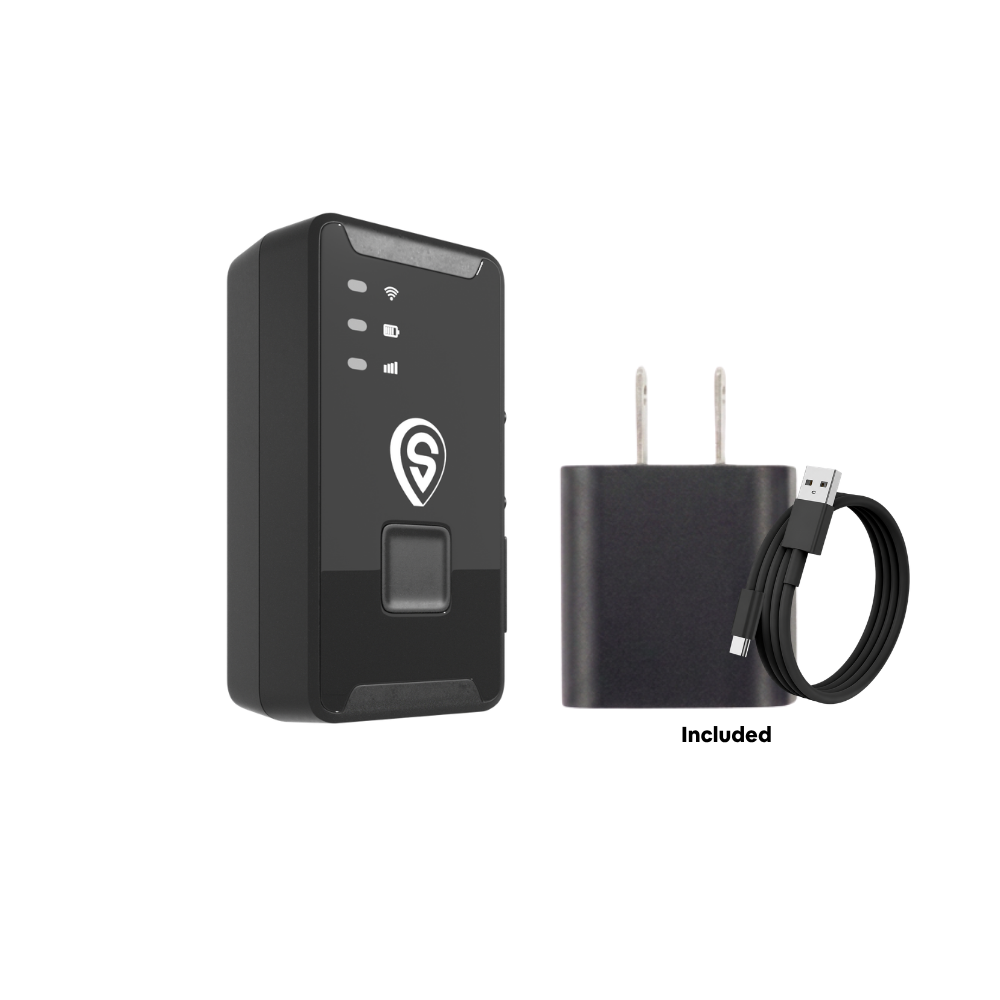
Want the tracker somewhere other than the OBD port? ShadowTrack is the battery-powered option. It runs about 15 days per charge, rides in a weatherproof magnetic case, and suits trailers, boats, equipment, or a car where you'd rather not use the port. It gives you live location, motion and geofence alerts, and trip history. If crash alerts are the main reason you're shopping, choose ShadowAuto.
ShadowTrack
Battery · Magnetic case · For trailers & assets
Plans $9-$15/mo (1-3 trackers) or $8-$13/mo (4+ trackers) · No contract, ever.
- About 15 days per charge
- Weatherproof magnetic case
- Motion and geofence alerts
Best for: ShadowAuto for crash alerts on a family car, a teen's car, a Turo rental or a work truck. ShadowTrack for trailers, equipment and anything without an OBD-II port. Not sure which fits? Compare them in our OBD2 vs. battery-powered tracker guide.
How Crash-Alert Options Compare
We compared the main ways a US family can get a crash alert today, from free phone features to plug-in trackers, on the five things that matter most once something has gone wrong.
| Option | Where detection lives | Works without driver's phone? | Who gets alerted | Live refresh | Monthly fee | Contract |
|---|---|---|---|---|---|---|
| iPhone / Pixel / Apple Watch | The phone or watch | No | Emergency services + the owner's emergency contacts | Not a car tracker | Included with device | None |
| Life360 | Phone app | No | Family circle; some plans add emergency dispatch | Phone location | Crash detection on paid plans | None |
| OnStar | Built into eligible GM cars | Yes | OnStar advisor, who can send help | Through the car's app | OnStar plan required | Varies by plan |
| Bouncie | OBD-II plug-in | Yes | Your notification contacts, by SMS | 15 sec | $9-$9.65/mo | None |
| ShadowAuto | OBD-II plug-in | Yes | You, in the ShadowGPS app | 5 sec | $9-$15/mo (1-3 trackers) | None, ever |
Pricing and features checked October 2026 from each brand's public pages and may change. ShadowAuto plan price depends on billing term: $15/mo month-to-month, $13 quarterly, $12 annual, $9 on a 2-year prepay.
How to Set Up Collision Alerts in 5 Minutes
- Find your OBD-II port. It's usually under the dash on the driver's side, near your knees.
- Plug in ShadowAuto. Push it in firmly, straight into the port, no extension cable. That's the whole hardware step.
- Download the ShadowGPS app and add your tracker. It's on iOS and Android, and you can also check your car from the web.
- Turn on crash alerts and allow notifications. Make sure your phone lets the ShadowGPS app send notifications so an alert isn't silenced.
- Add the alerts that pair well with it. Speeding, curfew and geofence alerts give you context around any crash alert. Our geofence setup guide walks through it.
- Talk to the driver. Tell your teen, parent or employee the tracker is there and agree on what happens if an alert comes in. It builds trust and makes the plan work.
You Got a Crash Alert. Here's What to Do.
An alert at 11 PM gets your heart rate up. A simple plan keeps your head clear. We use a three-step framework: Call, Check, Coordinate.
1. Call
Call the driver right away. Many alerts end with a shaken but unhurt driver and a dented bumper. Hearing their voice tells you more than any map can.
2. Check
If they don't answer, open the live map. Is your car stopped on a road or highway shoulder? Is it moving again at normal speed, which usually means they're okay and driving? Or is it parked in a lot? Trip replay shows the last few minutes before the alert.
3. Coordinate
If you can't reach the driver and your car is stopped on a roadway, call 911 and give the address or nearest cross street from the map. ShadowGPS alerts you, it doesn't dispatch help on its own, so you're the link. Then use Share Location to send the live map to whichever family member is closest.
After Everyone Is Safe
- Document it. Take photos, swap insurance details and get a police report number if officers came out.
- Save the trip. The time-stamped trip history shows where and when the crash happened, which helps you give your insurer accurate details.
- Check the engine codes. ShadowAuto reads your car's check engine codes, so you can see if the impact set off any warnings before you drive it again.
- Get a fair repair quote. Our partner RepairPal helps you estimate repair costs and find a certified shop nearby.
What to Look For in a Car Crash Detection Device
- Works without the driver's phone. A car-based tracker covers anyone who drives your car, even if their phone is dead.
- Fast live updates. After an alert, a map that refreshes every few seconds tells you whether your car is stopped or moving again.
- Simple to plug in. OBD-II trackers take minutes, need no tools, and draw power from your car, so there's nothing to charge.
- More than one alert type. Speeding, curfew, geofence and unplug alerts give you the full picture, not just the crash.
- Clear pricing, no contract. Look for crash alerts included on the standard plan and month-to-month billing you can cancel any time.
- Room to grow. If you'll add a second car or a work truck later, make sure every tracker lives in one app on one account.
Is It Legal to Use a Crash-Alert Tracker?
Putting a tracker on a car you own is generally legal in the US, including your teen's car when it's in your name. Tracking a car you don't own, or an adult without their consent, can break state law. Tell the people who drive your car that it's there.
Rules vary by state and this isn't legal advice. For employer vehicles, read our guide to GPS tracking laws for employee vehicles.
Frequently Asked Questions
Is there a monthly fee for a GPS tracker with crash detection?
Yes, cellular trackers need a plan to send alerts. ShadowAuto is $15/mo month-to-month, or as low as $9/mo when you prepay 2 years, for 1-3 trackers. No contract, ever, and crash alerts are included on every plan, not sold as an add-on.
Does a crash detection tracker need a SIM card?
Not one you buy. ShadowAuto has its own cellular connection built in, and the data is part of your plan. You plug it in, add it in the app, and it starts reporting.
Can a GPS tracker detect a car accident?
Yes, if it has an accelerometer and crash detection software. The sensor measures sudden changes in force, and when a reading matches the sharp spike of a collision, the tracker sends a crash alert with your car's location.
Will potholes or hard braking set off a crash alert?
Normally no. Potholes, speed bumps and hard stops create short, smaller forces than a collision. Keeping the tracker plugged straight into the port, without an extension cable, helps it read motion accurately.
Does ShadowGPS call 911 automatically after a crash?
No. ShadowGPS sends the crash alert to you in the app, with your car's live location. If you can't reach the driver and your car is stopped on a road, call 911 and give them the location from the map.
Does my phone's crash detection replace a car tracker?
Not fully. Phone crash detection protects whoever carries that phone. A car tracker watches the car itself, so it still alerts you when someone else drives, or when the phone is dead, off, or left at home. Many families use both.
What happens if my car loses power in a crash?
ShadowAuto runs on your car's power through the OBD-II port and is built to send the alert at the moment of impact. In a severe crash that cuts power, it may stop reporting afterward, which is why the last location in the app matters.
Which cars does ShadowAuto work with?
Gas cars and trucks from 1996 or newer, plus most diesel models. Those all have the standard OBD-II port it plugs into.
Is it legal to put a crash-alert tracker on my teen's car?
Generally yes, when you own the car. Laws vary by state, so check yours, and tell your teen the tracker is there. Being upfront tends to make the whole plan work better.
Can I get crash alerts for more than one car?
Yes. Each car gets its own ShadowAuto, and you manage them all from one account. At 4 or more trackers, plans drop to $8-$13/mo per tracker depending on billing term. See all ShadowGPS pricing.
Know the Moment Something Happens
Plug it in. See it move. Cancel any time. Crash alerts are included on every ShadowAuto plan, with no contract, ever.
Pricing checked October 2026 (USD). Crash statistics from NHTSA and IIHS, linked above. Some links on this page are affiliate links, which means we may earn a commission at no extra cost to you. Tracking laws vary by state; this article is general information, not legal advice. ShadowGPS offers a 30-day money-back guarantee.

