

Does a service business really need a GPS tracker on its company vehicles? If your trucks or vans are how you make money, yes. A tracker answers the three questions that eat your day: where is my tech right now, did the job actually happen when the invoice says it did, and is my truck (and the tools inside it) still where it should be.
Whether you run two plumbing vans or eight landscaping trucks, this guide covers the seven everyday problems a GPS tracking device for company vehicles solves, what a normal workday looks like with one, how to roll it out without upsetting your crew, and what to look for when you buy.
Service businesses use GPS trackers on company vehicles to see where every tech is without calling, prove arrival and departure times when a customer disputes a bill, catch after-hours use, protect trucks, trailers, and tools from theft, keep cleaner mileage records, and send the closest truck to urgent jobs. For 1 to 10 vehicles, a plug-in tracker with a fast live map, trip history, and alerts covers all of it, with no contract required.
Who this is for
"Service business" covers a lot of ground. If your work happens at the customer's address and a vehicle gets you there, you're in the right place.
The trades
HVAC, plumbing, electrical, garage doors, appliance repair. Booked arrival windows, emergency calls, and expensive tools riding in every van.
Outdoor crews
Landscaping, tree care, pest control, pool service, snow removal. Pickups pulling trailers, mowers and equipment parked at job sites, and long routes.
Mobile services
Cleaning crews, mobile detailing, mobile mechanics, home health visits. Lots of short stops, and customers who want to know when you're close.
7 reasons a service business needs a GPS tracker on company vehicles
1. Know where every tech is without picking up the phone
The most common call in a service business isn't from a customer. It's the owner or dispatcher calling a tech to ask, "Where are you?" Every call interrupts the job, and the answer is often a guess.
A live map replaces those calls. ShadowGPS trackers update every 5 seconds while a truck is moving, so the dot on your phone matches what's happening on the road, not where the van was a few minutes ago.
When a customer asks how far away your tech is, you can text them a Share Location link so they watch the van arrive themselves. That one feature cuts a surprising number of "are you still coming?" calls.
2. Prove the job happened when a customer disputes the bill
Every service business has had this call: "Your guy was only here 20 minutes, why am I paying for two hours?" Without records, it's your tech's word against the customer's.
Trip history logs when a truck arrived, how long it stayed, and when it left. You can pull up the day, replay the route, and send the customer a clear timeline. Most disputes end there. ShadowGPS keeps up to a year of history, and trip timeline and trip replay are the features our customers use most.
The same records protect your crew. When a customer claims a tech never showed up, the trip history shows that they did.
3. Catch after-hours use and side jobs
Take-home trucks are convenient, and most crews use them responsibly. But a company truck making weekend runs or quietly doing side jobs costs you fuel, mileage, wear, and liability.
A geofence around your shop or yard sends an alert when a truck leaves after hours. You don't need to watch the map all night. You only hear about it when something's off. Here's how to set geofence alerts that work overnight, and our guide to stopping unauthorized vehicle use covers how to handle it fairly when you find it.
4. Protect your trucks, trailers, and the tools inside
For many service businesses, the tools and equipment in a van are worth as much as the van itself. Losing either one means lost jobs, not just a replacement bill.
A tracker gives you three layers of protection: a motion alert if a truck moves when it should be parked, a tamper alert if the tracker is unplugged, and a live location you can hand to police. ShadowGPS also includes a Car Alarm feature built for this. For trailers, mowers, and generators with no OBD-II port, a battery tracker like ShadowTrack hides on the equipment itself.
If the worst happens, our guide to recovery steps for a stolen vehicle walks through the first hour.
5. Keep cleaner mileage records
The IRS expects business mileage to be backed by records kept at the time, not rebuilt from memory in April. IRS Publication 463 explains what counts as adequate records for car and truck expenses.
Trip history gives you a dated log of every drive for every vehicle. It doesn't replace your accountant, but it turns a shoebox of guesses into a record you can actually hand over. Some insurers also ask for usage information each year, and the same history covers that.
6. Fewer breakdowns in the middle of a job
A van that won't start at 7 a.m. means a full day of rescheduled customers. A plug-in tracker sits on the same OBD-II port your mechanic uses, so ShadowAuto can read engine codes when the check engine light comes on.
You'll know whether it's a loose gas cap or something that needs the shop before the truck heads to a job across town. Learn more in how to read engine diagnostics remotely.
7. Send the closest truck when an emergency call comes in
A burst pipe or an AC that quits in July doesn't wait for tomorrow's schedule. With every truck on one map, you can see who's closest, call that tech, and give the customer a real arrival time instead of "sometime this afternoon."
That fast, specific answer is often what wins the emergency job over the next company the customer calls.
A workday with and without a tracker
Here's how the same day plays out for a small HVAC company with four vans.
| Moment in the day | Without a tracker | With a tracker |
|---|---|---|
| 8:15 a.m. customer asks "when will you be here?" | Call the tech, wait, relay a guess | Check the map, text a Share Location link |
| 11:00 a.m. emergency no-cool call | Call all four techs to find who's nearest | See the closest van on one screen |
| 2:30 p.m. check engine light on Van 3 | Tech guesses, maybe drives on | Engine code shows in the app |
| Next week: customer disputes a 2-hour bill | Your word against theirs | Trip timeline shows arrival and departure |
| Saturday night: a van leaves the yard | You find out Monday, if at all | Geofence alert on your phone |
What to look for in a GPS tracker for company vehicles
You don't need an enterprise fleet platform to get these benefits. For a service business with 1 to 10 vehicles, check for:
- A fast live map: 15 seconds or quicker between updates while moving. Slower trackers can be minutes behind.
- Trip history and replay: At least several months, ideally a year, so you can settle disputes long after the job.
- Geofence, motion, and tamper alerts: So you hear about problems without watching the map.
- One app and web dashboard for every truck: Plus a share link for customers.
- Plug-in setup: A tracker you can move yourself when you sell or swap a truck.
- Clear pricing with no contract: Know the monthly fee and how to cancel before you buy.
For the full ranked list, including which features small fleets can skip, read the top GPS fleet tracking features businesses need in 2026.
How service businesses compare their options
| Option | Live map | Setup | Contract | Engine codes | Best for |
|---|---|---|---|---|---|
| Phone calls and texts | Only when someone answers | None | None | No | One truck, owner driving it |
| Driver phone apps | Depends on the driver's phone | App on each phone | Varies | No | Crews comfortable sharing personal phones |
| Enterprise fleet platform | Yes, speed varies by plan | Often hardwired or pro setup | Often multi-year | Yes | Regulated fleets needing ELDs and dash cams |
| ShadowTrack (battery) | Yes, 5 sec while moving | Magnet or hide, under 2 min | None, ever | No | Trailers, mowers, generators |
| ShadowAuto (OBD-II) | Yes, 5 sec while moving | Plug in, under 2 min | None, ever | Yes | Service vans, pickups, work cars |
Enterprise terms vary by vendor and quote. Confirm current terms before you buy. ShadowGPS is not an ELD and does not sell dash cams; if your vehicles are over 10,001 lbs and your drivers must log hours of service, check FMCSA's ELD rules.
How to roll out GPS tracking without upsetting your crew
The fastest way to make tracking backfire is to put it in quietly and let your team find out. Do it in the open and most techs come around quickly, because the records protect them too.
- Tell your crew before the trackers go in. Explain why: customer disputes, theft, and dispatch, not micromanaging.
- Put the policy in writing. Which vehicles are tracked, who sees the data, and how it's used. Some states require written notice.
- Track company vehicles only. Never a tech's personal car.
- Show the upside for them. The first time trip history proves a tech was on site when a customer said otherwise, the conversation changes.
- Start with one truck. Get comfortable with the app, then add the rest.
More detail: how to tell your crew about GPS trackers without losing their trust.
Is it legal to track company vehicles?
In general, U.S. businesses can GPS track vehicles they own. Some states require employers to give written notice of electronic monitoring, including New York (Civil Rights Law Section 52-c) and Connecticut (General Statutes Section 31-48d). Tracking an employee's personal car without consent is where the legal risk starts.
This is general information, not legal advice. See our full guide to GPS tracking laws for employee vehicles.
Where ShadowGPS fits
ShadowGPS is built for owners responsible for a handful of vehicles that matter: fast updates, plug it in yourself, and always know where your truck is. Customers rate our trackers 4.3 to 4.6 out of 5 across 199 verified on-site reviews, and every order includes a 30-day money-back guarantee.
ShadowAuto: the plug-in tracker for your work vehicles
ShadowAuto plugs into the OBD-II port under the dash in under 2 minutes and runs on your truck's power, so there's nothing to charge. It covers live tracking, trip history, alerts, and engine codes, which makes it the default pick for service vans, pickups, and company cars.
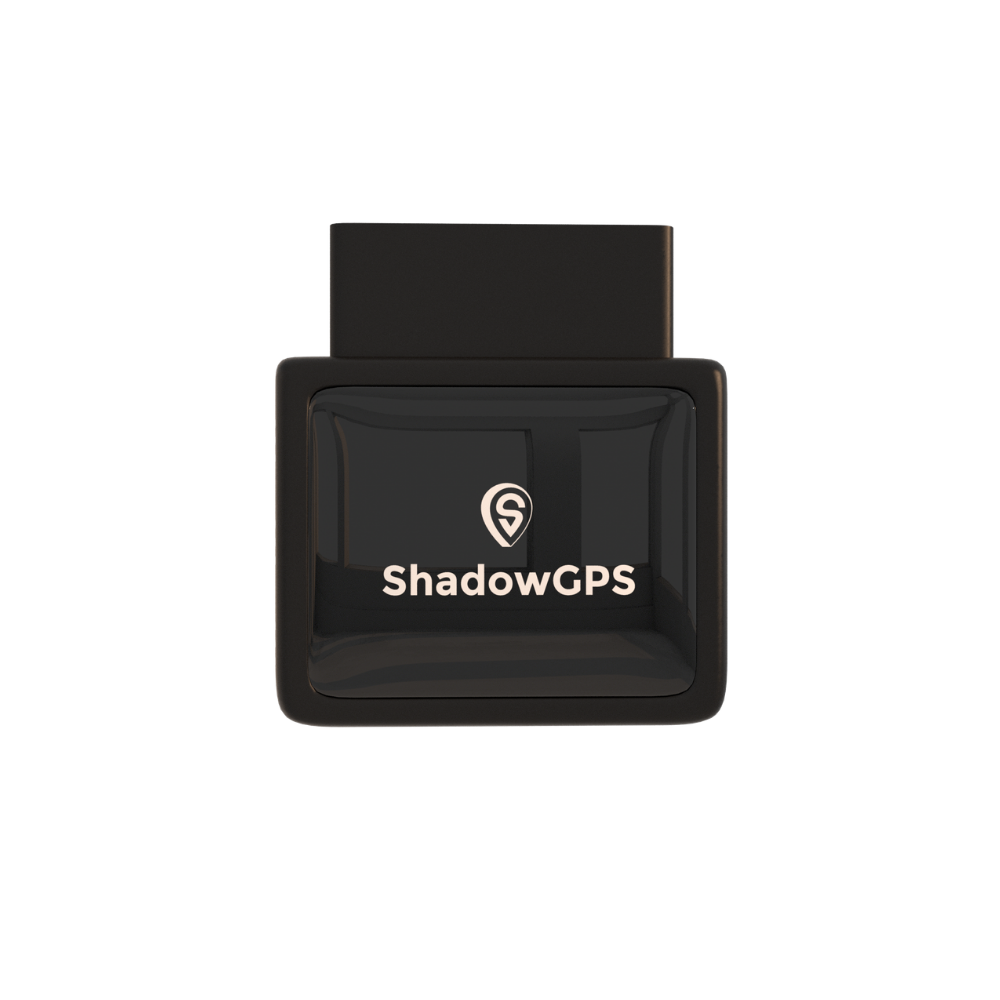
ShadowAuto
- Powered by your truck, nothing to charge
- Trip timeline and replay for proof of service
- Engine codes and Car Alarm in the app


ShadowTrack: for trailers, mowers, and equipment
ShadowTrack is battery powered, runs up to about 15 days per charge, and mounts by magnet or hides almost anywhere. Put it on the trailer, the mower, or the generator that lives at a job site, or hide one in a van as a backup. It shows up in the same app as your ShadowAuto trackers.
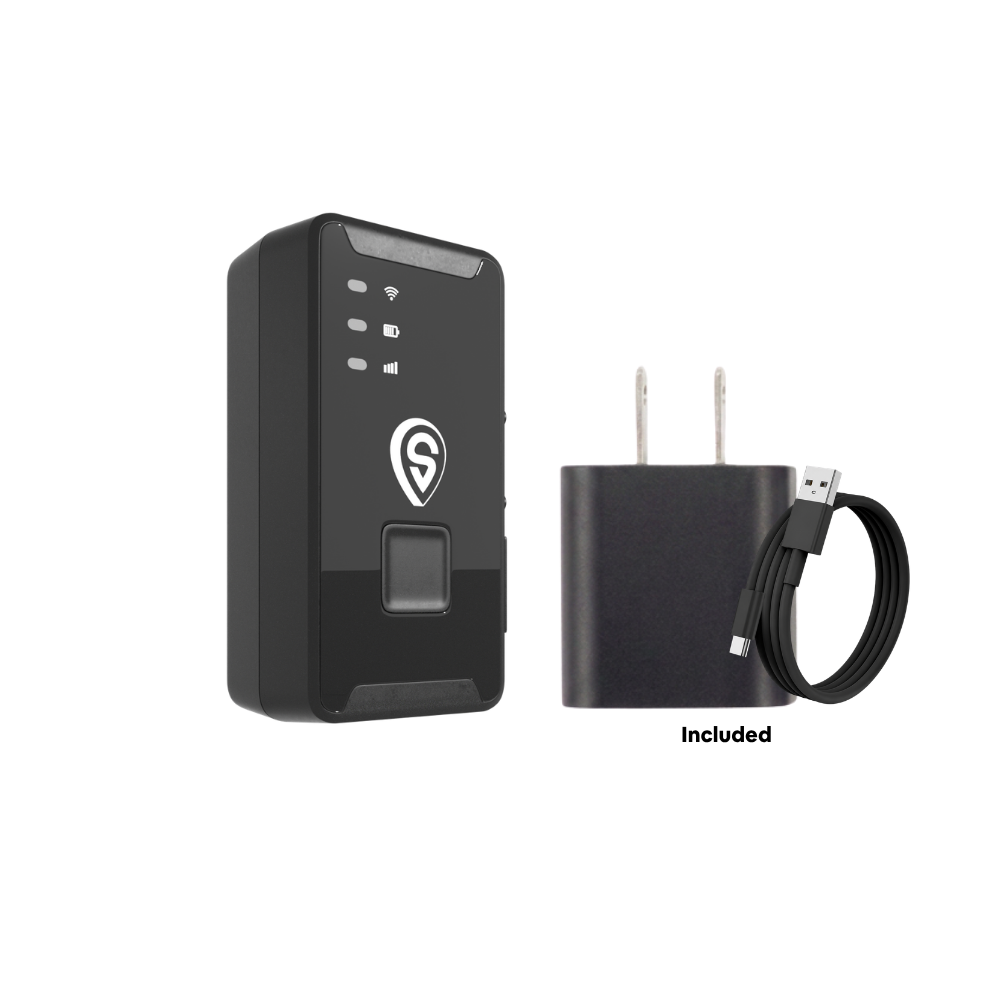
ShadowTrack
- Up to about 15 days per charge
- Works on assets with no OBD-II port
- Motion and geofence alerts
Best for: service businesses running 1 to 10 vans or pickups, plus trailers and equipment, who want a live map and proof of service without a contract or a sales call. See how it works on our business page.
Frequently asked questions
Is there a monthly fee for a GPS tracker on company vehicles?
Yes. Real-time trackers send location over a cellular network, so they carry a monthly fee. ShadowGPS is $15 a month per tracker month-to-month, $13 each for 4 to 10 trackers, and lower if you prepay a longer term. No contract, ever: month-to-month, or prepay and save, and cancel any time.
How much does GPS tracking cost for a small service business?
With ShadowGPS, each tracker is $69.90 up front plus the monthly plan. A four-van business on month-to-month pays $13 per van per month. Our breakdown of what GPS tracking costs a small fleet compares the wider market.
Do I have to tell my employees their work truck is tracked?
It's the right thing to do, and in some states, including New York and Connecticut, employers must give written notice of electronic monitoring. A short written policy covering which vehicles are tracked and how the data is used protects you and your crew.
Will a plug-in tracker work in my van or pickup?
Almost certainly. Every car and light truck sold in the U.S. since the 1996 model year has an OBD-II port, usually under the dash near the steering column. Here's how to find your OBD2 port.
Can my customers see when my tech is arriving?
Yes. With Share Location, you send a customer a link to the van's live location. They can watch the tech arrive without getting access to your account.
Does a GPS tracker for company vehicles need a SIM card?
Cellular trackers connect through a built-in SIM, but with ShadowGPS you don't buy or insert one. The data connection is included in your plan. More in does your GPS tracker need a SIM card.
Can I track trailers and equipment too?
Yes. Use a battery tracker like ShadowTrack on trailers, mowers, generators, or anything without an OBD-II port. It appears on the same map as your trucks.
What about techs who take the truck home?
Set clear rules in your written policy, such as commute only or no personal trips, and use a yard geofence for after-hours alerts. Keep tracking focused on the company vehicle and business use.
Know where every van is, starting today
Plug it in, see it move, cancel any time. ShadowAuto for your vans and pickups, ShadowTrack for trailers and equipment, one app for all of them.
Pricing and plan details as of October 2026. Some Amazon and Best Buy links are affiliate links, and we may earn a commission at no extra cost to you. Legal and tax summaries are general information, not legal or tax advice.

