

The simplest way to track multiple vehicles is one plug-in GPS tracker per vehicle, all in one app, on one account, with different alerts for each car's job. That beats juggling a Turo tracker, a teen-driver app and a fleet platform that don't talk to each other.
Here's a setup that's more common than most tracker reviews admit: two cars listed on Turo, an older sedan your 17-year-old drives to school, the family SUV, and two vans for a small cleaning business. Six vehicles, three very different reasons to track them, and one person keeping it all straight.
Search for help and you get three separate worlds. Turo lists, teen-driver lists and enterprise fleet software that wants a multi-year contract. This guide is for the person who needs all three at once: which type of tracker works across every vehicle, how to set different rules for each one, what it really costs, and how to get six cars running in one afternoon.
For a mix of rental, family and work vehicles, use an OBD-II plug-in tracker in each one and manage them all from one app. Plug-in trackers run on the car's own power, so there are no batteries to charge across six cars, and they read engine codes too. Set Turo cars for geofence and unplug alerts, the teen's car for speed and curfew alerts, and work vans for arrivals and engine health. Add a battery tracker only for trailers or assets without an OBD-II port.
What matters when you track more than one vehicle:
What Is a GPS Tracker for Multiple Vehicles?
A GPS tracker for multiple vehicles is a setup where each car or truck gets its own tracker, and every tracker reports to a single account. You see all of them on one map, review each one's trip history, and set alerts vehicle by vehicle. The tracker hardware is the same whether it sits in a teen's sedan or a work van. What changes is how you configure it.
That's the key insight most guides miss. You don't need a "Turo tracker," a "teen tracker" and a "fleet tracker." You need one reliable tracker type and an app flexible enough to treat each vehicle differently.
Why Most Tracker Advice Misses the Mixed-Use Owner
Search "best GPS tracker for Turo" and you get lists built around rental hosts. Search "best GPS tracker for teen drivers" and you get a different set of products. Search "fleet GPS tracking for small business" and you land on enterprise platforms like Samsara and Motive, priced and contracted for companies with dozens of trucks.
Real life is messier. The work van hauls furniture on weekends. The family sedan goes on Turo when nobody needs it. The teen's car is also the business backup. If each vehicle lives in a different app, you end up with three logins, three bills and three places to check when something goes wrong. The better question isn't "which tracker is best for Turo?" It's "which tracker works for every vehicle I own?"
OBD-II vs. Battery Trackers When You Have Several Vehicles
Every gas car sold in the US since 1996 has an OBD-II diagnostic port under the dashboard. An OBD-II tracker plugs straight into it, runs on the car's power and starts reporting right away. A battery tracker sits in a magnetic case or glovebox and needs recharging.
With one vehicle, recharging every couple of weeks is fine. With six, the math changes. Six battery trackers that each last about two weeks means roughly a dozen charging jobs a month, or one every two or three days. Miss one and the dead tracker will be on the car you needed to find. Here's how the two types compare for a multi-vehicle setup.
| What you care about | OBD-II plug-in | Battery-powered |
|---|---|---|
| Charging across 6 vehicles | None, it runs on the car | About a dozen charges a month |
| Engine codes, battery voltage, fuel | Yes | No |
| Setup per vehicle | Under 2 minutes | Under 2 minutes, plus a hiding spot |
| Can be unplugged by a driver | Yes, but you get an unplug alert | Harder to find if hidden well |
| Works on trailers and equipment | No port, so no | Yes |
| Best role | Every car, truck and van | Trailers, RVs, a hidden backup |
More detail on the trade-offs in our guide to battery-powered vs. OBD GPS trackers.
Where ShadowAuto fits
ShadowAuto is built for exactly this. Location refreshes fast enough to follow a late Turo return or a van heading to a job as it happens. Each tracker plugs into the OBD-II port in under two minutes with no tools, so six vehicles is an afternoon, not a weekend. And every vehicle lands on one map in the ShadowGPS app, so you always know where each one is and what it's doing.
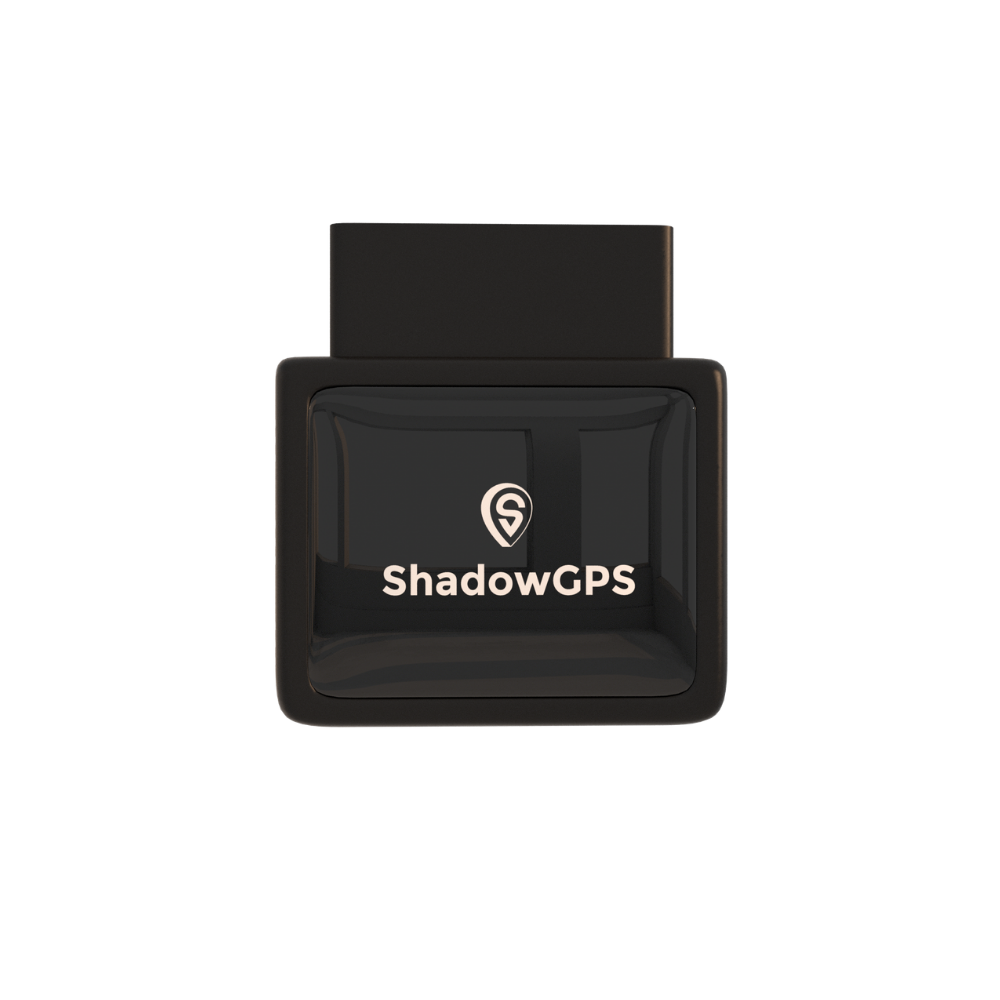
ShadowAuto
- Every vehicle on one map, with its own alert settings
- Geofence, speed, curfew, crash and unplug alerts
- Engine health: check-engine codes, battery voltage, fuel


Best for: anyone tracking two to ten cars, trucks or vans for different reasons from one phone.
One Account, Different Rules: Alert Playbooks by Vehicle
The real advantage of one app is that each vehicle can have its own rules. Turn everything on for every car and your phone never stops buzzing. Match the alerts to the job instead.
Turo cars: protect the car between guests
Draw a geofence around the area guests are allowed to drive, and turn on unplug and tow alerts so you know right away if the tracker is pulled or the car moves without the engine running. Trip history and trip replay are your evidence when a guest disputes a return time or a mileage claim. More on hosting in our GPS tracking for Turo hosts page.
The teen's car: coaching, not catching
Set a speed alert a little above the fastest road they normally drive, a curfew alert for school nights, and arrival geofences around school, home and their job. The point is a conversation over dinner, not a lecture by text. Our guide on GPS trackers for teen drivers covers how to talk about it.
The family car: quiet by default
Keep it light: crash detection, engine and battery alerts, and an arrival geofence or two. This is the car you want to know is healthy and parked where it should be, without daily notifications.
Work vans: arrivals and uptime
Geofences around regular client sites confirm arrival times without phone calls. Ignition alerts show when the day starts and ends. Engine-code alerts let you pull a van off the road and move the afternoon's jobs to another one before a small problem becomes a tow. See our page on GPS trackers for work vans for more.
| Vehicle role | Alerts to turn on | Starting setting | Why |
|---|---|---|---|
| Turo car | Geofence, unplug, tow, speed | Allowed driving area; speed around 85 mph | Catches misuse and supports disputes |
| Teen's car | Speed, curfew, arrival geofences | Just above usual roads; 11 PM on school nights | Coaching moments, fewer check-in texts |
| Family car | Crash, engine, battery | On; geofence at home | Peace of mind with little noise |
| Work van | Arrival geofences, ignition, engine codes | Regular client sites; working hours | Confirms jobs and prevents breakdowns |
Rules to know before you plug in
Turo: Turo permits GPS tracking devices on listed cars, but AirTags have been banned since January 31, 2025. Disclosure rules depend on your location, and interior cameras or audio recording always need guest consent. The safe habit is to mention the tracker in your listing. Check Turo's current tracking policy before each season, because it changes.
Employees: tracking company-owned vans is generally allowed, but tell drivers in writing and check your state's rules. Our guide to tracking employee vehicles covers the details. This is general information, not legal advice.
How to Set Up Trackers on Six Vehicles in One Afternoon
Plugging in takes about two minutes per vehicle. Most of your time goes into alerts, so do it in this order.
- Find each OBD-II port. It's usually under the dashboard, left of the steering column. Here's how to find it in 30 seconds.
- Plug in each tracker and start the car so it powers up.
- Add every tracker to one account in the ShadowGPS app.
- Name vehicles by role, like "Turo - Civic," "Maya's car" or "Van 2," so alerts make sense at a glance.
- Apply the playbook above to each vehicle, then share live location with a spouse or manager who needs it.
- Review after one week and switch off any alert you ignored every time.
Example: One Week Across Six Vehicles
Here's an illustrative week of what this looks like in practice:
- Monday: a work van reports a check-engine code mid-morning. You call the driver, finish the route with the second van, and book the repair before it gets worse.
- Wednesday: a curfew alert shows the teen's car leaving at 11:20 PM. It's a ride home for a friend, and the conversation is easy because you already know the details.
- Friday: a Turo guest says they returned the car on time. Trip replay shows it parked 40 minutes away at the return deadline, and the dispute is settled with the timeline.
- Sunday: the family SUV shows low battery voltage. You replace it before Monday's school run instead of jump-starting it in the driveway.
None of these alerts needed a separate app. They all came from the same map.
What It Costs to Track Multiple Vehicles
Each tracker is a one-time $69.90, plus a monthly fee per tracker that covers its cellular connection. The fee drops once you have four or more trackers. No contract. Month-to-month, or prepay and save.
| Number of trackers | Monthly | Quarterly | Annual | 2-year |
|---|---|---|---|---|
| 1-3 trackers | $15/mo each | $13/mo each | $12/mo each | $9/mo each |
| 4-10 trackers | $13/mo each | $11/mo each | $10/mo each | $8/mo each |
A six-vehicle example: six ShadowAuto trackers come to $419.40 once. On the annual plan, service is $10 per tracker per month, or $60 a month for all six. Month-to-month, it's $78 a month, and you can cancel any time.
For context, enterprise fleet platforms are built for a different buyer. Independent reviews put Samsara at roughly $27 to $33 per vehicle per month, typically on a three-year contract, and Motive from about $25 with a 12-month minimum, according to Tech.co's comparison. Those platforms add compliance tools a six-car household doesn't need. For a mixed-use owner, the deciding factor is usually the contract, not the monthly number. See ShadowGPS pricing for current plans.
Multi-Vehicle GPS Trackers Compared
| Tracker | Type | Multi-vehicle fit | Live updates | Contract | Turo |
|---|---|---|---|---|---|
| Apple AirTag | Bluetooth tag | Not a vehicle tracker | No live GPS | None | Banned |
| Samsara | Hardwired or OBD gateway | Built for large fleets | Yes | Typically 3 years | Allowed |
| LandAirSea 54 | Battery, magnetic | Charging adds up across cars | Varies by plan | Check plan | Allowed |
| Bouncie | OBD-II plug-in | Good | About every 15 sec | Check plan | Allowed |
| ShadowTrack | Battery, magnetic | Trailers and hidden backup | Yes, same app | None | Allowed |
| ShadowAuto | OBD-II plug-in | Best: no charging, engine data | Every 5 sec while moving | None | Allowed |
Update speeds and terms as published by each brand or reported by independent reviewers. Competitor plans change, so check before you buy. Turo column reflects Turo's general device policy, not a certification.
When to add ShadowTrack
If the business also tows a trailer, or you want a hidden second tracker in a Turo car in case a guest pulls the OBD tracker, ShadowTrack fits alongside ShadowAuto on the same account. It runs about 15 days per charge, which is manageable for one or two assets.
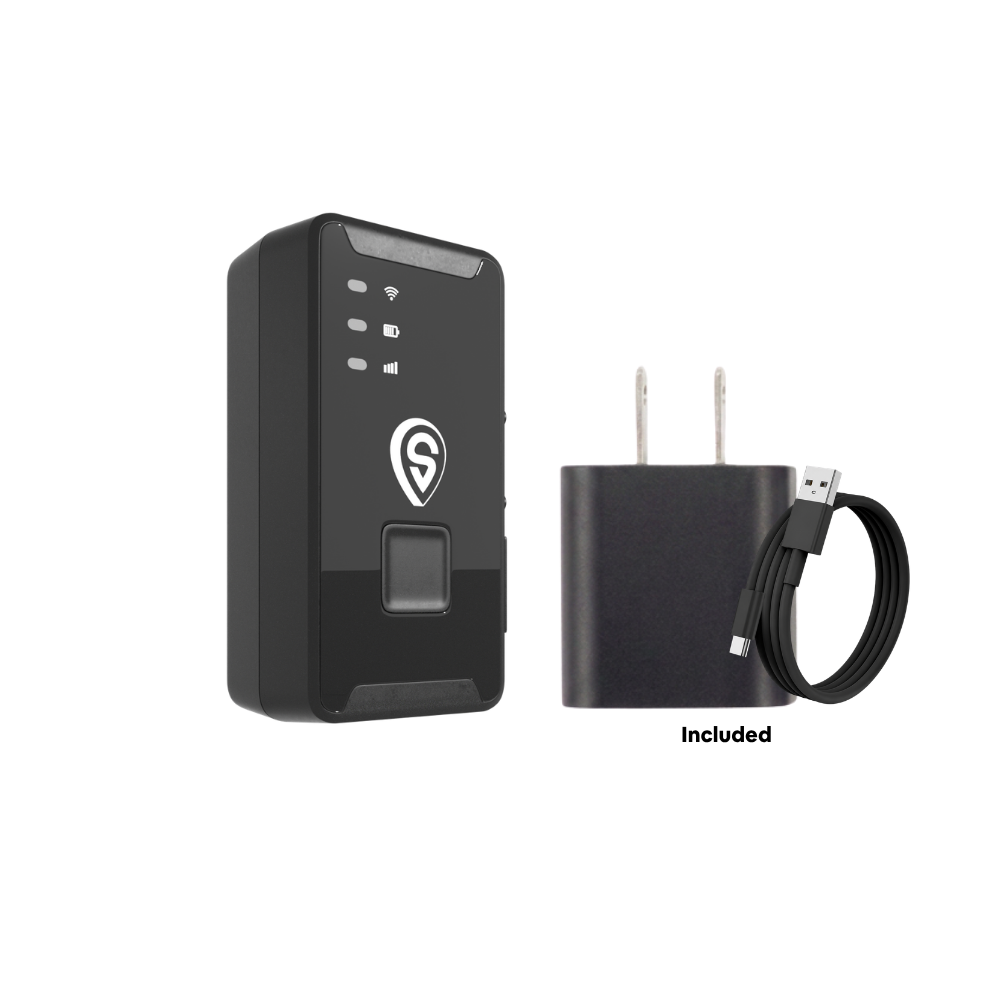
ShadowTrack
- Up to about 15 days per charge
- Tracks trailers, equipment and cars without a port
- Same app and map as your ShadowAuto trackers
Best for: trailers, equipment, or a hidden backup in a car that's often in someone else's hands.
What About Theft?
Theft is falling, but it hasn't gone away. The National Insurance Crime Bureau counted 659,880 vehicles stolen in the US in 2025, down 23% from the year before. With six vehicles, at least one is usually parked somewhere you can't see. Unplug and tow alerts tell you the moment something's wrong, and live location shows you where to send police.
Key takeaways
- Use one tracker type and one app for every vehicle, and set alerts by each vehicle's role.
- OBD-II plug-in trackers avoid the charging schedule that battery trackers create across several cars.
- Turo allows GPS trackers but bans AirTags. Mention your tracker in the listing.
- Per-tracker pricing drops at four or more trackers, with no contract.
Frequently Asked Questions
Is there a monthly fee to track multiple vehicles?
Yes. Each tracker has its own monthly fee for its cellular connection. With ShadowGPS it's $12 to $15 per tracker for one to three trackers, and $10 to $13 for four to ten, less on longer prepaid terms. No contract. Month-to-month, or prepay and save.
Can I track multiple vehicles on one app?
Yes. Every ShadowAuto and ShadowTrack on your account shows up on one map in the ShadowGPS app, and each vehicle keeps its own alerts and trip history.
Do the trackers need SIM cards?
No. You don't buy or insert a SIM. Cellular service is built in and covered by the plan. More on whether a GPS tracker needs a SIM card.
Can I set different alerts for each vehicle?
Yes. Alerts are set per vehicle, so a Turo car can have geofence and unplug alerts while the teen's car has speed and curfew alerts and the work vans have arrival and engine alerts.
Are GPS trackers allowed on Turo?
Turo permits GPS tracking devices, but has banned AirTags since January 31, 2025. Disclosure rules vary by location, so the safe habit is to mention your tracker in the listing and check Turo's current policy.
Can I move a tracker from one car to another?
Yes. An OBD-II tracker unplugs in seconds and plugs into another car's port. Rename the car in the app so its new trip history isn't mixed up with the old car.
Can my spouse or a manager see the cars too?
Yes. You can share live location from the app with family members or whoever helps run the cars.
Is it legal to track my teen's car or my employees' vans?
Tracking a vehicle you own is generally legal. For employees, tell drivers in writing and check your state's rules. This isn't legal advice.
What if I have more than 10 vehicles?
The published plans cover up to 10 trackers. For a larger group, contact ShadowGPS for pricing.
Sources and further reading
- Turo: Vehicle tracking and technology policy for hosts
- NICB: US vehicle thefts experience historic decline
- Tech.co: Samsara vs. Motive
Related reading: Fleet GPS tracking for 3-10 vehicles · How much GPS tracking costs for a small fleet · Turo banned AirTags: what to use instead
Pricing current as of November 2026 and subject to change. Competitor pricing is from independent reviews and may differ from current quotes. Some links are affiliate links; ShadowGPS may earn a commission at no extra cost to you. This article is general information, not legal advice.

