

A GPS tracker for elderly drivers is a small device that plugs into your parent's car and shows you, on your phone, where that car is and how it's being driven. For most families, an OBD-II plug-in tracker is the right fit: nothing to charge, nothing for your parent to wear, and quiet alerts when they arrive, speed, drive late at night, or need help.
It usually starts with a phone call. Dad is at a gas station 45 minutes the wrong way from his doctor's office, on a highway exit he hasn't taken in years. He's fine, just rattled. And now you and your siblings are asking the question you've been putting off: is he still safe behind the wheel?
Taking the keys feels like taking his independence. Doing nothing doesn't feel right either. This guide covers the middle ground: what a car tracker can and can't tell you about an aging driver, the features that matter, how to set one up in a few minutes, how to talk to your parent about it, and how to read the data when a harder conversation is coming.
The best GPS tracker for an elderly driver tracks the car, not the person. A plug-in OBD-II tracker like ShadowAuto runs on the car's own power, needs nothing from your parent, and sends arrival, speed, night-driving, crash and engine-health alerts to your phone. Pick a wearable instead (or as well) only if your parent also wanders on foot, which becomes more common as dementia progresses.
What we weighed for older drivers:
What Is a GPS Tracker for Elderly Drivers?
A GPS tracker for elderly drivers is a car-mounted device that reports the car's live location, speed and trip history to a family member's phone over a cellular connection. Unlike a phone app or a wearable, it works whether or not your parent carries a phone, and it asks nothing of them.
There are two common types. An OBD-II plug-in tracker sits in the diagnostic port under the steering wheel, which every gas car sold in the US since 1996 has. A battery-powered tracker sits in a magnetic case or glovebox and is recharged every week or two. If you're not sure where the port is, here's how to find your OBD2 port in 30 seconds.
Why a Car Tracker Beats a Wearable for a Parent Who Still Drives
Most "GPS tracker for seniors" lists push clip-ons, pendants and smartwatches. Those are great for a parent who walks out the door and gets disoriented. But if the worry is driving, a wearable answers the wrong question.
A wearable tells you your mom is "somewhere near the highway." A car tracker tells you she's heading south on the interstate, two exits past her usual turn, doing 71 mph. It also knows when the engine started, whether the car braked hard, and whether the battery is about to die. And it never needs to be remembered, worn or charged, which are the first things to slip as memory changes.
The honest limit: a car tracker follows the car, not the person. If your parent rides with a friend or takes the bus, it won't help. For a parent with dementia who also wanders on foot, pair the car tracker with a wearable. Our caregiver's guide to GPS trackers for elderly parents covers the wearable side in depth.
Where ShadowAuto fits
ShadowAuto is built for exactly this job. The location refreshes fast enough to watch a trip as it happens. It plugs into the OBD-II port in under two minutes with no tools and no wiring, and from then on your parent just drives. The result is certainty: you know where the car is, and you hear about it when something's off.
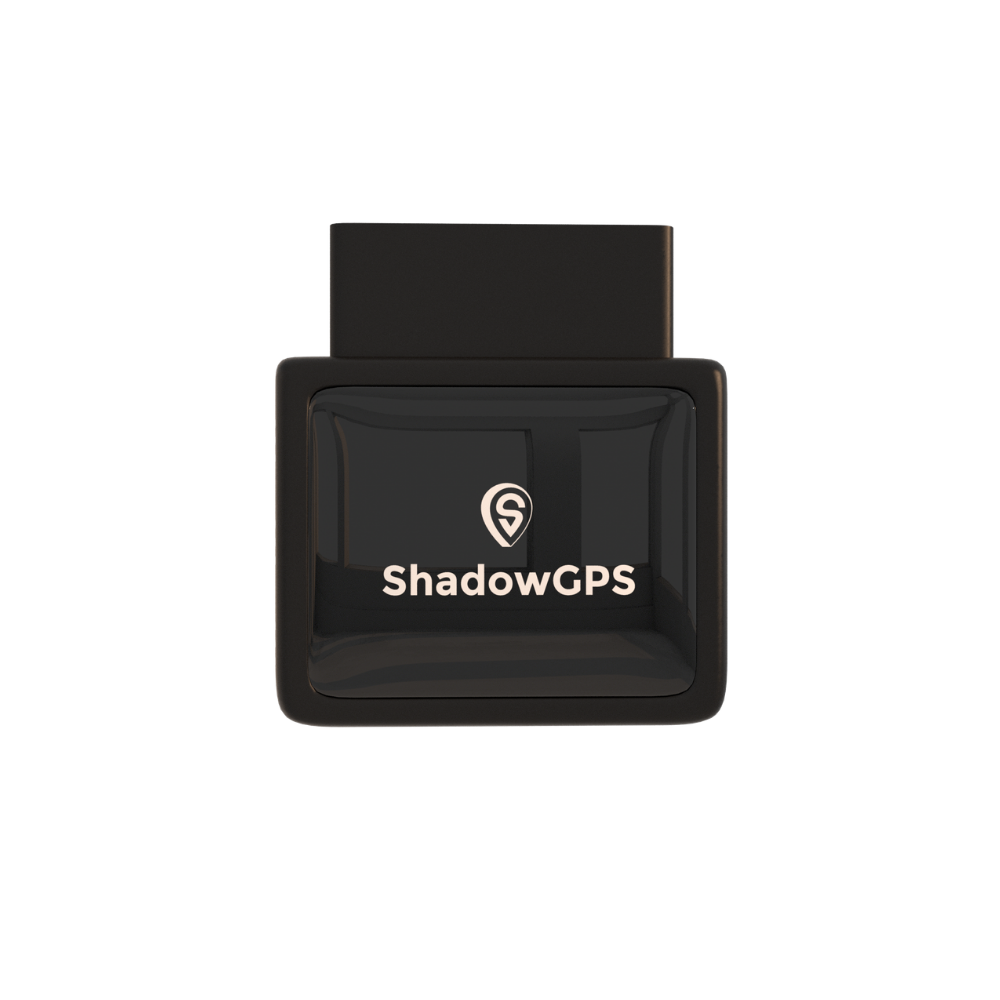
ShadowAuto
- Runs on the car's power: nothing to charge, wear or remember
- Geofence, speed, curfew and crash alerts
- Engine health: battery voltage, fuel level, check-engine codes


Best for: a parent who drives most days, wants to keep doing it, and doesn't want to think about a gadget.
8 Features That Matter Most for an Aging Driver
Teen-driver trackers are built to catch rule-breaking. Older drivers need something different: quiet reassurance on normal days, and early signals when patterns start to change. These are the features worth paying for.
1. Live location you can check without calling
The single biggest change most families notice is fewer "did you make it?" calls. You open the app, see the car parked at the pharmacy, and get on with your day. ShadowAuto updates every 5 seconds while the car is moving, so what you see is where the car actually is, not where it was a minute ago.
2. Arrival alerts with geofences
A geofence is a virtual boundary you draw on a map. Set them around home and three to five regular stops (doctor, grocery store, church, a sibling's house) and you'll get a quiet notification when your parent arrives. Add one wide outer ring, 20 to 30 miles from home, so a trip well outside their normal area stands out. Here's a walkthrough on setting up geofence alerts that actually work.
3. Speed alerts, both too fast and too slow
The National Institute on Aging lists driving too fast for conditions and driving so slowly it disrupts traffic as warning signs. A speed alert flags the first. Trip history shows the second: highway trips averaging well under the flow of traffic.
4. Curfew alerts for night driving
Many older drivers stop driving after dark on their own. A curfew alert (for example, any trip between 10 PM and 5 AM) tells you if the car moves during hours your parent never drives. For families dealing with early memory changes, this is often the most useful alert of all.
5. Trip history and trip replay
One odd trip means little. A pattern over weeks means a lot. Trip replay lets you watch a route back on the map, and up to a year of history lets you compare this month with last spring. Look for trends, not single moments.
6. Crash detection
If the tracker senses an impact, it sends an alert with the car's location to your phone. You can call your parent right away and, if they don't answer, send help to the exact spot. It isn't a medical alert service and doesn't call 911 for you, so a parent who lives alone may still want a wearable help button.
7. Engine and battery health
Because it reads the car's diagnostics, ShadowAuto can flag low battery voltage, low fuel and check-engine codes. Older drivers often miss or ignore dashboard lights. A weak-battery warning on your phone means you book a replacement before your parent is stuck in a parking lot in July.
8. Shared location and tamper alerts
Share live location so siblings can check in without everyone calling Dad. Unplug and tow alerts tell you if the tracker is removed or the car is moved without the engine running, which also covers the theft side of the story.
Warning Signs a Tracker Can Help You Spot Early
The NIA, NHTSA and the Alzheimer's Association all publish warning signs that an older adult's driving is changing. Several of them show up in trip data before they show up as a dent or a ticket.
| Warning sign | What it can look like in the app | A calm next step |
|---|---|---|
| Getting lost on familiar routes | Loops, U-turns, or a 10-minute errand taking 45 minutes | Ride along on that route; mention it to their doctor |
| Driving too fast for conditions | Repeat speed alerts on the same residential streets | Ask about vision; book an eye exam |
| Driving far below traffic flow | Highway trips averaging well under the posted limit | Suggest routes that skip the highway |
| Unexpected or late-night trips | Curfew alerts, ignition at odd hours | A gentle check-in; flag it to their doctor if it's new |
| Sudden stops and near misses | Harsh braking clustered at the same intersections | Consider a professional driving evaluation |
| Missed car care | Check-engine codes or low battery voltage left unresolved | Book the service for them |
A tracker shows patterns, not a diagnosis
Trip data can tell you something has changed. It can't tell you why. Bring what you see to your parent's doctor, and ask about a driving evaluation with an occupational therapist who specializes in driver rehabilitation. The Alzheimer's Association points families to the American Occupational Therapy Association's national directory of driving specialists.
Older Driver Safety: What the Numbers Say
Older drivers aren't reckless. Most are careful, and many limit their own driving. The risk is real, but it looks different from what people assume.
- Risk per mile climbs from about age 70. IIHS reports that fatal crash rates per mile traveled rise noticeably starting at ages 70-74 and are highest among drivers 85 and older.
- 5,679 people 70 and older died in US crashes in 2024, according to IIHS Fatality Facts.
- About 25 older adults die and 740 are injured in crashes every day. The CDC counts roughly 9,100 adults 65 and older killed and more than 270,000 treated in emergency rooms in 2022.
- The danger is mostly to themselves. In 2023, 70% of people killed in crashes involving a driver 70 or older were that driver (57%) or their passengers (12%), per IIHS.
- Fragility, not bad driving, is the main factor. IIHS research found older drivers' higher death rates per mile come mostly from being more likely to die in a crash, not from crashing more often.
- More older adults are driving than ever. There were about 35 million licensed drivers 70 and older in 2023, up 98% since 1997.
That's why the right approach is support, not policing. Fast crash alerts matter because minutes matter for a fragile body. Pattern tracking matters because decline is usually gradual, and families who see it early can make small adjustments long before anyone has to take the keys.
How to Set Up a GPS Tracker on Your Parent's Car
Setup takes about ten minutes, most of it in the app. Here's the order that works best.
- Talk to your parent first. Agree on why you're doing it and who will see the location (more on that conversation below).
- Find the OBD-II port. It's usually under the dashboard, just left of the steering column.
- Plug in the tracker. It takes under two minutes, with no tools and no wiring. Start the car so it powers up.
- Download the ShadowGPS app and add the tracker to your account. Share live location with siblings who want to see it.
- Draw your geofences: home, a few regular stops, and one wide outer ring.
- Turn on alerts, then trim the noise. Start with the settings below and adjust after the first week.
Suggested alert settings for an older driver
| Alert | Starting setting | Why it helps |
|---|---|---|
| Arrival geofences | Home plus 3-5 regular stops | Replaces check-in phone calls |
| Outer geofence | 20-30 miles from home | Flags trips well outside their routine |
| Speed | Just above the fastest road they usually drive (for example, 70 mph) | Catches drift without daily noise |
| Curfew | 10 PM to 5 AM, adjusted to their routine | Flags night trips they don't usually make |
| Crash | On, sent to at least two family members | Someone always sees it fast |
| Engine and battery | On | Prevents breakdowns and strandings |
| Unplug and tow | On | Covers tampering and theft |
One tip from families who've done this: start quiet. If your phone buzzes every time Mom goes to the store, you'll stop looking, and you'll miss the alert that matters.
How to Talk to Your Parent About a Car Tracker
Telling your parent is almost always the right call. A tracker added in secret tends to come out eventually, and the damage to trust is worse than any argument up front. Most older adults already sense they're slowing down. A tool that helps them keep driving is usually an easier yes than you'd expect.
- Lead with independence. "This is how you keep driving without me calling three times a day."
- Make it about the car. Breakdowns, dead batteries and crashes are easy, unthreatening reasons.
- Give them a say. Let them pick which family members see the location and which places get arrival alerts.
- Set a review date. "Let's try it for six months and see how it feels."
A simple script: "Dad, this little plug-in tells us where the car is. If you ever get turned around, break down, or something happens on the road, we'll know right away and can help."
Is it legal to track a parent's car?
In general, the owner of a car can track it. Tracking a car someone else owns without their consent can break state law. California, for example, bars using an electronic tracking device on a vehicle without the registered owner's consent. If your parent owns the car, get their okay. If dementia has progressed to the point where they can't consent, talk to an elder law attorney about power of attorney before you act. This is general information, not legal advice.
A Simple Framework: Keep Driving, Adjust, or Step Back
The data is only useful if you know what to do with it. This three-stage framework helps families turn trip history into decisions without guessing.
Green: keep driving
Routine trips, normal speeds, no surprise night drives. Keep alerts light and glance at the app once a week. Nothing to fix.
Yellow: adjust
Occasional detours, repeat speed alerts, harsh braking at the same spots. Ride along, book eye and medical checks, try daylight-only or no-highway driving, and consider a driving evaluation.
Red: step back
Lost on familiar routes more than once, a crash or several near misses, night trips they don't remember. Bring the doctor in, line up other rides, and use the trip log as calm, factual evidence.
Example: how the data can point to a fixable problem
Here's an illustrative example of how this plays out. A parent who has driven the same 30 mph street for twenty years starts triggering speed alerts there two or three times a week. They're surprised when it comes up, because they genuinely hadn't noticed the signs. An eye exam finds a change in peripheral vision that a routine check didn't test for. Treatment follows, the alerts stop, and the parent keeps driving. The tracker didn't diagnose anything. It gave the family a specific, neutral reason to ask the right question.
GPS Trackers for Elderly Drivers Compared
Here's how the main options stack up for the specific job of watching over an older driver.
| Tracker | Type | What it tracks | Power | Live updates | Fit for an older driver |
|---|---|---|---|---|---|
| Apple AirTag | Bluetooth tag | An item | Coin battery | No live GPS; relies on nearby Apple devices | Backup only |
| AngelSense | Wearable | The person | Rechargeable | Yes | Best for wandering on foot, no driving data |
| LandAirSea 54 | Battery, magnetic | Car or item | Rechargeable | Varies by plan | Works, but needs recharging |
| Bouncie | OBD-II plug-in | Car | Car | About every 15 sec | Good, car-focused |
| ShadowTrack | Battery, magnetic | Car, trailer, RV | Rechargeable, about 15 days | Yes, same app | Good for cars without an easy OBD port |
| ShadowAuto | OBD-II plug-in | Car plus engine health | Car | Every 5 sec while moving | Best overall fit |
Update speeds as published by each brand. Competitor plans change often, so check current details before you buy.
When ShadowTrack makes more sense
Most families should start with ShadowAuto. ShadowTrack is the better pick if your parent's car is older than 1996, if the OBD-II port sits where a knee bumps it, or if you also want to keep an eye on a trailer or RV. It runs on a rechargeable battery for about 15 days per charge and uses the same app and alerts.
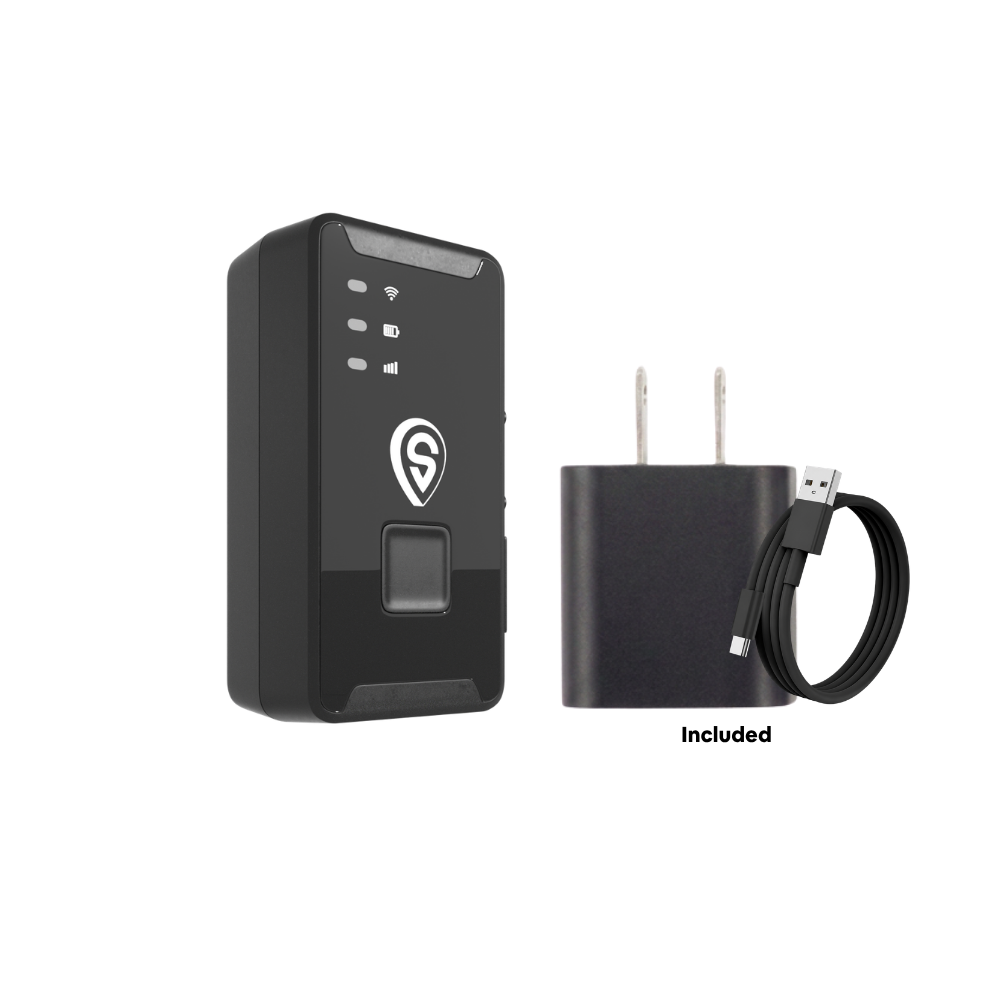
ShadowTrack
- Up to about 15 days per charge
- Works in any car, including pre-1996 models
- Geofence, speed, curfew and tamper alerts in the same app
Best for: older cars without an OBD-II port, awkward port locations, or families who also want to track a trailer or RV.
What It Costs (and the Monthly Fee Question)
Yes, there's a monthly fee. It covers the cellular connection that lets the tracker report from anywhere, and every plan includes every feature. No contract. Month-to-month, or prepay and save.
| Number of trackers | Monthly | Quarterly | Annual | 2-year |
|---|---|---|---|---|
| 1-3 trackers | $15/mo | $13/mo | $12/mo | $9/mo |
| 4-10 trackers | $13/mo | $11/mo | $10/mo | $8/mo |
The tracker itself is a one-time $69.90. If you'd rather not see a monthly bill at all, ShadowGPS also sells prepaid bundles that include service for a set term. Full details are on the ShadowGPS pricing page, and every order comes with a 30-day money-back guarantee.
Key takeaways
- For a parent who still drives, track the car, not the person. An OBD-II plug-in tracker needs nothing from them.
- The alerts that matter most: arrival geofences, speed, night-driving curfew, crash, and engine health.
- Use the data for patterns, then bring them to a doctor. A tracker is not a diagnosis.
- Tell your parent and get their consent. It's the right thing to do, and in many states it's the law.
Frequently Asked Questions
Is there a monthly fee for a GPS tracker for elderly drivers?
Almost every real-time tracker has one, because it pays for the cellular data that sends the location to your phone. ShadowGPS plans run $12 to $15 a month for one to three trackers, less on longer prepaid terms. No contract. Month-to-month, or prepay and save.
Does the tracker need a SIM card?
No. You don't buy or insert a SIM card. Cellular service is built in and included in the plan. Here's more on whether a GPS tracker needs a SIM card.
Is it legal to put a GPS tracker on my elderly parent's car?
If you own the car, generally yes. If your parent owns it, get their consent, since some states, including California, prohibit tracking a vehicle without the registered owner's okay. For a parent who can no longer consent, ask an elder law attorney about power of attorney. This isn't legal advice.
Will my parent have to charge it or do anything?
Not with an OBD-II tracker like ShadowAuto. It draws power from the car and turns on when the car does. There's no button to press, nothing to charge and nothing to wear. A battery tracker like ShadowTrack needs a recharge about every two weeks, which you can handle on visits.
Can I get an alert if my parent drives at night?
Yes. Set a curfew alert for the hours your parent normally doesn't drive, such as 10 PM to 5 AM, and you'll be notified if the car moves during that window.
What happens if my parent is in a crash?
ShadowAuto's crash detection sends an alert with the car's location to everyone set up to receive it. You can call your parent and, if needed, send emergency services to the exact spot. It doesn't call 911 on its own.
Can more than one family member see the location?
Yes. You can share live location from the app, so siblings can check in without everyone calling your parent.
Can a GPS tracker tell if my parent has dementia?
No. It can show changes in driving patterns, like getting lost on familiar routes, that are worth raising with a doctor. Only a medical evaluation can explain why those changes are happening.
Is a car tracker or a wearable better for a parent with dementia?
In the early stages, while your parent still drives, a car tracker gives you the most useful information. As dementia progresses and wandering on foot becomes a risk, add a wearable. Many families use both for a while.
How do I know when my elderly parent should stop driving?
Watch for getting lost on familiar roads, new dents, near misses, missed signs and signals, and other drivers honking often. If you see several, talk to their doctor and ask about a professional driving evaluation. There's no set age to stop; ability is what counts.
How accurate is a GPS car tracker?
Outdoors with a clear view of the sky, GPS is typically accurate to within a few meters, which is enough to see which store lot the car is in. Accuracy can drop in parking garages and dense downtowns. More in our guide to how accurate GPS trackers are.
Keep them driving. Keep yourself in the loop.
Plug it in, see it move, cancel any time.
Sources and further reading
- IIHS Fatality Facts: Older People
- IIHS: Older Drivers
- CDC: Older Adult Drivers
- National Institute on Aging: Safe Driving for Older Adults
- NHTSA: Older Drivers
- Alzheimer's Association: Dementia and Driving
Related reading: GPS tracking for elderly parents and teen drivers · How real-time GPS tracking works
Pricing current as of November 2026 and subject to change. Some links are affiliate links; ShadowGPS may earn a commission at no extra cost to you. This article is general information, not medical or legal advice. Talk to your parent's doctor about driving fitness and check your state's laws before tracking a vehicle you don't own.

